Sengoku Bushido
Updated
Current Version
Offered By

With your passion for Sengoku Bushido, you shouldn’t have to limit yourself to the small screen of a phone. Play like a pro and take full control of the game using a keyboard and mouse. MEmu gives you everything you’re looking for. Download and play Sengoku Bushido on PC. Play as long as you want — no more worries about battery life, mobile data, or unexpected calls. The all-new MEmu 9 is the best way to play Sengoku Bushido on PC. With our expertly designed keymapping system, Sengoku Bushido feels just like a real PC game. The MEmu multi-instance manager lets you run two or more accounts on the same device at the same time. Most importantly, our exclusive emulation engine unlocks your PC’s full potential, delivering smooth and seamless performance.
Show more
Download Sengoku Bushido on PC with MEmu Android Emulator. Enjoy playing on big screen. The Sengoku Era Rises Once More.
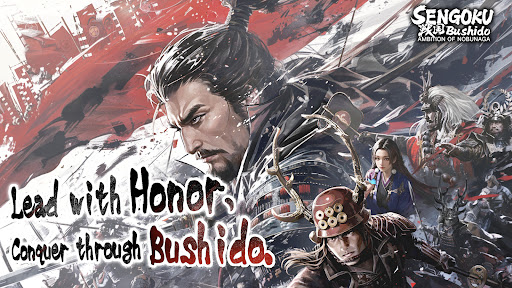
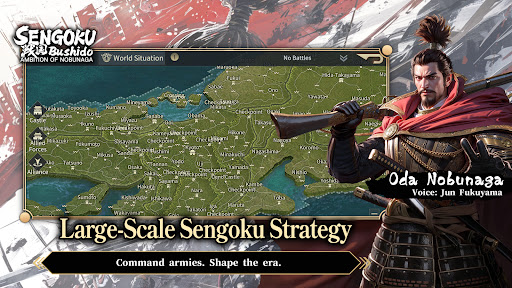
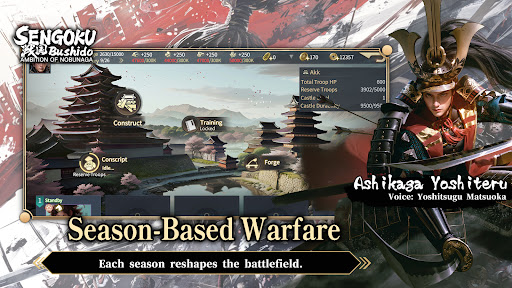
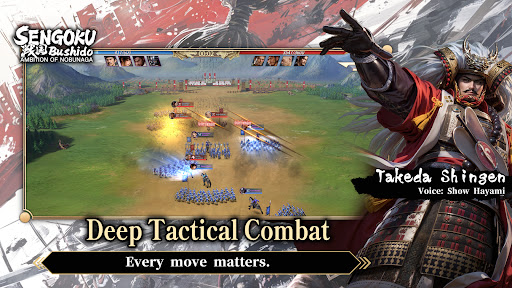
The Sengoku Era Rises Once More
A Large-Scale Historical Strategy SLG
War returns to Japan in an age of ambition, alliances, and shifting frontlines.
Step into the Sengoku era, command powerful Generals, and shape the course of history through strategy rather than force alone.
■ Season-Based Warfare
This title features a season-based strategy system, returning players to the Sengoku era with each new campaign.
Fight alongside alliance members to pursue shared seasonal objectives.
Rankings are determined by territory control and season goal progression.
At the start of every new season, territories are reset and new content is introduced.
Players may realign their chosen faction each season, while balance adjustments ensure that every campaign begins on an even battlefield—where planning, coordination, and timing matter more than legacy power.
■ Free March Across the Battlefield
March freely across the map of Japan using a real-time free march system, enabling rapid tactical responses and dynamic engagements.
Siege battles demand constant awareness of enemy alliance counterattacks.
Multiple march routes prevent concentrated pressure from high-strength forces.
Victory depends on coordination, role distribution, and alliance-level strategy.
The battlefield is never static—frontlines shift as decisions unfold in real time.
■ Deep Tactical Combat
Victory is decided before the battle begins.
Combine Generals, troop types, siege weapons, and combat techniques to create your own tactical approach.
Battles take place on a 3×3 tactical grid, with up to four units deployable per engagement.
Pre-battle formations and unit composition have a decisive impact on outcomes.
Troop types counter one another, while synergy between Generals and their skills can turn the tide of battle.
Adapt your strategy to the objective at hand:
Catapults to break castle defenses
Ballistae to strike rear formations
War Drums to bolster allied forces
Shield Wagons to withstand cavalry charges
Every move matters.
■ Premium Visual Presentation
Experience the Sengoku era through a refined, grounded visual style.
Generals are rendered in high-detail character models, from armor and attire to weapon craftsmanship.
A weighty, realistic art direction brings the era to life, creating an immersive sense of scale and presence on the battlefield.
■ Generals Brought to Life by a Star-Studded Cast
Over 200 playable Generals appear throughout the game.
Each is fully portrayed through an all-star Japanese voice cast, delivering performances that capture the ambition, resolve, and humanity of the Sengoku era.
Show more

1. Download MEmu installer and finish the setup

2. Start MEmu then open Google Play on the desktop

3. Search Sengoku Bushido in Google Play
Install
4. Download and Install Sengoku Bushido
5. On install completion click the icon to start

6. Enjoy playing Sengoku Bushido on PC with MEmu
MEmu Play is the best Android emulator and 100 million people already enjoy its superb Android gaming experience. The MEmu virtualization technology empowers you to play thousands of Android games smoothly on your PC, even the most graphic-intensive ones.
Bigger screen with better graphics; Long duration, without limitation of battery or mobile data.
Full Keymapping support for precise control of keyboard and mouse or gamepad.
Multiple game accounts or tasks on single PC at one time with Multi-Instance manager.
Play Sengoku Bushido on PC by following steps: