Quibi: All New Original Shows
Bijgewerkt
Huidige Versie
1.14.0
Aangeboden door

Maak je geen zorgen meer over extra kosten bij het gebruik van Quibi: All New Original Shows op je mobiele telefoon, bevrijd jezelf van het kleine scherm en geniet van het gebruik van de app op een veel groter display. Vanaf nu, krijg een volledige schermervaring van je app met toetsenbord en muis. MEmu biedt je alle verrassende functies die je verwachtte: snelle installatie en eenvoudige configuratie, intuïtieve besturing, geen beperkingen meer van batterij, mobiele data en storende oproepen. De gloednieuwe MEmu 9 is de beste keuze voor het gebruik van Quibi: All New Original Shows op je computer. MEmu multi-instance manager maakt het mogelijk om tegelijkertijd 2 of meer accounts te openen. En het belangrijkste, onze exclusieve emulatiemotor kan het volledige potentieel van je PC benutten, waardoor alles soepel en plezierig wordt.
Meer tonen
Download Quibi: All New Original Shows on PC with MEmu Android Emulator. Enjoy playing on big screen. Quibi delivers quick-bite entertainment that fits into any moment of your day.
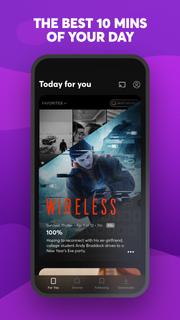
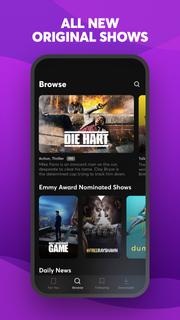

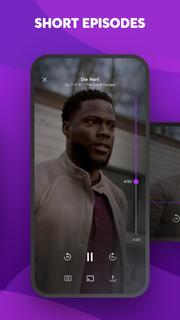
Quibi delivers quick-bite entertainment that fits into any moment of your day. Watch shows featuring the world's biggest stars. Episodes in 10 minutes or less. All designed for your phone. Download now to start watching. Your first 2 weeks are free.Enjoy original comedies, movie-quality action & drama, inspiring documentaries, and Daily Essentials to stay informed on news, sports, finance and culture. Fresh new shows premiere every week, with new episodes available every day.Check your personalized feed to see what’s new, discover trending episodes, or search for shows based on your mood. Download episodes to watch anytime, anywhere.You’re in full control of what you watch and how you watch it. Vertical, horizontal; no matter how you hold your phone, everything is framed to fit your screen. Want to watch Quibi on your TV? Use Chromecast to stream shows on the big screen directly from your phone. For more ways to watch, get the Quibi TV app on Apple TV, Android TV, and Amazon Fire TV and sign in with your Quibi account.More info on Quibi subscriptions:• Your subscription begins after your free trial, if applicable, and will auto-renew each month.• Have a change of heart? You can switch plans in your in-app settings. Or cancel your subscription anytime via the Play Store.• Payment will be charged to your Play Store account each month unless auto-renew is turned off at least 24 hours before the renewal date.• You can manage your subscription and auto-renewal by going to your Play Store account settings and selecting Subscriptions.• If your subscription is canceled, the cancellation will be effective at the end of the current subscription period.• No refunds will be offered, and any unused portion of a free trial will be forfeited when you change your existing subscription to Quibi (Ad-Free).https://quibi.com/privacy-policy/https://quibi.com/terms-of-service/
Meer tonen

1. Download de MEmu-installatie en voltooi de setup

2. Start MEmu en open vervolgens Google Play op het bureaublad

3. Zoek Quibi: All New Original Shows in Google Play
Install
4. Download en installeer Quibi: All New Original Shows
5. Klik op het icoon om te starten na het voltooien van de installatie

6. Ervaar Quibi: All New Original Shows op pc met MEmu
MEmu Play is de beste Android-emulator, met meer dan 100 miljoen gebruikers die genieten van de superieure Android-app-ervaring. Dankzij de virtualisatietechnologie van MEmu kun je duizenden Android-apps soepel op je computer draaien, zelfs de meest veeleisende.
Groter scherm met betere graphics; Lange duur, zonder beperking van batterij of mobiele data.
Volledige Keymapping-ondersteuning voor nauwkeurige besturing van toetsenbord en muis of gamepad.
Meerdere game-accounts of taken op één PC tegelijk met Multi-Instance manager.
Gebruik Quibi: All New Original Shows op PC door de volgende stappen te volgen: