Quibi: All New Original Shows
تازہ کاری
موجودہ ورژن
1.14.0
پیشکش بذریعہ

اپنے موبائل فون پر Quibi: All New Original Shows کا استعمال کرتے وقت زیادہ چارج ہونے کی فکر نہ کریں، خود کو چھوٹی اسکرین سے آزاد کریں اور ایپ کو زیادہ بڑے ڈسپلے پر استعمال کرنے کا لطف اٹھائیں۔ اس کے بعد سے کی بورڈ اور ماؤس کے ساتھ اپنے ایپ کا فل اسکرین کا تجربہ حاصل کریں۔ MEmu آپ کو وہ تمام حیران کن خصوصیات پیش کرتا ہے جن کی آپ کو توقع کرتے ہیں: فوری انسٹال اور آسان سیٹ اپ، وجدانی کنٹرول، مزید بیٹری، موبائل ڈیٹا کی کوئی حد نہیں اور اب مزید پریشان کن کالز نہیں۔ نئے برانڈ کا MEmu 9 آپ کے کمپیوٹر پر Quibi: All New Original Shows استعمال کرنے کے لیے بہترین اختیار ہے۔ MEmu کثیر نظیری منیجر بیک وقت 2 یا اس سے زیادہ اکاؤنٹس کھولنا ممکن بناتا ہے۔ اور سب اہم بات، ہمارا خصوصی ایمولیشن انجن آپ کے پی سی کی پوری طاقت ریلیز کرتے ہوئے ہر چیز ہموار اور قابل تفریح بناتا ہے۔
مزید دکھائیں
Download Quibi: All New Original Shows on PC with MEmu Android Emulator. Enjoy playing on big screen. Quibi delivers quick-bite entertainment that fits into any moment of your day.
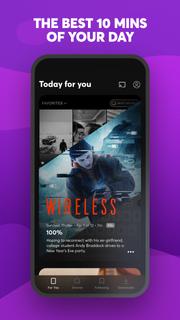
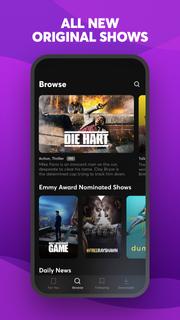

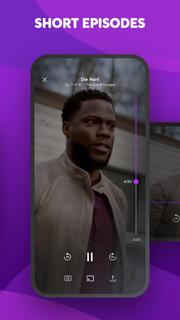
Quibi delivers quick-bite entertainment that fits into any moment of your day. Watch shows featuring the world's biggest stars. Episodes in 10 minutes or less. All designed for your phone. Download now to start watching. Your first 2 weeks are free.Enjoy original comedies, movie-quality action & drama, inspiring documentaries, and Daily Essentials to stay informed on news, sports, finance and culture. Fresh new shows premiere every week, with new episodes available every day.Check your personalized feed to see what’s new, discover trending episodes, or search for shows based on your mood. Download episodes to watch anytime, anywhere.You’re in full control of what you watch and how you watch it. Vertical, horizontal; no matter how you hold your phone, everything is framed to fit your screen. Want to watch Quibi on your TV? Use Chromecast to stream shows on the big screen directly from your phone. For more ways to watch, get the Quibi TV app on Apple TV, Android TV, and Amazon Fire TV and sign in with your Quibi account.More info on Quibi subscriptions:• Your subscription begins after your free trial, if applicable, and will auto-renew each month.• Have a change of heart? You can switch plans in your in-app settings. Or cancel your subscription anytime via the Play Store.• Payment will be charged to your Play Store account each month unless auto-renew is turned off at least 24 hours before the renewal date.• You can manage your subscription and auto-renewal by going to your Play Store account settings and selecting Subscriptions.• If your subscription is canceled, the cancellation will be effective at the end of the current subscription period.• No refunds will be offered, and any unused portion of a free trial will be forfeited when you change your existing subscription to Quibi (Ad-Free).https://quibi.com/privacy-policy/https://quibi.com/terms-of-service/
مزید دکھائیں

1. MEmu انسٹالر ڈاؤن لوڈ کریں اور سیٹ اپ مکمل کریں

2. MEmu شروع کریں اسکے بعد ڈیسکٹاپ پر Google Play کھولیں

3. Google Play میں Quibi: All New Original Shows تلاش کریں
Install
4. Quibi: All New Original Shows ڈاؤن لوڈ کریں اور انسٹال کریں
5. انسٹال مکمل ہونے کے بعد سٹارٹ کرنے کے لیے آئیکن پر کلک کریں

6. MEmu کے ساتھ پی سی پر Quibi: All New Original Shows کھیلنے کا لطف لیں
MEmu پلے بہترین اینڈرائڈ ایمولیٹر ہے اور 100 ملین لوگ اس کے زبردست اینڈرائڈ گیمنگ تجربہ سے لطف اندوز ہو رہے ہیں۔ MEmu کی ورچولائزیشن ٹیکنالوجی آپ کو اپنے PC پر ہزاروں اینڈرائڈ گیمز یہاں تک کہ انتہائی گرافک والے گیمز باسہولت کھیلنے کی طاقت دیتی ہے۔
بہتر گرافکس کے ساتھ بڑی اسکرین؛ طویل دورانیہ، بیٹری یا لامحدود موبائل ڈیٹا کے بغیر۔
کی بورڈ اور ماؤس یا گیم پیڈ کے عین مطابق کنٹرول کے لیے کی میپنگ کا پورا سپورٹ۔
کثیر مثالی منیجر کے ساتھ بیک وقت ایک پی سی پر متعدد گیم اکاؤنٹس یا ٹاسکس۔
پی سی پر درج ذیل مراحل پر عمل کرتے ہوئے پر Quibi: All New Original Shows استعمال کریں: u003c/p>