Quibi: All New Original Shows
อัปเดตเมื่อ
เวอร์ชันปัจจุบัน
1.14.0
ให้บริการโดย

เมื่อใช้ Quibi: All New Original Shows บนโทรศัพท์ของคุณไม่ต้องกังวลกับการชาร์จไฟมากเกินไปปลดปล่อยตัวคุณเองจากหน้าจอขนาดเล็กและสนุกกับการใช้แอพนี้บนหน้าจอขนาดใหญ่ จากนี้ไปรับประสบการณ์เต็มหน้าจอของแอปพลิเคชันของคุณด้วยคีย์บอร์ดและเมาส์ MEmu มีคุณสมบัติที่น่าแปลกใจที่คุณคาดหวัง: การติดตั้งที่รวดเร็วและการตั้งค่าที่ง่ายควบคุมได้ง่ายไม่ จำกัด แบตเตอรี่ข้อมูลมือถือและการโทรที่รบกวน MEmu 9 ใหม่ล่าสุดเป็นตัวเลือกที่ดีที่สุดสำหรับการใช้ Meitu – โปรแกรมแก้ไขภาพแนวธรรมชาติ บนคอมพิวเตอร์ของคุณ ด้วยรหัสการดูดซึมของเราผู้จัดการหลายอินสแตนซ์ทำให้สามารถเปิดบัญชี 2 บัญชีขึ้นไปในเวลาเดียวกันได้ และที่สำคัญที่สุดเอ็นจิ้นจำลองพิเศษของเราสามารถปลดปล่อยศักยภาพของPCของคุณและทำให้ทุกอย่างราบรื่นและสนุกสนาน
แสดงเพิ่มเติม
ดาวน์โหลด Quibi: All New Original Shows บน PC ด้วย MEmu Android Emulator สนุกกับการเล่นบนหน้าจอขนาดใหญ่ Quibi delivers quick-bite entertainment that fits into any moment of your day.
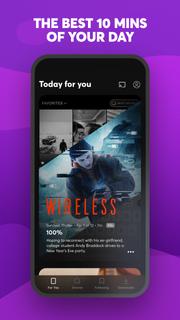
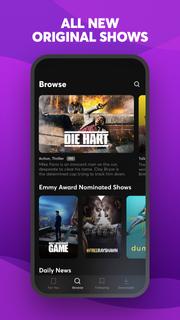

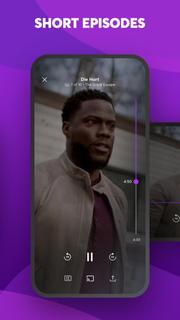
Quibi delivers quick-bite entertainment that fits into any moment of your day. Watch shows featuring the world's biggest stars. Episodes in 10 minutes or less. All designed for your phone. Download now to start watching. Your first 2 weeks are free.Enjoy original comedies, movie-quality action & drama, inspiring documentaries, and Daily Essentials to stay informed on news, sports, finance and culture. Fresh new shows premiere every week, with new episodes available every day.Check your personalized feed to see what’s new, discover trending episodes, or search for shows based on your mood. Download episodes to watch anytime, anywhere.You’re in full control of what you watch and how you watch it. Vertical, horizontal; no matter how you hold your phone, everything is framed to fit your screen. Want to watch Quibi on your TV? Use Chromecast to stream shows on the big screen directly from your phone. For more ways to watch, get the Quibi TV app on Apple TV, Android TV, and Amazon Fire TV and sign in with your Quibi account.More info on Quibi subscriptions:• Your subscription begins after your free trial, if applicable, and will auto-renew each month.• Have a change of heart? You can switch plans in your in-app settings. Or cancel your subscription anytime via the Play Store.• Payment will be charged to your Play Store account each month unless auto-renew is turned off at least 24 hours before the renewal date.• You can manage your subscription and auto-renewal by going to your Play Store account settings and selecting Subscriptions.• If your subscription is canceled, the cancellation will be effective at the end of the current subscription period.• No refunds will be offered, and any unused portion of a free trial will be forfeited when you change your existing subscription to Quibi (Ad-Free).https://quibi.com/privacy-policy/https://quibi.com/terms-of-service/
แสดงเพิ่มเติม

1. ดาวน์โหลดตัวติดตั้ง MEmu และสิ้นสุดการติดตั้ง

2. เริ่ม MEmu จากนั้นเปิด Google Play บนหน้าแรก

3. ค้นหา Quibi: All New Original Shows ใน Google Play
Install
4. ดาวน์โหลดและติดตั้ง Quibi: All New Original Shows
5. เมื่อติดตั้งเสร็จให้คลิกที่ไอคอนเพื่อเริ่มใช้งาน

6. ใช้ MEmu เพื่อสัมผัสประสบการณ์ Quibi: All New Original Shows บนคอมพิวเตอร์ของคุณ
MEmu Play คือโปรแกรมจำลอง Android ที่ดีที่สุด มีผู้ใช้มากกว่า 50 ล้านคน มอบประสบการณ์การใช้งานแอป Android ขั้นสุดยอดให้กับคุณ เทคโนโลยีจำลองเสมือนของ MEmu ช่วยให้คุณรันแอป Android หลายพันแอปบนคอมพิวเตอร์ได้อย่างราบรื่น แม้แอปที่กินทรัพยากรเครื่องสูงที่สุด
จอใหญ่และกราฟฟิกสวยกว่า; เล่นได้นาน, ไม่ต้องใช้แบตเตอรี่โทรศัพท์หรือเน็ตโทรศัพท์.
ระบบปรับแต่งปุ่มคีย์บอร์ดและเม้าส์ตามที่คุณเลือก
เล่นมากกว่าหนึ่งเกมบน PC ในเวลาเดียวกันด้วยระบบหลายจอหรือ Multi-Instance manager.
Use Quibi: All New Original Shows on PC by following steps: