
Quibi: All New Original Shows
更新日
現在のバージョン
1.14.0
提供元

スマートフォンは不要!パソコンと同じようにキーボードとマウスで操作できます。MEmu Playは、あなたが待ち望んでいたすべての楽しみをお届けします。バッテリー残量や小さな画面を気にすることなく、Quibi: All New Original Showsをご利用ください。最新のMEmu 9は、Quibi: All New Original ShowsをPCで体験するのに最適です!完璧なキーマッピングシステムにより、PCのようなスムーズな操作性を実現します。マルチインスタンス機能により、複数のアプリケーションを同時に実行できます。独自の仮想化エンジンがPCのパフォーマンスを最大限に引き出します。アプリを使用するだけでなく、高品質な体験を得ることができます。
もっと見る
Quibi: All New Original ShowsをPCでダウンロード!大画面でより楽しむ。電源が落ちてしまうとか通信料が足りないとかの問題を心配する必要がなく、PCの大画面でより快適にゲームを楽しましょう! Quibi delivers quick-bite entertainment that fits into any moment of your day.
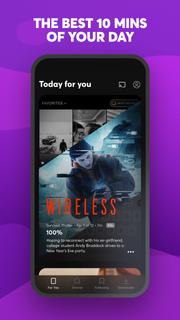
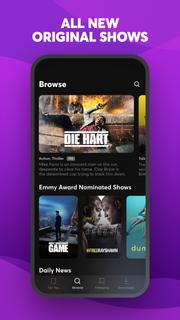

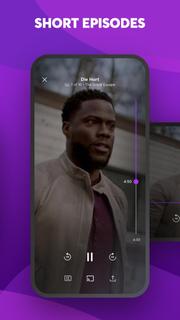
Quibi delivers quick-bite entertainment that fits into any moment of your day. Watch shows featuring the world's biggest stars. Episodes in 10 minutes or less. All designed for your phone. Download now to start watching. Your first 2 weeks are free.Enjoy original comedies, movie-quality action & drama, inspiring documentaries, and Daily Essentials to stay informed on news, sports, finance and culture. Fresh new shows premiere every week, with new episodes available every day.Check your personalized feed to see what’s new, discover trending episodes, or search for shows based on your mood. Download episodes to watch anytime, anywhere.You’re in full control of what you watch and how you watch it. Vertical, horizontal; no matter how you hold your phone, everything is framed to fit your screen. Want to watch Quibi on your TV? Use Chromecast to stream shows on the big screen directly from your phone. For more ways to watch, get the Quibi TV app on Apple TV, Android TV, and Amazon Fire TV and sign in with your Quibi account.More info on Quibi subscriptions:• Your subscription begins after your free trial, if applicable, and will auto-renew each month.• Have a change of heart? You can switch plans in your in-app settings. Or cancel your subscription anytime via the Play Store.• Payment will be charged to your Play Store account each month unless auto-renew is turned off at least 24 hours before the renewal date.• You can manage your subscription and auto-renewal by going to your Play Store account settings and selecting Subscriptions.• If your subscription is canceled, the cancellation will be effective at the end of the current subscription period.• No refunds will be offered, and any unused portion of a free trial will be forfeited when you change your existing subscription to Quibi (Ad-Free).https://quibi.com/privacy-policy/https://quibi.com/terms-of-service/
もっと見る

1. MEmuインストーラーをダウンロードしてセットアップを完了する

2. MEmuを起動し、デスクトップでのPlayストアを開く

3. PlayストアでQuibi: All New Original Showsを検索する
Install
4. Quibi: All New Original Showsをダウンロードしてインストールする
5. インストールが完了したら、アイコンをクリックしてスタート

6. MEmuを使ってパソコンでQuibi: All New Original Showsを体験する
MEmu Playは現在、最高の無料Androidエミュレーターであり、5,000万人のユーザーが優れたAndroidアプリ体験を楽しんでいます。MEmuの仮想化テクノロジーにより、数千ものAndroidアプリをコンピューターでスムーズに実行できます。
大画面でより精細;無限の待機、電池とドラフィックの極限を超え
キーボード・マウス・コントローラーを全力でサポート、より快適
マルチインスタンスで複数のゲームを同時に実行
Use Quibi: All New Original Shows on PC by following steps: