Play and Learn Science
Zaktualizowano
Aktualna wersja
3.0.2
Sprzedawca

Przy całej swojej pasji do grania w Play and Learn Science, twoje ręce nie powinny być ograniczone na małym ekranie telefonu. Graj jak zawodowiec i uzyskaj pełną kontrolę nad grą za pomocą klawiatury i myszy. MEmu oferuje ci wszystko, czego oczekujesz. Pobierz i graj Play and Learn Science na PC. Graj tak długo, jak chcesz, bez ograniczeń baterii, danych komórkowych i niepokojących połączeń. Zupełnie nowy MEmu 9 to najlepszy wybór do grania w Play and Learn Science na PC. Przygotowany dzięki naszej wiedzy, znakomity, wstępnie ustawiony system mapowania klawiszy sprawia, że Play and Learn Science jest prawdziwą grą na PC. Zakodowany naszą absorpcją, menedżer wielu instancji umożliwia granie na 2 lub więcej kontach na tym samym urządzeniu. A co najważniejsze, nasz emulator może uwolnić pełny potencjał twojego komputera, sprawić, że wszystko będzie płynne. Dbamy nie tylko o to, jak grasz, ale także o cały proces czerpania radości z grania.
Pokaż więcej
Ciesz się wspaniałym doświadczeniem podczas grania w Play and Learn Science na komputerze z aplikacją MEMU App Player. Jest to potężny darmowy emulator Androida pozwalający grać w tysiące gier na Androida. With Play and Learn Science, kids have science and problem-solving games at their fingertips anywhere they go!
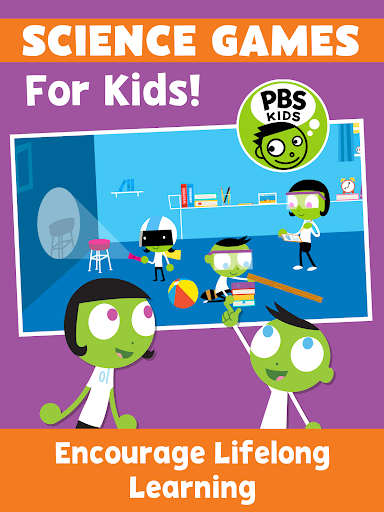
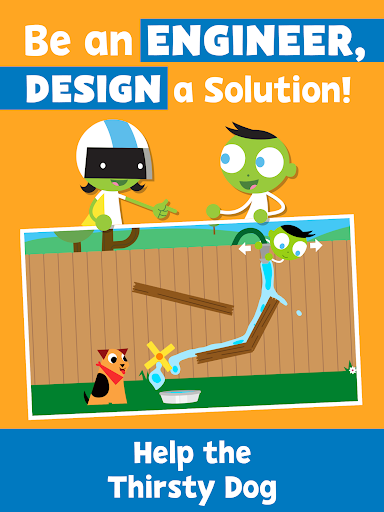
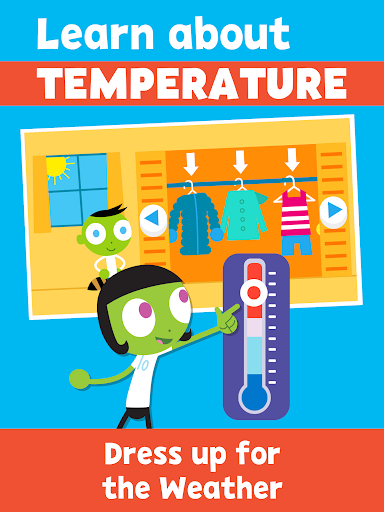
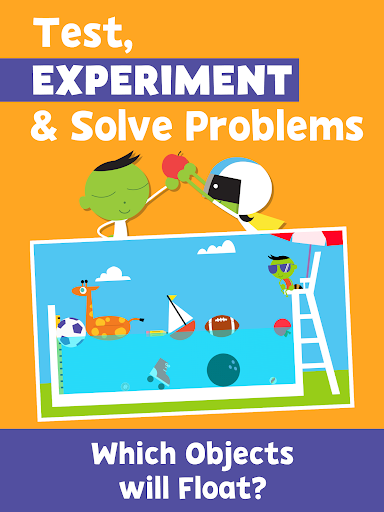
With Play and Learn Science, kids have science and problem-solving games at their fingertips anywhere they go! Play science games, control the weather, roll and slide objects down a ramp, and choose the best materials for an umbrella – all while building science inquiry skills and learning core science concepts.
Science games for kids encourage children to see science in their everyday life. These educational games serve as catalysts for real-world exploration by drawing from real-world locations and experiences that children recognize.
Our family games encourage co-learning with hands-on activities and parent notes! Early learning activities encourage families to “try it” at home and provide tips for conversations, taking the lessons beyond the app.
PLAY AND LEARN SCIENCE FEATURES
SCIENCE FOR KIDS - 15 Educational games covering core scientific topics:
• Earth Science
• Physical Science
• Environmental Science
• Life Science
ACTIVITIES FOR KIDS
• Problem solving games kids will enjoy and learn from
• Educational games with drawing tools and stickers
• Learn science while having fun
FAMILY GAMES
• Kids education with family activities encourage co-learning through tips for parent-child engagement
• Early learning activities that take education into the community
• Science games for children under 5, developed in collaboration with early childhood experts
BILINGUAL EDUCATIONAL GAMES
• Spanish language options to keep children engaged in their native tongue
• Learning Spanish? The bilingual setting is perfect for your kids to learn and practice.
ABOUT PBS KIDS
The Play and Learn Science app is part of PBS KIDS’ ongoing commitment to helping kids build the skills they need to succeed in school and in life. PBS KIDS, the number one educational media brand for kids, offers all children the opportunity to explore new ideas and new worlds through television and digital media, as well as community-based programs.
For more PBS KIDS apps, visit http://www.pbskids.org/apps.
ABOUT READY TO LEARN
The Play and Learn Science app was created as part of the Corporation for Public Broadcasting (CPB) and PBS Ready To Learn Initiative with funding from the U.S. Department of Education. The contents of the app were developed under a cooperative agreement #U295A150003, from the U.S. Department of Education. However, these contents do not necessarily represent the policy of the Department of Education, and you should not assume endorsement by the Federal Government.
PRIVACY
Across all media platforms, PBS KIDS is committed to creating a safe and secure environment for children and families and being transparent about what information is collected from users. To learn more about PBS KIDS’ privacy policy, visit pbskids.org/privacy.
Pokaż więcej

1. Pobierz instalator MEmu i zakończ instalację

2. Uruchom MEmu, a następnie otwórz Google Play na pulpicie

3. Wyszukaj Play and Learn Science w Google Play
Install
4. Pobierz i zainstaluj Play and Learn Science
5. Po zakończeniu instalacji kliknij ikonę, aby rozpocząć

6. Ciesz się grą Play and Learn Science na PC z MEmu
MEmu Play to najlepszy emulator Androida, a 100 milionów ludzi już korzysta z jego i dosta doskonałe wrażenia z gier na Androida. Technologia wirtualizacji MEmu umożliwia płynne granie w tysiące gier Androida na komputerze, nawet tych najbardziej wymagających grafiki.
Większy ekran z lepszą grafiką; Długi czas, bez ograniczeń baterii lub danych mobilnych.
Pełna obsługa mapowania klawiszy dla precyzyjnego sterowania klawiaturą i myszą lub gamepadem.
Wiele kont gier lub zadań na jednym komputerze jednocześnie z menedżerem wielu instancji.
Play Play and Learn Science on PC by following steps: