Play and Learn Science
Đã cập nhật
Phiên bản hiện tại
3.0.2
Cung cấp bởi

Với tất cả niềm đam mê chơi Play and Learn Science, đôi tay của bạn sẽ không còn bị giới hạn trên một màn hình nhỏ của điện thoại. Trải nghiệm chơi như một người chuyên nghiệp và kiểm soát hoàn toàn trò chơi của bạn bằng bàn phím và chuột. MEmu cung cấp cho bạn tất cả những điều mà bạn đang mong đợi. Tải xuống và chơi Play and Learn Science trên PC. Miễn là bạn muốn chơi, bởi nó không còn giới hạn về pin, dữ liệu di động và các cuộc gọi làm phiền. MEmu 9 hoàn toàn là sự lựa chọn tốt nhất để chơi Play and Learn Science trên PC. Với sự chuẩn bị về chuyên môn của chúng tôi, hệ thống sơ đồ bàn phím tinh tế làm cho Play and Learn Science trở thành một trò chơi thực sự trên PC. Trình Quản lý đa năng, đã được chăm chút bởi sự tiếp thu của chúng tôi, có thể phát 2 hoặc nhiều tài khoản trên cùng một thiết bị. Và điều quan trọng nhất, công cụ mô phỏng độc quyền của chúng tôi có thể phát huy toàn bộ tiềm năng PC của bạn, giúp mọi thứ hoạt động trơn tru nhất có thể. Chúng tôi biết rằng quá trình tận hưởng hạnh phúc ở mỗi trò chơi cũng là mong muốn của mỗi game thủ, vì vậy các bạn chỉ cần chơi thôi hãy để chúng tôi quan tâm đến tất cả trải nghiệm đó.
Nhiều hơn
Tải Play and Learn Science trên PC với Trình giả lập Android MEmu. Tận hưởng trải nghiệm chơi game trên màn hình lớn With Play and Learn Science, kids have science and problem-solving games at their fingertips anywhere they go!
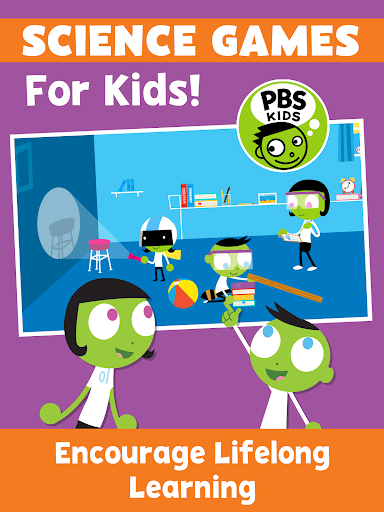
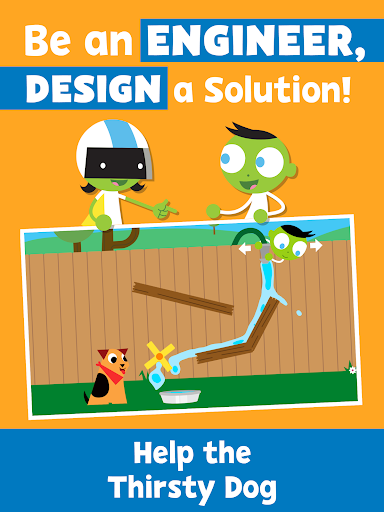
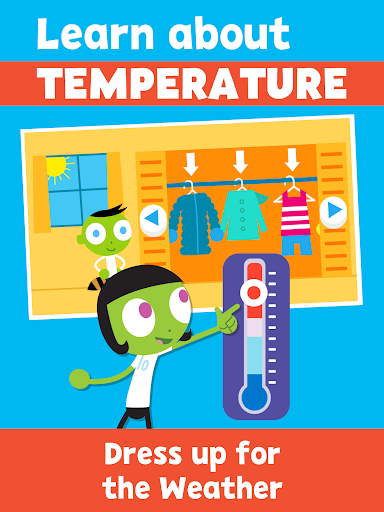
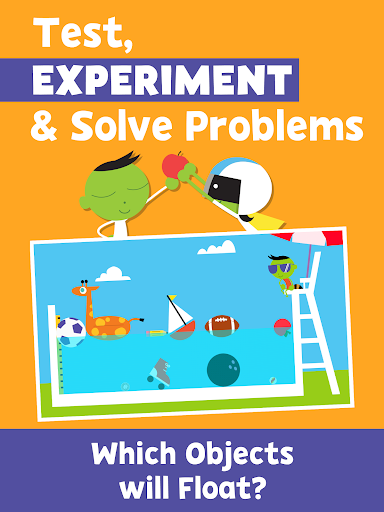
With Play and Learn Science, kids have science and problem-solving games at their fingertips anywhere they go! Play science games, control the weather, roll and slide objects down a ramp, and choose the best materials for an umbrella – all while building science inquiry skills and learning core science concepts.
Science games for kids encourage children to see science in their everyday life. These educational games serve as catalysts for real-world exploration by drawing from real-world locations and experiences that children recognize.
Our family games encourage co-learning with hands-on activities and parent notes! Early learning activities encourage families to “try it” at home and provide tips for conversations, taking the lessons beyond the app.
PLAY AND LEARN SCIENCE FEATURES
SCIENCE FOR KIDS - 15 Educational games covering core scientific topics:
• Earth Science
• Physical Science
• Environmental Science
• Life Science
ACTIVITIES FOR KIDS
• Problem solving games kids will enjoy and learn from
• Educational games with drawing tools and stickers
• Learn science while having fun
FAMILY GAMES
• Kids education with family activities encourage co-learning through tips for parent-child engagement
• Early learning activities that take education into the community
• Science games for children under 5, developed in collaboration with early childhood experts
BILINGUAL EDUCATIONAL GAMES
• Spanish language options to keep children engaged in their native tongue
• Learning Spanish? The bilingual setting is perfect for your kids to learn and practice.
ABOUT PBS KIDS
The Play and Learn Science app is part of PBS KIDS’ ongoing commitment to helping kids build the skills they need to succeed in school and in life. PBS KIDS, the number one educational media brand for kids, offers all children the opportunity to explore new ideas and new worlds through television and digital media, as well as community-based programs.
For more PBS KIDS apps, visit http://www.pbskids.org/apps.
ABOUT READY TO LEARN
The Play and Learn Science app was created as part of the Corporation for Public Broadcasting (CPB) and PBS Ready To Learn Initiative with funding from the U.S. Department of Education. The contents of the app were developed under a cooperative agreement #U295A150003, from the U.S. Department of Education. However, these contents do not necessarily represent the policy of the Department of Education, and you should not assume endorsement by the Federal Government.
PRIVACY
Across all media platforms, PBS KIDS is committed to creating a safe and secure environment for children and families and being transparent about what information is collected from users. To learn more about PBS KIDS’ privacy policy, visit pbskids.org/privacy.
Nhiều hơn

1. Tải trình cài đặt MEmu và hoàn tất cài đặt

2. Khởi động MEmu, sau đó mở Google Play trên trang chủ

3. Tìm kiếm Play and Learn Science trong Google Play
Install
4. Tải và Cài Đặt Play and Learn Science
5. Khi cài đặt hoàn tất, nhấp vào biểu tượng để bắt đầu

6. Tận hưởng chơi Play and Learn Science trên PC với MEmu
MEmu App Player là trình mô phỏng Android miễn phí tốt nhất và 50 triệu người đã tận hưởng trải nghiệm chơi trò chơi tuyệt vời trên Android của mình. Công nghệ ảo hóa MEmu trao quyền cho bạn để chơi hàng ngàn trò chơi Android mượt mà trên PC của bạn, ngay cả những trò chơi chuyên sâu nhất.
Màn hình lớn hơn cùng với đồ hoạ tốt hơn; thời lượng dài, không giới hạn về pin hoặc dữ liệu di động
Hỗ trợ đầy đủ Keymapping cho việc kiểm soát chính xác bàn phím và chuột hoặc gamepad
Nhiều tài khoản trò chơi hoặc tác vụ cùng lúc trên một PC với Quản lý Đa năng
Play Play and Learn Science on PC by following steps: