Play and Learn Science
Aktualisiert
Aktuelle Version
3.0.2
Angeboten von

Bei all Ihrer Leidenschaft für das Spielen von Play and Learn Science sollten Ihre Hände nicht auf einen winzigen Bildschirm Ihres Telefons beschränkt sein. Spielen Sie wie ein Profi und übernehmen Sie die volle Kontrolle über Ihr Spiel mit Tastatur und Maus. MEmu bietet Ihnen all die Dinge, die Sie erwarten. Laden Sie Play and Learn Science herunter und spielen Sie es auf dem PC. Spielen Sie so lange, wie Sie wollen, ohne Grenzwerte für Akku, mobile Daten und störende Anrufe. Das brandneue MEmu 9 ist die beste Wahl, um Play and Learn Science auf dem PC zu spielen. Das exquisite voreingestellte Tastaturbelegungssystem, das mit unserem Fachwissen vorbereitet wurde, macht Play and Learn Science zu einem echten PC-Spiel. Der MEmu Multi-Instanz-Manager ermöglicht das Spielen von 2 oder mehr Konten auf demselben Gerät. Und das Wichtigste: Unsere exklusive Emulations-Engine kann das volle Potenzial Ihres PCs freisetzen und für reibungslose Abläufe sorgen.
Mehr anzeigen
Laden Sie Play Play and Learn Science auf dem PC mit MEmu Android Emulator. Viel Spaß beim Spielen auf großmundieren. With Play and Learn Science, kids have science and problem-solving games at their fingertips anywhere they go!
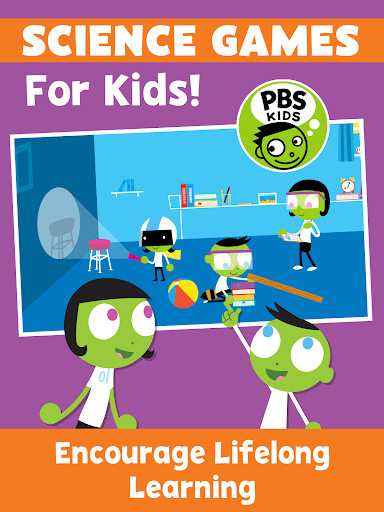
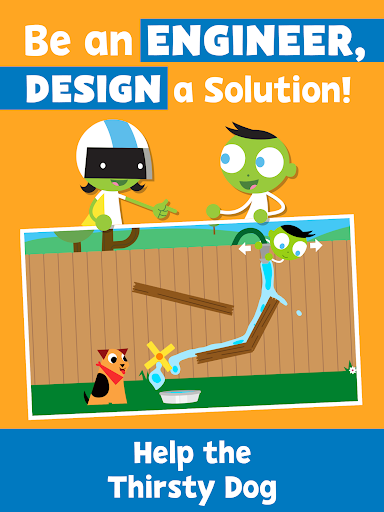
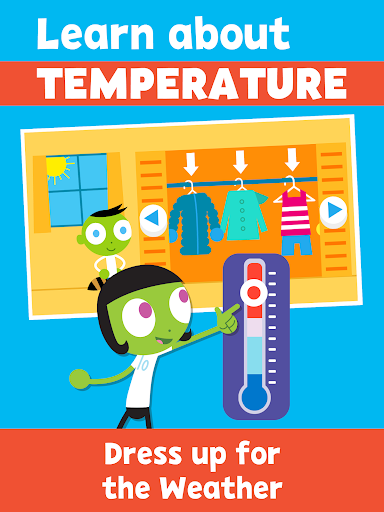
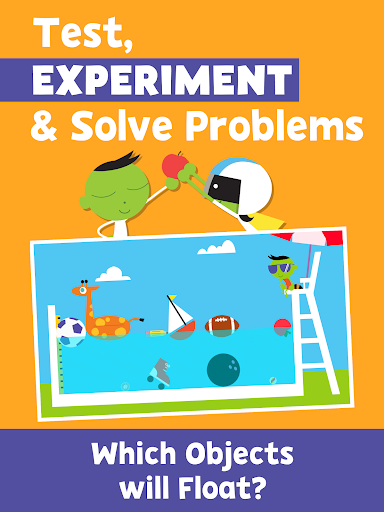
With Play and Learn Science, kids have science and problem-solving games at their fingertips anywhere they go! Play science games, control the weather, roll and slide objects down a ramp, and choose the best materials for an umbrella – all while building science inquiry skills and learning core science concepts.
Science games for kids encourage children to see science in their everyday life. These educational games serve as catalysts for real-world exploration by drawing from real-world locations and experiences that children recognize.
Our family games encourage co-learning with hands-on activities and parent notes! Early learning activities encourage families to “try it” at home and provide tips for conversations, taking the lessons beyond the app.
PLAY AND LEARN SCIENCE FEATURES
SCIENCE FOR KIDS - 15 Educational games covering core scientific topics:
• Earth Science
• Physical Science
• Environmental Science
• Life Science
ACTIVITIES FOR KIDS
• Problem solving games kids will enjoy and learn from
• Educational games with drawing tools and stickers
• Learn science while having fun
FAMILY GAMES
• Kids education with family activities encourage co-learning through tips for parent-child engagement
• Early learning activities that take education into the community
• Science games for children under 5, developed in collaboration with early childhood experts
BILINGUAL EDUCATIONAL GAMES
• Spanish language options to keep children engaged in their native tongue
• Learning Spanish? The bilingual setting is perfect for your kids to learn and practice.
ABOUT PBS KIDS
The Play and Learn Science app is part of PBS KIDS’ ongoing commitment to helping kids build the skills they need to succeed in school and in life. PBS KIDS, the number one educational media brand for kids, offers all children the opportunity to explore new ideas and new worlds through television and digital media, as well as community-based programs.
For more PBS KIDS apps, visit http://www.pbskids.org/apps.
ABOUT READY TO LEARN
The Play and Learn Science app was created as part of the Corporation for Public Broadcasting (CPB) and PBS Ready To Learn Initiative with funding from the U.S. Department of Education. The contents of the app were developed under a cooperative agreement #U295A150003, from the U.S. Department of Education. However, these contents do not necessarily represent the policy of the Department of Education, and you should not assume endorsement by the Federal Government.
PRIVACY
Across all media platforms, PBS KIDS is committed to creating a safe and secure environment for children and families and being transparent about what information is collected from users. To learn more about PBS KIDS’ privacy policy, visit pbskids.org/privacy.
Mehr anzeigen

1. Laden das MEmu-Installationsprogramm herunter und beenden die Installation

2. MEmu starten und Google Play auf der Homepage öffnen

3. Suchen Play and Learn Science in Google Play
Install
4. Herunterladen und Installieren Play and Learn Science
5. Klicken nach Abschluss der Installation auf das Symbol, um es zu starten

6. Viel Spaß beim Spielen von Play and Learn Science auf dem PC mit MEmu
MEmu App Player ist der beste kostenlose Android-Emulator und 50 Millionen Menschen genießen bereits seine hervorragende Android-Gaming-Erfahrung. Mit der MEmu-Virtualisierungstechnologie können Sie Tausende von Android-Spielen problemlos auf Ihrem PC spielen, selbst bei grafikintensiven Spielen.
BGrößeres Bild mit besserer Grafik; Keine unterbrechungen, keine sorgen um Akku
Komplette Tastenbelegung unterstützt mit Maus und Tastatur oder Controller
Mit dem „Multi-Instance-Manager“ können Sie mehrere Spielkonten oder Spiele gleichzeitig auf einem PC ausführen.
Play Play and Learn Science on PC by following steps: