Sanrio Kawaii Me Live!
Zaktualizowano
Aktualna wersja
Sprzedawca

Przy całej swojej pasji do grania w Sanrio Kawaii Me Live!, twoje ręce nie powinny być ograniczone na małym ekranie telefonu. Graj jak zawodowiec i uzyskaj pełną kontrolę nad grą za pomocą klawiatury i myszy. MEmu oferuje ci wszystko, czego oczekujesz. Pobierz i graj Sanrio Kawaii Me Live! na PC. Graj tak długo, jak chcesz, bez ograniczeń baterii, danych komórkowych i niepokojących połączeń. Zupełnie nowy MEmu 9 to najlepszy wybór do grania w Sanrio Kawaii Me Live! na PC. Przygotowany dzięki naszej wiedzy, znakomity, wstępnie ustawiony system mapowania klawiszy sprawia, że Sanrio Kawaii Me Live! jest prawdziwą grą na PC. Zakodowany naszą absorpcją, menedżer wielu instancji umożliwia granie na 2 lub więcej kontach na tym samym urządzeniu. A co najważniejsze, nasz emulator może uwolnić pełny potencjał twojego komputera, sprawić, że wszystko będzie płynne. Dbamy nie tylko o to, jak grasz, ale także o cały proces czerpania radości z grania.
Pokaż więcej
Ciesz się wspaniałym doświadczeniem podczas grania w Sanrio Kawaii Me Live! na komputerze z aplikacją MEMU App Player. Jest to potężny darmowy emulator Androida pozwalający grać w tysiące gier na Androida. Join your favorite Sanrio characters.
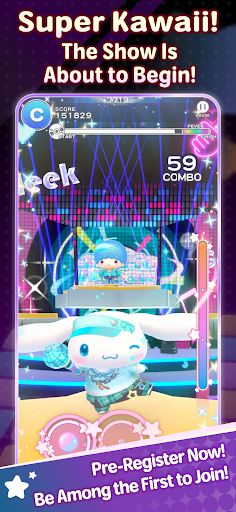
Join your favorite Sanrio characters
and create an incredibly “super KAWAII” live stage!
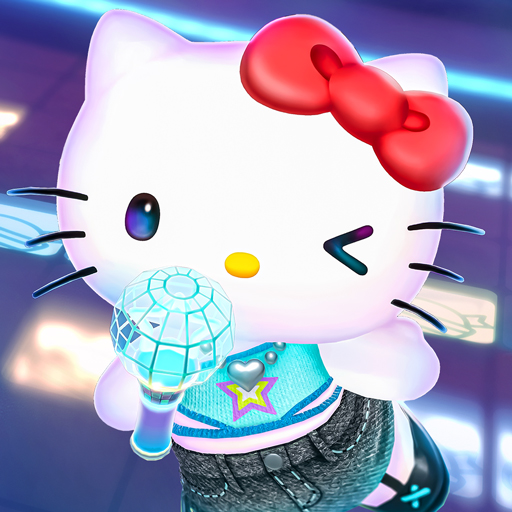
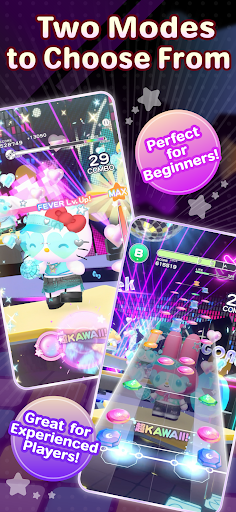
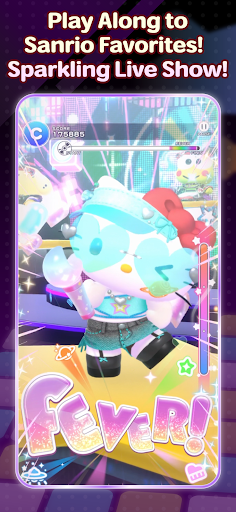
“Sanrio Kawaii Me Live!” (Kawamira) is a rhythm and dance game where you can have a blast dancing along with the characters to the music on a sparkling cosmic stage
■ Two modes for everyone to enjoy
We’ve got two modes: “Performance Mode,” where characters show off their KAWAII dance moves with simple controls, and “Technical Mode,” where you can enjoy a full-fledged rhythm game!
Whether you’re new to rhythm games or an advanced player, have fun at your own pace.
■ Create a one-of-a-kind live show
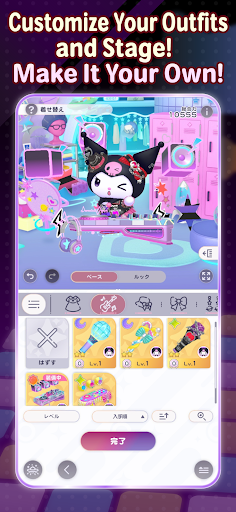
Customize live outfits, stage decorations, and special effects to your liking!
Collect your favorite items to make the stage sparkle, or go all out on the characters’ live outfits and special effects… Create your very own, one-of-a-kind live show.
■ Loads of songs included
The game features plenty of your favorite Sanrio songs, including “KAWAII FESTIVAL” from the popular Sanrio Puroland parade and “Pompompurin and Muffin’s Pompom Beat” by Pompompurin.
Game-exclusive remix versions are also scheduled to appear. New songs will be released one after another, so stay tuned!
The game also features original songs written by various artists!
Plus! “Almond Dialogue” by “Zutto Mayonaka de Ii no ni.” has been chosen as the theme song for Kawamira.
These tie-in songs vividly bring the world of Kawamira to life.
The joy of dancing to the beat, the excitement of sharing the stage with the characters, and the ultimate sense of immersion created by your own customizations—*Sanrio Kawaii Me Live!* packs it all in
So, let’s get your very own super KAWAII live show started!
■This game is perfect for:
<Sanrio games and Hello Kitty fans>
• Hello Kitty fans looking for new Sanrio games to play
• Anyone who grew up with Hello Kitty, My Melody, Kuromi, Pompompurin and Cinnamoroll
• Fans waiting for Sanrio Games to launch a new mobile title
• Hello Kitty fashion lovers who want a Hello Kitty game to match
<Rhythm game newcomers and music games pros>
• First-timers who want a rhythm game with simple controls
• Players new to music games who want an easy place to start
• Veterans of rhythm games who want challenging tracks to master
• Fans of music games where characters dance to every beat
• J-pop lovers who want music games full of catchy character songs
<Dress up and customization lovers>
• Dress up fans who want to style live costumes their own way
• Players who want a dress up game where the stage changes too
• Anyone who wants to dress up Hello Kitty and friends in brand-new looks
• Collectors chasing every outfit in a cute dress up game
<Sanrio games for every moment>
• Players who want music games and dress up in one single app
• Commuters who want a cute rhythm game for the ride
• Anyone who needs a relaxing rhythm game to wind down before bed
• Sanrio Games fans excited for the 2027 launch
Pokaż więcej

1. Pobierz instalator MEmu i zakończ instalację

2. Uruchom MEmu, a następnie otwórz Google Play na pulpicie

3. Wyszukaj Sanrio Kawaii Me Live! w Google Play
Install
4. Pobierz i zainstaluj Sanrio Kawaii Me Live!
5. Po zakończeniu instalacji kliknij ikonę, aby rozpocząć

6. Ciesz się grą Sanrio Kawaii Me Live! na PC z MEmu
MEmu Play to najlepszy emulator Androida, a 100 milionów ludzi już korzysta z jego i dosta doskonałe wrażenia z gier na Androida. Technologia wirtualizacji MEmu umożliwia płynne granie w tysiące gier Androida na komputerze, nawet tych najbardziej wymagających grafiki.
Większy ekran z lepszą grafiką; Długi czas, bez ograniczeń baterii lub danych mobilnych.
Pełna obsługa mapowania klawiszy dla precyzyjnego sterowania klawiaturą i myszą lub gamepadem.
Wiele kont gier lub zadań na jednym komputerze jednocześnie z menedżerem wielu instancji.
Play Sanrio Kawaii Me Live! on PC by following steps: