Przestań martwić się nadmiernymi opłatami podczas korzystania z CastAll: TV Mirror & Stream na telefonie komórkowym, uwolnij się od małego ekranu i ciesz się korzystaniem z aplikacji na znacznie większym wyświetlaczu. Od teraz korzystaj z aplikacji na pełnym ekranie za pomocą klawiatury i myszy. MEmu oferuje wszystkie zaskakujące funkcje, których się spodziewałeś: szybką instalację i łatwą konfigurację, intuicyjne sterowanie, koniec z ograniczeniami baterii, danych mobilnych i niepokojących połączeń. Zupełnie nowy MEmu 9 to najlepszy wybór do używania CastAll: TV Mirror & Stream na twoim komputerze. Zakodowany przez naszą absorpcję, menedżer wielu instancji umożliwia otwarcie 2 lub więcej kont w tym samym czasie. A co najważniejsze, nasz ekskluzywny emulator może uwolnić pełny potencjał twojego komputera, sprawić, że wszystko będzie płynne i przyjemne.
Pokaż więcej
Zrzuty ekranu i wideo z CastAll: TV Mirror & Stream PC
Ciesz się wspaniałym doświadczeniem podczas grania w CastAll: TV Mirror & Stream na komputerze z aplikacją MEMU App Player. Jest to potężny darmowy emulator Androida Umożliwia korzystanie z tysięcy aplikacji Androida. ⭐ WHY YOU'LL LOVE CASTING APP.
Informacje o aplikacji
⭐ WHY YOU'LL LOVE CASTING APP
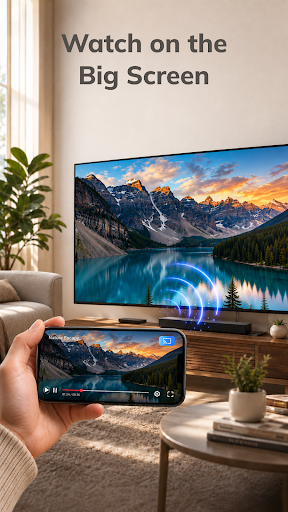
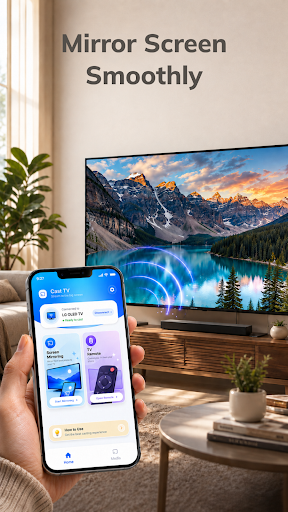
Mirror Your Phone Smoothly Display supported mobile content on your TV and enjoy more space for videos, photos, games, and other activities. With a wireless TV connection, you can move from your phone screen to the big screen without needing extra cables.
Control TV With Your Phone Use your phone to manage supported TV playback, pause or resume content, adjust the volume, and navigate available controls. Instead of reaching for another remote, your phone can become a simple TV remote control for your viewing experience.
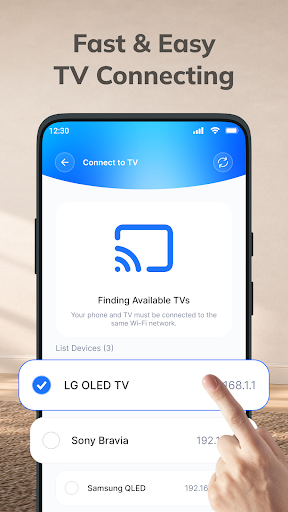
Fast & Easy TV Connect Smart connect your phone and compatible TV to the same Wi-Fi network, open the screen mirror app, select your device, and start screen mirroring. The simple connection process helps you get to your content with fewer steps.
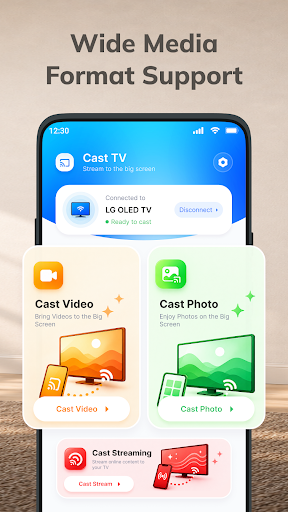
ADDITIONAL FEATURES * Quick Device Discovery – Find available compatible TVs on your network without unnecessary setup. * Wide Media Support – Cast video, photos, and other compatible media from your phone. * High-Quality TV Casting – Enjoy supported content with a clear and comfortable viewing experience. * Big Screen Entertainment – Turn everyday mobile content into a larger viewing experience. * Smooth Wireless Display – Enjoy convenient wireless cast mirroring when your network and devices provide a stable connection. * Convenient Playback TV Control – Pause, resume, seek, and adjust volume from your phone when supported. * Easy Content Sharing – Show photos, videos, and other supported content to family and friends. * Simple Reconnection – Quickly connect to available compatible devices when you want to cast to TV again.
HOW TO CONNECT PHONE TO TV 1⃣ Connect to the Same Wi-Fi: Make sure your phone and compatible TV are connected to the same Wi-Fi network. 2⃣ Open the App: Launch the Cast TV app and allow it to find available compatible devices. 3⃣ Select Your TV: Choose your TV from the list of available devices. 4⃣ Start Screen Mirroring: Tap the TV mirroring option and follow the on-screen instructions to begin. 5⃣ Enjoy the Big Screen: Once connected, enjoy supported content from your phone on your compatible TV.
With CastAll: TV Mirror & Stream, just one phone, a bigger screen, and more ways to enjoy your content.
Pokaż więcej
Jak pobrać CastAll: TV Mirror & Stream na PC
1. Pobierz instalator MEmu i zakończ instalację
2. Uruchom MEmu, a następnie otwórz Google Play na pulpicie
3. Wyszukaj CastAll: TV Mirror & Stream w Google Play
Install
4. Pobierz i zainstaluj CastAll: TV Mirror & Stream
5. Po zakończeniu instalacji kliknij ikonę, aby rozpocząć
6. Użyj MEmu, aby doświadczyć CastAll: TV Mirror & Stream na swoim komputerze
Dlaczego warto używać MEmu do korzystania z CastAll: TV Mirror & Stream
MEmu Play to najlepszy emulator Androida, z którego korzysta ponad 100 milionów użytkowników, ciesząc się wyjątkowym doświadczeniem aplikacji na Androida. Technologia wirtualizacji MEmu pozwala na płynne uruchamianie tysięcy aplikacji Androida na komputerze, nawet tych najbardziej wymagających.
Większy ekran z lepszą grafiką; Długi czas, bez ograniczeń baterii lub danych mobilnych.
Pełna obsługa mapowania klawiszy dla precyzyjnego sterowania klawiaturą i myszą lub gamepadem.
Wiele kont gier lub zadań na jednym komputerze jednocześnie z menedżerem wielu instancji.