Características do CastAll: TV Mirror & Stream no PC
Pare de se preocupar com sobrecargas ao usar CastAll: TV Mirror & Stream no seu celular, liberte-se da pequena tela e aproveite o uso do aplicativo numa tela muito maior. A partir de agora, obtenha uma experiência em tela cheia do seu aplicativo com teclado e mouse. O MEmu oferece-lhe todos os recursos surpreendentes que você esperava: instalação rápida e configuração fácil, controles intuitivos, sem mais limitações de bateria, dados móveis e chamadas perturbadoras. O novíssimo MEmu 9 é a melhor opção para usar CastAll: TV Mirror & Stream no seu computador. Codificado com a nossa absorção, o gerenciador de multi-instâncias possibilita a abertura de 2 ou mais contas ao mesmo tempo. E o mais importante, nosso mecanismo de emulação exclusivo pode liberar todo o potencial do seu PC, tornando tudo suave e agradável.
Mostre mais
Capturas de tela & vídeo do CastAll: TV Mirror & Stream no PC
Desfrute de uma experiência incrível utilizando o CastAll: TV Mirror & Stream no PC com o MEmu Play. É um poderoso emulador Android gratuito que oferece milhares de aplicações Android nas suas versões para desktop. Estabeleça ligação com amigos e aprimore o seu trabalho com mais eficiência! ⭐ WHY YOU'LL LOVE CASTING APP.
Informações sobre o software
⭐ WHY YOU'LL LOVE CASTING APP
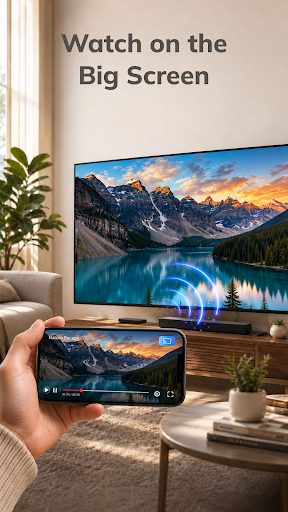
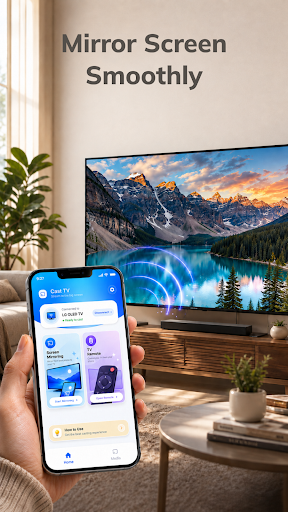
Mirror Your Phone Smoothly Display supported mobile content on your TV and enjoy more space for videos, photos, games, and other activities. With a wireless TV connection, you can move from your phone screen to the big screen without needing extra cables.
Control TV With Your Phone Use your phone to manage supported TV playback, pause or resume content, adjust the volume, and navigate available controls. Instead of reaching for another remote, your phone can become a simple TV remote control for your viewing experience.
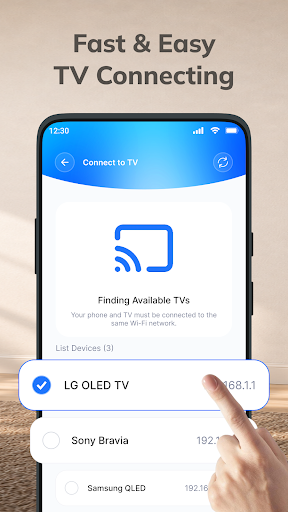
Fast & Easy TV Connect Smart connect your phone and compatible TV to the same Wi-Fi network, open the screen mirror app, select your device, and start screen mirroring. The simple connection process helps you get to your content with fewer steps.
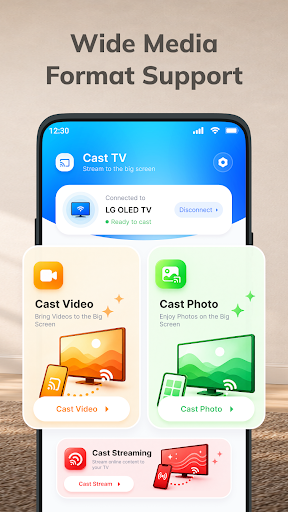
ADDITIONAL FEATURES * Quick Device Discovery – Find available compatible TVs on your network without unnecessary setup. * Wide Media Support – Cast video, photos, and other compatible media from your phone. * High-Quality TV Casting – Enjoy supported content with a clear and comfortable viewing experience. * Big Screen Entertainment – Turn everyday mobile content into a larger viewing experience. * Smooth Wireless Display – Enjoy convenient wireless cast mirroring when your network and devices provide a stable connection. * Convenient Playback TV Control – Pause, resume, seek, and adjust volume from your phone when supported. * Easy Content Sharing – Show photos, videos, and other supported content to family and friends. * Simple Reconnection – Quickly connect to available compatible devices when you want to cast to TV again.
HOW TO CONNECT PHONE TO TV 1⃣ Connect to the Same Wi-Fi: Make sure your phone and compatible TV are connected to the same Wi-Fi network. 2⃣ Open the App: Launch the Cast TV app and allow it to find available compatible devices. 3⃣ Select Your TV: Choose your TV from the list of available devices. 4⃣ Start Screen Mirroring: Tap the TV mirroring option and follow the on-screen instructions to begin. 5⃣ Enjoy the Big Screen: Once connected, enjoy supported content from your phone on your compatible TV.
With CastAll: TV Mirror & Stream, just one phone, a bigger screen, and more ways to enjoy your content.
Mostre mais
Como Baixar CastAll: TV Mirror & Stream no PC
1. Faça o download do instalador do MEmu e conclua a instalação
2. Inicie o MEmu e depois abra o Google Play na página inicial
3. Pesquise CastAll: TV Mirror & Stream no Google Play
Install
4. Baixe e Instale CastAll: TV Mirror & Stream
5. Na conclusão da instalação, clique no ícone para iniciar
6. º Experimente o CastAll: TV Mirror & Stream no PC com o MEmu.
Porquê escolher o MEmu para experimentar o CastAll: TV Mirror & Stream
O MEmu Play é o melhor emulador Android gratuito, com 50 milhões de utilizadores a desfrutar da sua experiência superior com aplicações Android. A tecnologia de virtualização do MEmu permite-lhe executar milhares de aplicações Android sem problemas no seu computador, mesmo as mais exigentes.
Tela maior com gráficos melhores; Longa duração e sem limitação de bateria ou dados móveis.
Suporte completo ao Mapaeamento de Teclas para controle preciso do teclado e mouse ou gamepad.
Várias contas de jogos ou tarefas em um único PC de uma só vez com o Gerenciador de várias instâncias.