Fetch: America’s Rewards App
Zaktualizowano
Aktualna wersja
1
Sprzedawca

Przestań martwić się nadmiernymi opłatami podczas korzystania z Fetch: America’s Rewards App na telefonie komórkowym, uwolnij się od małego ekranu i ciesz się korzystaniem z aplikacji na znacznie większym wyświetlaczu. Od teraz korzystaj z aplikacji na pełnym ekranie za pomocą klawiatury i myszy. MEmu oferuje wszystkie zaskakujące funkcje, których się spodziewałeś: szybką instalację i łatwą konfigurację, intuicyjne sterowanie, koniec z ograniczeniami baterii, danych mobilnych i niepokojących połączeń. Zupełnie nowy MEmu 9 to najlepszy wybór do używania Fetch: America’s Rewards App na twoim komputerze. Zakodowany przez naszą absorpcję, menedżer wielu instancji umożliwia otwarcie 2 lub więcej kont w tym samym czasie. A co najważniejsze, nasz ekskluzywny emulator może uwolnić pełny potencjał twojego komputera, sprawić, że wszystko będzie płynne i przyjemne.
Pokaż więcej
Ciesz się wspaniałym doświadczeniem podczas grania w Fetch: America’s Rewards App na komputerze z aplikacją MEMU App Player. Jest to potężny darmowy emulator Androida pozwalający grać w tysiące gier na Androida. YOU DESERVE A REWARD.
YOU DESERVE A REWARD
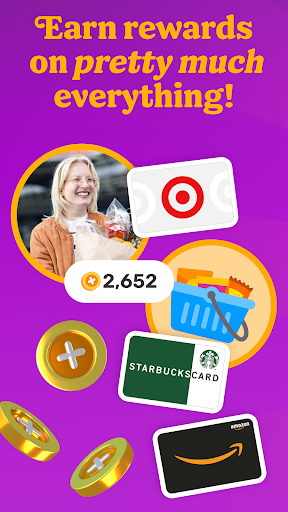
Fetch rewards you for pretty much everything you do. Join millions of people living their most rewarded life on America’s Rewards App!
HOW FETCH WORKS
1. Submit receipts or shop online for points
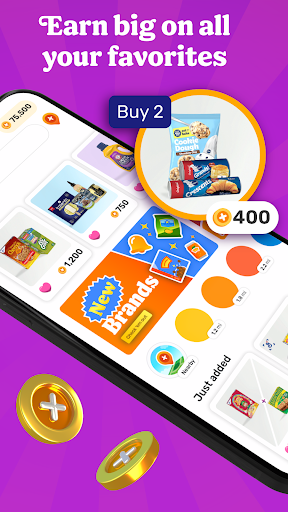
2. Earn extra on hundreds of brands in the app
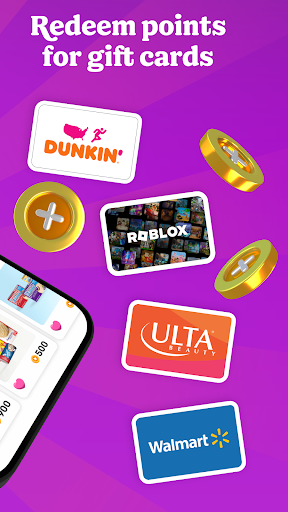
3. Redeem points for your favorite gift cards
RECEIPTS TO REWARDS IN A SNAP
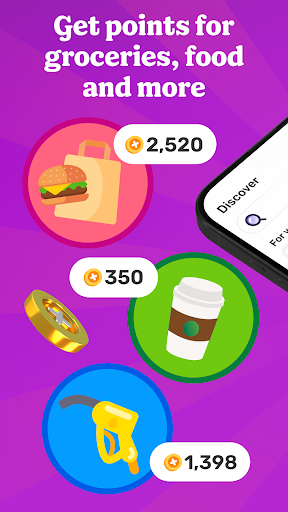
Turn every receipt into rewards. You’ll earn Fetch Points for snapping receipts from any store, supermarket, gas station and restaurant in America. Turn those points into your favorite rewards in the app.
MORE FAVORITES AT YOUR FINGERTIPS
No more clipping coupons or searching the internet for deals. Just hop into Fetch and find hundreds of point-earning offers and brands in the app. New offers are added every day.
ENJOY THE REWARDS
Fetch Points unlock a world of rewards. Redeem them for your favorite gift cards from Amazon, Apple, Walmart, Target and more. Prefer cash rewards? Use your points for Visa Cash Cards.
AN ONLINE SHOPPING SUPERPOWER
With Fetch Shop, you can shop your favorite brands online directly in the app and earn points on every dollar spent. It’s the most rewarding way to shop online.
ADD FETCH TO YOUR BROWSER
Prefer shopping from your phone or laptop’s browser? Install the Fetch Extension for Safari and Chrome and discover the most rewarding deals online.
YOUR NEW SHOPPING SIDEKICK
Build points-packed shopping lists, get notified of big offers in your neighborhood and find the internet’s most rewarding deals. Your world is more rewarding with Fetch in your pocket.
REWARDS WITHOUT THE CATCH
Fetch is totally free and easy to use. We’ll never ask for credit card or banking information. Just sign up and start earning today.
YOUR FIRST BONUS IS ON US
Join Fetch and submit any receipt for a first-snap bonus!
Ready to put America’s favorite rewards app in your pocket? Download Fetch and start earning free gift cards today!
-------
* America’s Favorite Rewards App - data.ai
** #1 Best Cash Back App for 2022 - Motley Fool
*** Must-Have Shopping App - Apple App Store Editorial
**** Top 5 Cash Back App for Earning Money When You Shop - Experian
Pokaż więcej

1. Pobierz instalator MEmu i zakończ instalację

2. Uruchom MEmu, a następnie otwórz Google Play na pulpicie

3. Wyszukaj Fetch: America’s Rewards App w Google Play
Install
4. Pobierz i zainstaluj Fetch: America’s Rewards App
5. Po zakończeniu instalacji kliknij ikonę, aby rozpocząć

6. Użyj MEmu, aby doświadczyć Fetch: America’s Rewards App na swoim komputerze
MEmu Play to najlepszy emulator Androida, z którego korzysta ponad 100 milionów użytkowników, ciesząc się wyjątkowym doświadczeniem aplikacji na Androida. Technologia wirtualizacji MEmu pozwala na płynne uruchamianie tysięcy aplikacji Androida na komputerze, nawet tych najbardziej wymagających.
Większy ekran z lepszą grafiką; Długi czas, bez ograniczeń baterii lub danych mobilnych.
Pełna obsługa mapowania klawiszy dla precyzyjnego sterowania klawiaturą i myszą lub gamepadem.
Wiele kont gier lub zadań na jednym komputerze jednocześnie z menedżerem wielu instancji.
Use Fetch: America’s Rewards App on PC by following steps: