Fetch: America’s Rewards App
Aggiornata
Versione corrente
1
Offerta da

Non devi più preoccuparti dei sovraccarichi durante l'utilizzo di Fetch: America’s Rewards App sul tuo cellulare, liberati dal piccolo schermo e goditi dell'App su uno schermo molto più grande. D'ora in poi, sperimenta la tua App a schermo intero con tastiera e mouse. MEmu ti offre tutte le sorprendenti funzioni che ti aspettavi: installazione rapida e impostazione semplice, controlli intuitivi, niente più limitazioni di batteria, dati mobili e chiamate fastidiose. Il MEmu 9 nuovo di zecca è la prima scelta per utilizzare Fetch: America’s Rewards App sul tuo computer. Codificato con il nostro assorbimento, il gestore multi-istanza consente di aprire 2 o più account contemporaneamente. E soprattutto, il nostro esclusivo motore di emulazione può sbloccare il pieno potenziale del tuo PC, rendendo tutto liscio e piacevole.
Mostra altro
Scarica Fetch: America’s Rewards App su PC con MEmu Android Emulator. Divertiti giocando sul grande schermo. YOU DESERVE A REWARD.
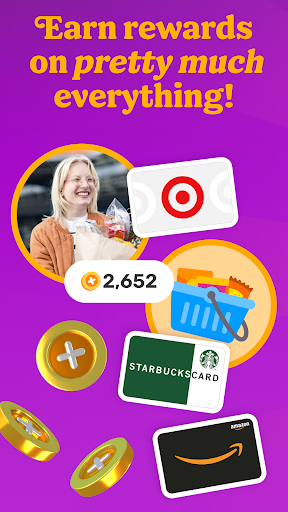
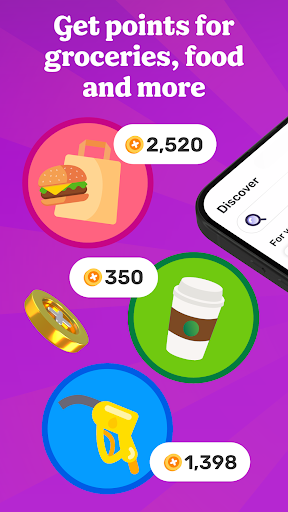
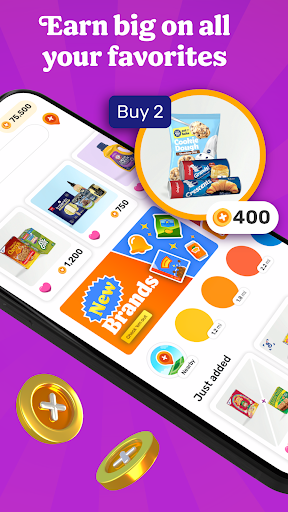
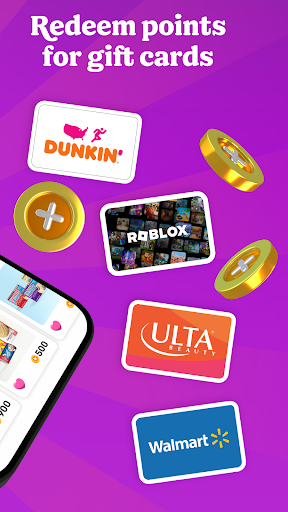
YOU DESERVE A REWARD
Fetch rewards you for pretty much everything you do. Join millions of people living their most rewarded life on America’s Rewards App!
HOW FETCH WORKS
1. Submit receipts or shop online for points
2. Earn extra on hundreds of brands in the app
3. Redeem points for your favorite gift cards
RECEIPTS TO REWARDS IN A SNAP
Turn every receipt into rewards. You’ll earn Fetch Points for snapping receipts from any store, supermarket, gas station and restaurant in America. Turn those points into your favorite rewards in the app.
MORE FAVORITES AT YOUR FINGERTIPS
No more clipping coupons or searching the internet for deals. Just hop into Fetch and find hundreds of point-earning offers and brands in the app. New offers are added every day.
ENJOY THE REWARDS
Fetch Points unlock a world of rewards. Redeem them for your favorite gift cards from Amazon, Apple, Walmart, Target and more. Prefer cash rewards? Use your points for Visa Cash Cards.
AN ONLINE SHOPPING SUPERPOWER
With Fetch Shop, you can shop your favorite brands online directly in the app and earn points on every dollar spent. It’s the most rewarding way to shop online.
ADD FETCH TO YOUR BROWSER
Prefer shopping from your phone or laptop’s browser? Install the Fetch Extension for Safari and Chrome and discover the most rewarding deals online.
YOUR NEW SHOPPING SIDEKICK
Build points-packed shopping lists, get notified of big offers in your neighborhood and find the internet’s most rewarding deals. Your world is more rewarding with Fetch in your pocket.
REWARDS WITHOUT THE CATCH
Fetch is totally free and easy to use. We’ll never ask for credit card or banking information. Just sign up and start earning today.
YOUR FIRST BONUS IS ON US
Join Fetch and submit any receipt for a first-snap bonus!
Ready to put America’s favorite rewards app in your pocket? Download Fetch and start earning free gift cards today!
-------
* America’s Favorite Rewards App - data.ai
** #1 Best Cash Back App for 2022 - Motley Fool
*** Must-Have Shopping App - Apple App Store Editorial
**** Top 5 Cash Back App for Earning Money When You Shop - Experian
Mostra altro

1. Scarica il programma di installazione di MEmu e completa l'installazione

2. Avvia il Memu e apri il Google Play sulla homepage

3. Cerca Fetch: America’s Rewards App in Google Play
Install
4. Scarica e installa Fetch: America’s Rewards App
5. Al termine dell'installazione, fai clic sull'icona per avviar

6. Divertiti giocando a Fetch: America’s Rewards App su PC con MEmu
MEmu App Player è il miglior emulatore Android gratuito, utilizzato da 50 milioni di persone per ottenere un'esperienza di gioco Android superba. La tecnilogia di virtualizzazione MEmu ti permette di giocare a migliaia di giochi Android con semplicità sul tuo computer, anche i giochi con la grafica più esigente.
Schermo più grande con una grafica migliore; Lunga durata, senza limitazione di batteria o dati mobili.
Supporto completo per mappa di tastiera per un controllo preciso di tastiera e mouse o gamepad.
Multipli account di gioco o attività su un singolo PC contemporaneamente con il gestore di multi istanza.
Use Fetch: America’s Rewards App on PC by following steps: