Fetch: America’s Rewards App
अपडेट किया गया
वर्तमान वर्शन
1
संसाधन

Fetch: America’s Rewards App पर अपनी मोबाइल डेटा सीमा पार करने को अलविदा कहें और छोटी स्क्रीन की सीमाओं से मुक्त होकर बड़े डिस्प्ले के लाभों का अनुभव करें। अब, आप अपने कीबोर्ड और माउस का उपयोग करके फुल-स्क्रीन मोड में टॉपर्स क्लैन की शक्ति का अनुभव कर सकते हैं। MEmu Play में वे सभी बेहतरीन सुविधाएँ हैं जिनकी आप अपेक्षा करते हैं: त्वरित इंस्टॉलेशन और आसान सेटअप, सहज नियंत्रण, बैटरी की आवश्यकता नहीं, और कोई डेटा या कॉल समय सीमा नहीं। नया MEmu 9 आपके कंप्यूटर पर Fetch: America’s Rewards App का उपयोग करने के लिए सबसे अच्छा विकल्प है। हमारा मालिकाना मल्टी-इंस्टेंस मैनेजर एक साथ दो या अधिक खातों को चलाने का समर्थन करता है। इससे भी महत्वपूर्ण बात यह है कि हमारा अनूठा इम्यूलेशन इंजन आपके कंप्यूटर के प्रदर्शन का पूरा उपयोग करता है, जिससे एक सहज और निर्बाध अनुभव मिलता है।
और दिखाएं
डाउनलोड करें Fetch: America’s Rewards App पीसी पर MEmu एंड्रॉयड एमुलेटर के साथ बड़े पर्दे पर खेलने का आनंद लें। YOU DESERVE A REWARD.
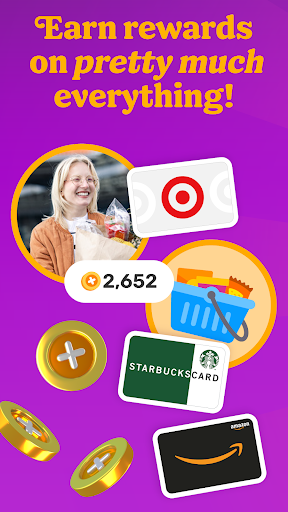
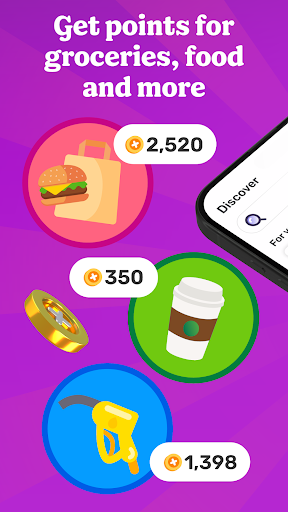
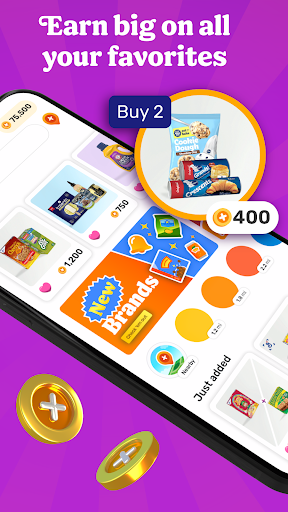
YOU DESERVE A REWARD
Fetch rewards you for pretty much everything you do. Join millions of people living their most rewarded life on America’s Rewards App!
HOW FETCH WORKS
1. Submit receipts or shop online for points
2. Earn extra on hundreds of brands in the app
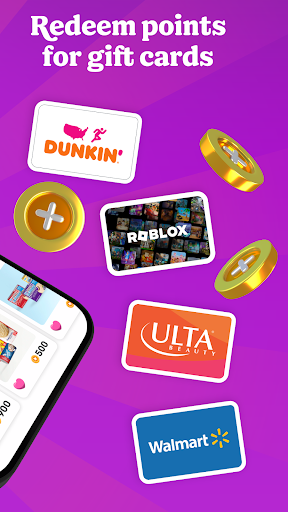
3. Redeem points for your favorite gift cards
RECEIPTS TO REWARDS IN A SNAP
Turn every receipt into rewards. You’ll earn Fetch Points for snapping receipts from any store, supermarket, gas station and restaurant in America. Turn those points into your favorite rewards in the app.
MORE FAVORITES AT YOUR FINGERTIPS
No more clipping coupons or searching the internet for deals. Just hop into Fetch and find hundreds of point-earning offers and brands in the app. New offers are added every day.
ENJOY THE REWARDS
Fetch Points unlock a world of rewards. Redeem them for your favorite gift cards from Amazon, Apple, Walmart, Target and more. Prefer cash rewards? Use your points for Visa Cash Cards.
AN ONLINE SHOPPING SUPERPOWER
With Fetch Shop, you can shop your favorite brands online directly in the app and earn points on every dollar spent. It’s the most rewarding way to shop online.
ADD FETCH TO YOUR BROWSER
Prefer shopping from your phone or laptop’s browser? Install the Fetch Extension for Safari and Chrome and discover the most rewarding deals online.
YOUR NEW SHOPPING SIDEKICK
Build points-packed shopping lists, get notified of big offers in your neighborhood and find the internet’s most rewarding deals. Your world is more rewarding with Fetch in your pocket.
REWARDS WITHOUT THE CATCH
Fetch is totally free and easy to use. We’ll never ask for credit card or banking information. Just sign up and start earning today.
YOUR FIRST BONUS IS ON US
Join Fetch and submit any receipt for a first-snap bonus!
Ready to put America’s favorite rewards app in your pocket? Download Fetch and start earning free gift cards today!
-------
* America’s Favorite Rewards App - data.ai
** #1 Best Cash Back App for 2022 - Motley Fool
*** Must-Have Shopping App - Apple App Store Editorial
**** Top 5 Cash Back App for Earning Money When You Shop - Experian
और दिखाएं

1. MEmu इंस्टॉलर को डाउनलोड करें और इंस्टॉलेशन को पूरा करें

2. MEmu शुरू करें फिर होमपेज पर Google Play खोलें

3. Google Play में Fetch: America’s Rewards App खोजें
Install
4. Fetch: America’s Rewards App डाउनलोड कर इंस्टॉल करें
5. इंस्टॉल पूरा होने पर आइकन दबाएं

6. MEmu का उपयोग करके अपने कंप्यूटर पर Fetch: America’s Rewards App का अनुभव करें
MEmu Play सबसे बेहतरीन मुफ़्त Android एमुलेटर है और 5 करोड़ लोग पहले ही इसके शानदार Android ऐप अनुभव का आनंद ले चुके हैं। MEmu 9 वर्चुअलाइज़ेशन तकनीक आपको अपने PC पर हज़ारों Android ऐप्स, यहाँ तक कि सबसे ज़्यादा ग्राफ़िक्स वाले ऐप्स भी, आसानी से चलाने की सुविधा देती है।
असीमित बैटरी या मोबाइल डेटा के साथ बेहतर ग्राफिक्स के साथ बड़ी स्क्रीन; लंबी अवधि।
कीबोर्ड और माउस या गेमपैड के उत्तम नियंत्रण के लिए संपूर्ण कीमैपिंग का समर्थन करता हैं।
एक ही पीसी पर मल्टी-इंस्टेंस मैनेजर के साथ एक समय में कई गेम खाते या कार्य कर सकते हैं।
Use Fetch: America’s Rewards App on PC by following steps: