
Fetch: America’s Rewards App
อัปเดตเมื่อ
เวอร์ชันปัจจุบัน
1
ให้บริการโดย

เมื่อใช้ Fetch: America’s Rewards App บนโทรศัพท์ของคุณไม่ต้องกังวลกับการชาร์จไฟมากเกินไปปลดปล่อยตัวคุณเองจากหน้าจอขนาดเล็กและสนุกกับการใช้แอพนี้บนหน้าจอขนาดใหญ่ จากนี้ไปรับประสบการณ์เต็มหน้าจอของแอปพลิเคชันของคุณด้วยคีย์บอร์ดและเมาส์ MEmu มีคุณสมบัติที่น่าแปลกใจที่คุณคาดหวัง: การติดตั้งที่รวดเร็วและการตั้งค่าที่ง่ายควบคุมได้ง่ายไม่ จำกัด แบตเตอรี่ข้อมูลมือถือและการโทรที่รบกวน MEmu 9 ใหม่ล่าสุดเป็นตัวเลือกที่ดีที่สุดสำหรับการใช้ Meitu – โปรแกรมแก้ไขภาพแนวธรรมชาติ บนคอมพิวเตอร์ของคุณ ด้วยรหัสการดูดซึมของเราผู้จัดการหลายอินสแตนซ์ทำให้สามารถเปิดบัญชี 2 บัญชีขึ้นไปในเวลาเดียวกันได้ และที่สำคัญที่สุดเอ็นจิ้นจำลองพิเศษของเราสามารถปลดปล่อยศักยภาพของPCของคุณและทำให้ทุกอย่างราบรื่นและสนุกสนาน
แสดงเพิ่มเติม
ดาวน์โหลด Fetch: America’s Rewards App บน PC ด้วย MEmu Android Emulator สนุกกับการเล่นบนหน้าจอขนาดใหญ่ YOU DESERVE A REWARD.
YOU DESERVE A REWARD
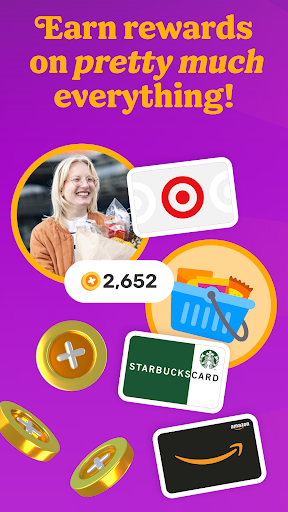
Fetch rewards you for pretty much everything you do. Join millions of people living their most rewarded life on America’s Rewards App!
HOW FETCH WORKS
1. Submit receipts or shop online for points
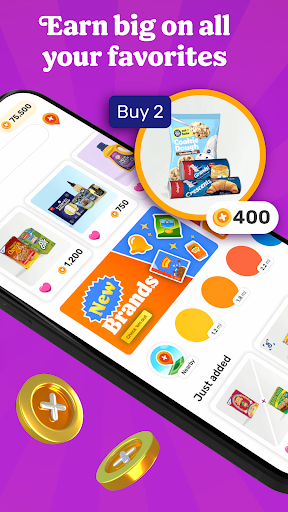
2. Earn extra on hundreds of brands in the app
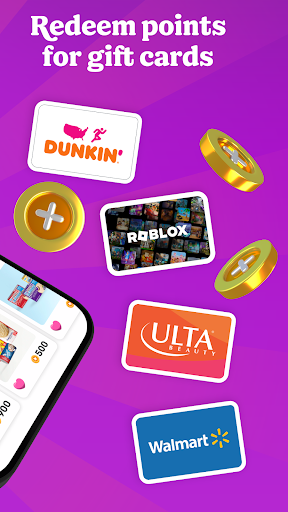
3. Redeem points for your favorite gift cards
RECEIPTS TO REWARDS IN A SNAP
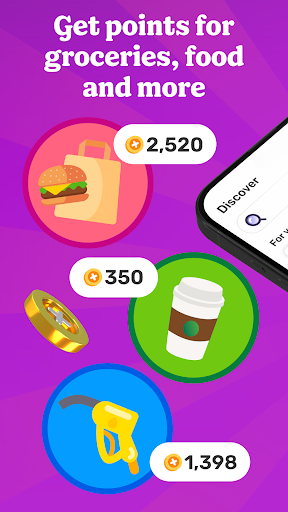
Turn every receipt into rewards. You’ll earn Fetch Points for snapping receipts from any store, supermarket, gas station and restaurant in America. Turn those points into your favorite rewards in the app.
MORE FAVORITES AT YOUR FINGERTIPS
No more clipping coupons or searching the internet for deals. Just hop into Fetch and find hundreds of point-earning offers and brands in the app. New offers are added every day.
ENJOY THE REWARDS
Fetch Points unlock a world of rewards. Redeem them for your favorite gift cards from Amazon, Apple, Walmart, Target and more. Prefer cash rewards? Use your points for Visa Cash Cards.
AN ONLINE SHOPPING SUPERPOWER
With Fetch Shop, you can shop your favorite brands online directly in the app and earn points on every dollar spent. It’s the most rewarding way to shop online.
ADD FETCH TO YOUR BROWSER
Prefer shopping from your phone or laptop’s browser? Install the Fetch Extension for Safari and Chrome and discover the most rewarding deals online.
YOUR NEW SHOPPING SIDEKICK
Build points-packed shopping lists, get notified of big offers in your neighborhood and find the internet’s most rewarding deals. Your world is more rewarding with Fetch in your pocket.
REWARDS WITHOUT THE CATCH
Fetch is totally free and easy to use. We’ll never ask for credit card or banking information. Just sign up and start earning today.
YOUR FIRST BONUS IS ON US
Join Fetch and submit any receipt for a first-snap bonus!
Ready to put America’s favorite rewards app in your pocket? Download Fetch and start earning free gift cards today!
-------
* America’s Favorite Rewards App - data.ai
** #1 Best Cash Back App for 2022 - Motley Fool
*** Must-Have Shopping App - Apple App Store Editorial
**** Top 5 Cash Back App for Earning Money When You Shop - Experian
แสดงเพิ่มเติม

1. ดาวน์โหลดตัวติดตั้ง MEmu และสิ้นสุดการติดตั้ง

2. เริ่ม MEmu จากนั้นเปิด Google Play บนหน้าแรก

3. ค้นหา Fetch: America’s Rewards App ใน Google Play
Install
4. ดาวน์โหลดและติดตั้ง Fetch: America’s Rewards App
5. เมื่อติดตั้งเสร็จให้คลิกที่ไอคอนเพื่อเริ่มใช้งาน

6. ใช้ MEmu เพื่อสัมผัสประสบการณ์ Fetch: America’s Rewards App บนคอมพิวเตอร์ของคุณ
MEmu Play คือโปรแกรมจำลอง Android ที่ดีที่สุด มีผู้ใช้มากกว่า 50 ล้านคน มอบประสบการณ์การใช้งานแอป Android ขั้นสุดยอดให้กับคุณ เทคโนโลยีจำลองเสมือนของ MEmu ช่วยให้คุณรันแอป Android หลายพันแอปบนคอมพิวเตอร์ได้อย่างราบรื่น แม้แอปที่กินทรัพยากรเครื่องสูงที่สุด
จอใหญ่และกราฟฟิกสวยกว่า; เล่นได้นาน, ไม่ต้องใช้แบตเตอรี่โทรศัพท์หรือเน็ตโทรศัพท์.
ระบบปรับแต่งปุ่มคีย์บอร์ดและเม้าส์ตามที่คุณเลือก
เล่นมากกว่าหนึ่งเกมบน PC ในเวลาเดียวกันด้วยระบบหลายจอหรือ Multi-Instance manager.
Use Fetch: America’s Rewards App on PC by following steps: