MyInstants: Sound Button App
Zaktualizowano
Aktualna wersja
1.0.8
Sprzedawca

Przestań martwić się nadmiernymi opłatami podczas korzystania z MyInstants: Sound Button App na telefonie komórkowym, uwolnij się od małego ekranu i ciesz się korzystaniem z aplikacji na znacznie większym wyświetlaczu. Od teraz korzystaj z aplikacji na pełnym ekranie za pomocą klawiatury i myszy. MEmu oferuje wszystkie zaskakujące funkcje, których się spodziewałeś: szybką instalację i łatwą konfigurację, intuicyjne sterowanie, koniec z ograniczeniami baterii, danych mobilnych i niepokojących połączeń. Zupełnie nowy MEmu 9 to najlepszy wybór do używania MyInstants: Sound Button App na twoim komputerze. Zakodowany przez naszą absorpcję, menedżer wielu instancji umożliwia otwarcie 2 lub więcej kont w tym samym czasie. A co najważniejsze, nasz ekskluzywny emulator może uwolnić pełny potencjał twojego komputera, sprawić, że wszystko będzie płynne i przyjemne.
Pokaż więcej
Ciesz się wspaniałym doświadczeniem podczas grania w MyInstants: Sound Button App na komputerze z aplikacją MEMU App Player. Jest to potężny darmowy emulator Androida Umożliwia korzystanie z tysięcy aplikacji Androida. MyInstants: Sound Button App is an app for sound buttons, meme sounds, prank audio clips, reaction audio, and sound effects.
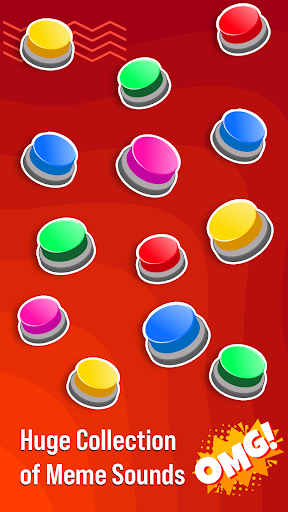
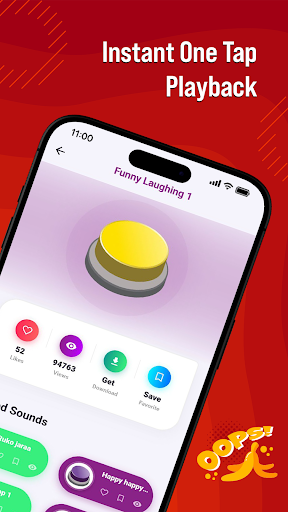
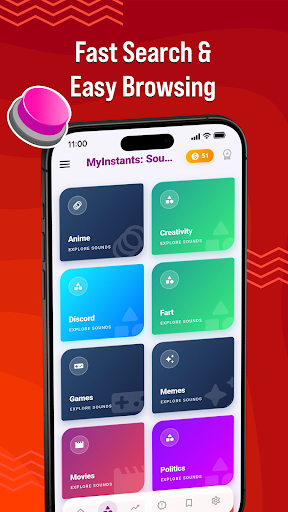
MyInstants: Sound Button App is an app for sound buttons, meme sounds, prank audio clips, reaction audio, and sound effects. Discover a collection of sound buttons with trending and entertaining sounds ready to play instantly anytime.
Whether you need a reaction sound for chats, a prank effect for friends, gaming audio for livestreams, or internet clips for entertainment, MyInstants gives you access to audio content in one easy-to-use sound button app.
What Is a Sound Button App?
A sound button app lets users play short audio clips by tapping interactive buttons. No waiting, no loading, and no complicated setup. Tap a button to hear meme sounds, reaction clips, gaming audio, funny effects, and internet sounds anytime.
With MyInstants, you can explore sound buttons including memes, gaming sounds, anime reactions, screams, alarms, notification sounds, movie quotes, internet classics, and more.
Why Users Use MyInstants
• Sound buttons
• Meme sounds and reaction clips
• Fast sound playback
• Prank sounds and audio effects
• Internet sounds and audio clips
• Soundboard audio
• Lightweight and easy-to-use app
• Save favorite sounds
• Share sounds with friends
• Updates with audio clips
• Collection of meme sound effects
• Entertainment for all ages
Sound Button Experience
MyInstants is designed for meme lovers, gamers, streamers, content creators, and anyone who enjoys internet humor and audio. The sound button library includes meme sounds, reactions, and audio clips from online communities.
Sounds include:
• Vine Boom
• Bruh Sound Effect
• Sad Violin
• Airhorn
• Funny Laugh Sounds
• Anime Reaction Audio
• Meme Fail Sounds
• Notification Sounds
• Funny Screams
• Gaming Victory Sounds
New sound buttons are added regularly so users can discover current audio trends.
Perfect for Every Situation
Gamers & Streamers
Use sound buttons during livestreams, gaming sessions, and online matches.
Chats & Group Conversations
Send reaction sounds, audio clips, and prank audio while chatting with friends and online groups.
Content Creators & Podcasters
Add sound effects and meme audio clips to videos, podcasts, reels, shorts, and social content.
Prank Lovers
Play alarms, notifications, scary sounds, screams, and prank audio clips for entertainment.
Explore Categories
• Sound Buttons
• Meme Sounds
• Funny Sound Effects
• Reaction Audio
• Gaming Sounds
• Internet Audio
• Anime Soundboard
• Notification Sounds
• Movie Quotes
• Prank Sounds
Simple and Easy to Use
MyInstants features a clean and user-friendly interface for browsing and playing sounds. Tap any sound button to hear the clip. Save favorites for quick access and share them with friends.
Fast & Updated
The app includes sound buttons, meme audio, reaction clips, and internet sounds from online communities and platforms.
Why Choose MyInstants?
MyInstants focuses on internet culture, reactions, and audio playback. The app is designed for simplicity, speed, and quick access to sounds and soundboards.
Whether users want to enjoy reactions, audio clips, or internet sounds, MyInstants provides sound buttons and soundboard audio in one app.
Pokaż więcej

1. Pobierz instalator MEmu i zakończ instalację

2. Uruchom MEmu, a następnie otwórz Google Play na pulpicie

3. Wyszukaj MyInstants: Sound Button App w Google Play
Install
4. Pobierz i zainstaluj MyInstants: Sound Button App
5. Po zakończeniu instalacji kliknij ikonę, aby rozpocząć

6. Użyj MEmu, aby doświadczyć MyInstants: Sound Button App na swoim komputerze
MEmu Play to najlepszy emulator Androida, z którego korzysta ponad 100 milionów użytkowników, ciesząc się wyjątkowym doświadczeniem aplikacji na Androida. Technologia wirtualizacji MEmu pozwala na płynne uruchamianie tysięcy aplikacji Androida na komputerze, nawet tych najbardziej wymagających.
Większy ekran z lepszą grafiką; Długi czas, bez ograniczeń baterii lub danych mobilnych.
Pełna obsługa mapowania klawiszy dla precyzyjnego sterowania klawiaturą i myszą lub gamepadem.
Wiele kont gier lub zadań na jednym komputerze jednocześnie z menedżerem wielu instancji.
Use MyInstants: Sound Button App on PC by following steps: