
RenderZ: FC Mobile 25 Database
Zaktualizowano
Aktualna wersja
4.7.0
Sprzedawca

Przestań martwić się nadmiernymi opłatami podczas korzystania z RenderZ: FC Mobile 25 Database na telefonie komórkowym, uwolnij się od małego ekranu i ciesz się korzystaniem z aplikacji na znacznie większym wyświetlaczu. Od teraz korzystaj z aplikacji na pełnym ekranie za pomocą klawiatury i myszy. MEmu oferuje wszystkie zaskakujące funkcje, których się spodziewałeś: szybką instalację i łatwą konfigurację, intuicyjne sterowanie, koniec z ograniczeniami baterii, danych mobilnych i niepokojących połączeń. Zupełnie nowy MEmu 9 to najlepszy wybór do używania RenderZ: FC Mobile 25 Database na twoim komputerze. Zakodowany przez naszą absorpcję, menedżer wielu instancji umożliwia otwarcie 2 lub więcej kont w tym samym czasie. A co najważniejsze, nasz ekskluzywny emulator może uwolnić pełny potencjał twojego komputera, sprawić, że wszystko będzie płynne i przyjemne.
Pokaż więcej
Ciesz się wspaniałym doświadczeniem podczas grania w RenderZ: FC Mobile 25 Database na komputerze z aplikacją MEMU App Player. Jest to potężny darmowy emulator Androida pozwalający grać w tysiące gier na Androida. RenderZ: The Premier Companion App for FC Mobile 25.
RenderZ: The Premier Companion App for FC Mobile 25
Maximize your FC Mobile 25 experience with RenderZ, your essential companion database app packed with tools and features designed to supercharge your interaction with the game. RenderZ equips you with the resources needed to strategize, optimize, and enjoy FC Mobile 25 like never before.
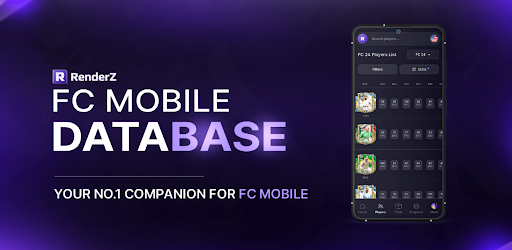
FC Mobile 25 Database
Access an extensive database with over 31,000 searchable football players from various leagues worldwide. Our advanced search system allows you to filter players by multiple criteria such as position, skills, club, or nationality, providing a tailored browsing experience that helps you find the perfect players for your team.
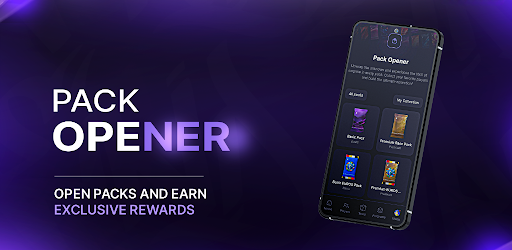
FC Mobile 25 Pack Opener
Kickstart your gameplay with our exciting Pack Opener feature. Each pack you open reveals new players where you can compete on a spot on the leaderboard and win monthly prizes.
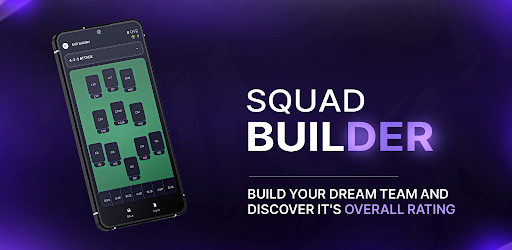
FC Mobile 25 Squadbuilder
Our intuitive SquadBuilder tool allows you to create, customize, and manage your dream team. Experiment with different formations, test player compatibilities, and refine your strategies to find the perfect lineup. Share your creations with the RenderZ community.
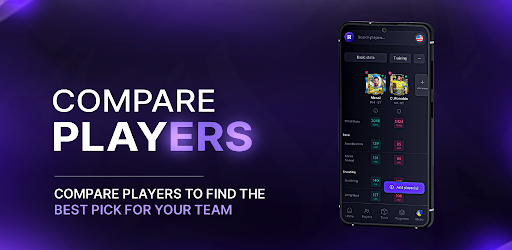
FC Mobile 25 Comparison Tool
Make informed decisions using our Compare feature, which allows you to evaluate players side-by-side. Assess their stats, growth potential, and suitability for your team, helping you to make strategic choices about acquisitions and lineup adjustments.
FC Mobile 25 Card Generator
Express your creativity with our Card Generator. Design your own player cards using a variety of templates, add custom stats, and personalize with unique images. These cards can be used in community contests or as a fun way to showcase your team spirit and player fandom.
FC Mobile 25 Updates
RenderZ is continuously updated to mirror the biggest FC Mobile 25 Games. With new players added, adjustments to stats, and seasonal events, the app stays fresh and relevant. Engage with time-limited events and enjoy updates that keep pace with live football activities.
FC Mobile 25 Community and Networking
Become part of a vibrant community of FC Mobile 25 fans and enthusiasts. Engage in discussions, share tips, participate in polls, and connect with fellow users. RenderZ fosters a collaborative environment where members can exchange ideas, strategies, and game plans.
Dedicated Support
Experience seamless gameplay with dedicated support from the RenderZ team. Our technical support is ready to assist with any issues, ensuring a smooth, uninterrupted experience as you explore all that FC Mobile 25 has to offer.
Note: Internet Connection Required
A stable internet connection is necessary to access all features, ensuring you receive the latest updates and can fully engage with the community and live game integrations.
Elevate your FC Mobile 25 experience with RenderZ — your ultimate tool for navigating, managing, and enjoying the game to its fullest potential. Whether you're strategizing for the next big match or just starting out, RenderZ is here to support every step of your journey.
Pokaż więcej

1. Pobierz instalator MEmu i zakończ instalację

2. Uruchom MEmu, a następnie otwórz Google Play na pulpicie

3. Wyszukaj RenderZ: FC Mobile 25 Database w Google Play
Install
4. Pobierz i zainstaluj RenderZ: FC Mobile 25 Database
5. Po zakończeniu instalacji kliknij ikonę, aby rozpocząć

6. Użyj MEmu, aby doświadczyć RenderZ: FC Mobile 25 Database na swoim komputerze
MEmu Play to najlepszy emulator Androida, z którego korzysta ponad 100 milionów użytkowników, ciesząc się wyjątkowym doświadczeniem aplikacji na Androida. Technologia wirtualizacji MEmu pozwala na płynne uruchamianie tysięcy aplikacji Androida na komputerze, nawet tych najbardziej wymagających.
Większy ekran z lepszą grafiką; Długi czas, bez ograniczeń baterii lub danych mobilnych.
Pełna obsługa mapowania klawiszy dla precyzyjnego sterowania klawiaturą i myszą lub gamepadem.
Wiele kont gier lub zadań na jednym komputerze jednocześnie z menedżerem wielu instancji.
Use RenderZ: FC Mobile 25 Database on PC by following steps: