
RenderZ: FC Mobile 25 Database
Updated
Current Version
4.7.0
Offered By

Stop worrying about high battery drain when using RenderZ: FC Mobile 25 Database on your phone. Free yourself from the tiny screen and enjoy the app on a much larger display. From now on, get a full-screen experience of your app with the convenience of a keyboard and mouse. MEmu offers you all the surprising features you’d expect: quick installation and easy setup, intuitive controls, and no more worries about battery life, mobile data, or unexpected calls. The all-new MEmu 9 is the choice for using RenderZ: FC Mobile 25 Database on your computer. With the MEmu multi-instance manager, you can run two or more accounts at the same time. Most importantly, our exclusive emulation engine unlocks your PC’s full potential, delivering smooth and enjoyable performance.
Show more
Enjoy superb experience of using RenderZ: FC Mobile 25 Database on PC with MEMU App Player. It's a powerful free Android emulator which provides you with thousands of android apps for their desktop version. Enjoy connecting with friends and polishing your work with higher efficiency! RenderZ: The Premier Companion App for FC Mobile 25.
RenderZ: The Premier Companion App for FC Mobile 25
Maximize your FC Mobile 25 experience with RenderZ, your essential companion database app packed with tools and features designed to supercharge your interaction with the game. RenderZ equips you with the resources needed to strategize, optimize, and enjoy FC Mobile 25 like never before.
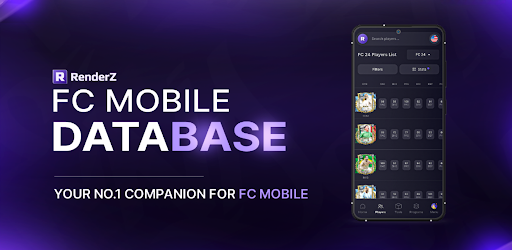
FC Mobile 25 Database
Access an extensive database with over 31,000 searchable football players from various leagues worldwide. Our advanced search system allows you to filter players by multiple criteria such as position, skills, club, or nationality, providing a tailored browsing experience that helps you find the perfect players for your team.
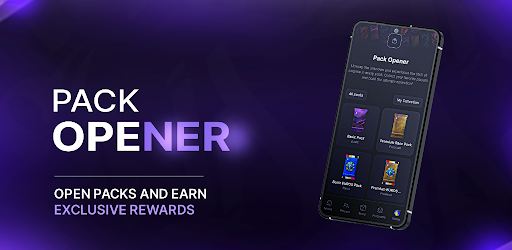
FC Mobile 25 Pack Opener
Kickstart your gameplay with our exciting Pack Opener feature. Each pack you open reveals new players where you can compete on a spot on the leaderboard and win monthly prizes.
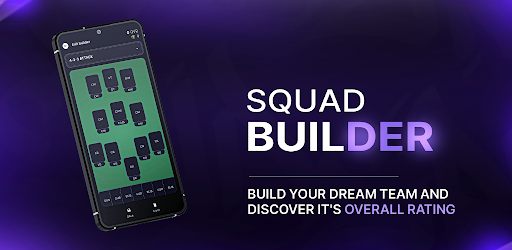
FC Mobile 25 Squadbuilder
Our intuitive SquadBuilder tool allows you to create, customize, and manage your dream team. Experiment with different formations, test player compatibilities, and refine your strategies to find the perfect lineup. Share your creations with the RenderZ community.
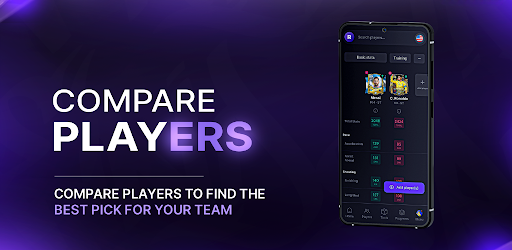
FC Mobile 25 Comparison Tool
Make informed decisions using our Compare feature, which allows you to evaluate players side-by-side. Assess their stats, growth potential, and suitability for your team, helping you to make strategic choices about acquisitions and lineup adjustments.
FC Mobile 25 Card Generator
Express your creativity with our Card Generator. Design your own player cards using a variety of templates, add custom stats, and personalize with unique images. These cards can be used in community contests or as a fun way to showcase your team spirit and player fandom.
FC Mobile 25 Updates
RenderZ is continuously updated to mirror the biggest FC Mobile 25 Games. With new players added, adjustments to stats, and seasonal events, the app stays fresh and relevant. Engage with time-limited events and enjoy updates that keep pace with live football activities.
FC Mobile 25 Community and Networking
Become part of a vibrant community of FC Mobile 25 fans and enthusiasts. Engage in discussions, share tips, participate in polls, and connect with fellow users. RenderZ fosters a collaborative environment where members can exchange ideas, strategies, and game plans.
Dedicated Support
Experience seamless gameplay with dedicated support from the RenderZ team. Our technical support is ready to assist with any issues, ensuring a smooth, uninterrupted experience as you explore all that FC Mobile 25 has to offer.
Note: Internet Connection Required
A stable internet connection is necessary to access all features, ensuring you receive the latest updates and can fully engage with the community and live game integrations.
Elevate your FC Mobile 25 experience with RenderZ — your ultimate tool for navigating, managing, and enjoying the game to its fullest potential. Whether you're strategizing for the next big match or just starting out, RenderZ is here to support every step of your journey.
Show more

1. Download MEmu installer and finish the setup

2. Start MEmu then open Google Play on the desktop

3. Search RenderZ: FC Mobile 25 Database in Google Play
Install
4. Download and Install RenderZ: FC Mobile 25 Database
5. On install completion click the icon to start

6. Enjoy using RenderZ: FC Mobile 25 Database on PC with MEmu
MEmu Play is the best Android emulator, and 100 million users already enjoy its superb Android app experience. Powered by advanced virtualization technology, it lets you enjoy thousands of Android apps smoothly on your PC—including the most graphics-intensive ones.
Bigger screen with better graphics; Long duration, without limitation of battery or mobile data.
Full Keymapping support for precise control of keyboard and mouse or gamepad.
Multiple game accounts or tasks on single PC at one time with Multi-Instance manager.
Use RenderZ: FC Mobile 25 Database on PC by following steps: