
RenderZ: FC Mobile 25 Database
Обновлено
Текущая версия
4.7.0
Продавец

Перестаньте беспокоиться о быстром разряде батареи при использовании RenderZ: FC Mobile 25 Database на вашем телефоне. Освободитесь от крошечного экрана и наслаждайтесь приложением на гораздо большем экране. Теперь вы можете работать с приложением в полноэкранном режиме с удобством клавиатуры и мыши. MEmu предлагает вам все ожидаемые удивительные функции: быструю установку и простую настройку, интуитивно понятное управление и больше никаких забот о времени автономной работы, мобильном трафике или неожиданных звонках. Совершенно новый MEmu 9 — идеальный выбор для использования RenderZ: FC Mobile 25 Database на вашем компьютере. С помощью менеджера нескольких экземпляров MEmu вы можете одновременно использовать два или более аккаунтов. И самое главное, наш эксклюзивный движок эмуляции раскрывает весь потенциал вашего ПК, обеспечивая плавную и приятную работу.
Показать больше
Скачайте RenderZ: FC Mobile 25 Database на ПК с помощью Андроид эмулятора MEmu. Наслаждайтесь на большом экране. RenderZ: The Premier Companion App for FC Mobile 25.
RenderZ: The Premier Companion App for FC Mobile 25
Maximize your FC Mobile 25 experience with RenderZ, your essential companion database app packed with tools and features designed to supercharge your interaction with the game. RenderZ equips you with the resources needed to strategize, optimize, and enjoy FC Mobile 25 like never before.
FC Mobile 25 Database
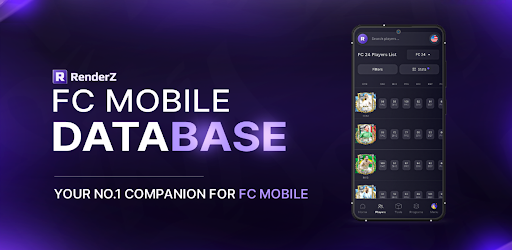
Access an extensive database with over 31,000 searchable football players from various leagues worldwide. Our advanced search system allows you to filter players by multiple criteria such as position, skills, club, or nationality, providing a tailored browsing experience that helps you find the perfect players for your team.
FC Mobile 25 Pack Opener
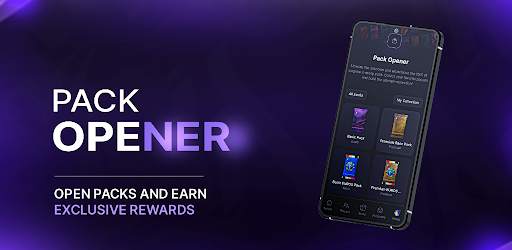
Kickstart your gameplay with our exciting Pack Opener feature. Each pack you open reveals new players where you can compete on a spot on the leaderboard and win monthly prizes.
FC Mobile 25 Squadbuilder
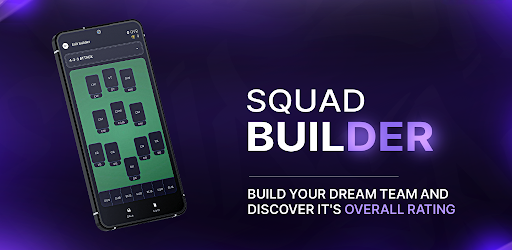
Our intuitive SquadBuilder tool allows you to create, customize, and manage your dream team. Experiment with different formations, test player compatibilities, and refine your strategies to find the perfect lineup. Share your creations with the RenderZ community.
FC Mobile 25 Comparison Tool
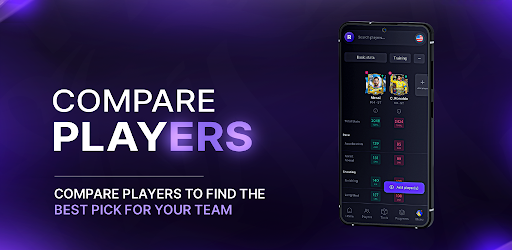
Make informed decisions using our Compare feature, which allows you to evaluate players side-by-side. Assess their stats, growth potential, and suitability for your team, helping you to make strategic choices about acquisitions and lineup adjustments.
FC Mobile 25 Card Generator
Express your creativity with our Card Generator. Design your own player cards using a variety of templates, add custom stats, and personalize with unique images. These cards can be used in community contests or as a fun way to showcase your team spirit and player fandom.
FC Mobile 25 Updates
RenderZ is continuously updated to mirror the biggest FC Mobile 25 Games. With new players added, adjustments to stats, and seasonal events, the app stays fresh and relevant. Engage with time-limited events and enjoy updates that keep pace with live football activities.
FC Mobile 25 Community and Networking
Become part of a vibrant community of FC Mobile 25 fans and enthusiasts. Engage in discussions, share tips, participate in polls, and connect with fellow users. RenderZ fosters a collaborative environment where members can exchange ideas, strategies, and game plans.
Dedicated Support
Experience seamless gameplay with dedicated support from the RenderZ team. Our technical support is ready to assist with any issues, ensuring a smooth, uninterrupted experience as you explore all that FC Mobile 25 has to offer.
Note: Internet Connection Required
A stable internet connection is necessary to access all features, ensuring you receive the latest updates and can fully engage with the community and live game integrations.
Elevate your FC Mobile 25 experience with RenderZ — your ultimate tool for navigating, managing, and enjoying the game to its fullest potential. Whether you're strategizing for the next big match or just starting out, RenderZ is here to support every step of your journey.
Показать больше

1. Скачать инсталлятор MEmu и завершайте установку

2. Запускайте MEmu, затем откройте Google Play на главной странице

3. Ищите RenderZ: FC Mobile 25 Database в Google Play
Install
4. Скачайте и установите RenderZ: FC Mobile 25 Database
5. При завершении установки, нажмите на значок для старта

6. Наслаждайтесь RenderZ: FC Mobile 25 Database на своем компьютере с помощью MEmu.
MEmu Play — лучший бесплатный эмулятор Android, превосходный опыт работы с которым оценили 50 миллионов пользователей. Технология виртуализации MEmu позволяет без проблем запускать тысячи Android-приложений на вашем компьютере, даже самые требовательные.
Большой экран с лучшей графикой; Большая продолжительность, без ограничения батареи или мобильных данных.
Полная поддержка установки клавиш для точного управления клавиатурой и мышью или геймпадом.
Несколько игровых учетных записей или задач на одном компьютере одновременно с менеджером нескольких экземпляров.
Use RenderZ: FC Mobile 25 Database on PC by following steps: