Shamel.tv
Zaktualizowano
Aktualna wersja
1.9
Sprzedawca

Przestań martwić się nadmiernymi opłatami podczas korzystania z Shamel.tv na telefonie komórkowym, uwolnij się od małego ekranu i ciesz się korzystaniem z aplikacji na znacznie większym wyświetlaczu. Od teraz korzystaj z aplikacji na pełnym ekranie za pomocą klawiatury i myszy. MEmu oferuje wszystkie zaskakujące funkcje, których się spodziewałeś: szybką instalację i łatwą konfigurację, intuicyjne sterowanie, koniec z ograniczeniami baterii, danych mobilnych i niepokojących połączeń. Zupełnie nowy MEmu 9 to najlepszy wybór do używania Shamel.tv na twoim komputerze. Zakodowany przez naszą absorpcję, menedżer wielu instancji umożliwia otwarcie 2 lub więcej kont w tym samym czasie. A co najważniejsze, nasz ekskluzywny emulator może uwolnić pełny potencjał twojego komputera, sprawić, że wszystko będzie płynne i przyjemne.
Pokaż więcej
Ciesz się wspaniałym doświadczeniem podczas grania w Shamel.tv na komputerze z aplikacją MEMU App Player. Jest to potężny darmowy emulator Androida Umożliwia korzystanie z tysięcy aplikacji Androida. Discover now the player that combines excellent performance and easy control to meet your TV viewing needs.
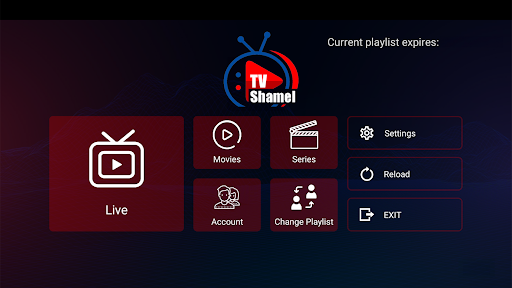
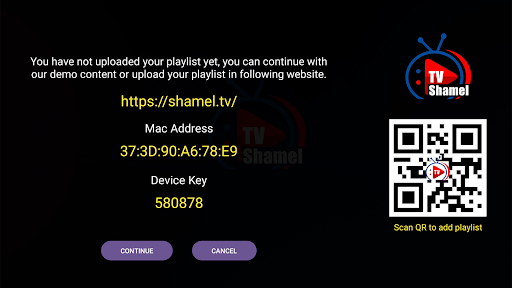
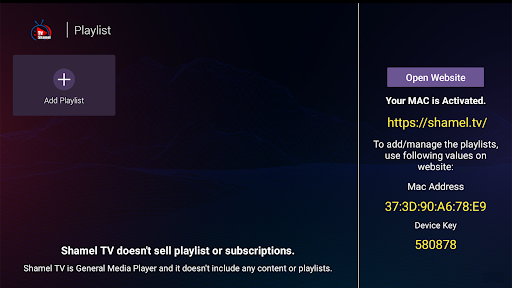
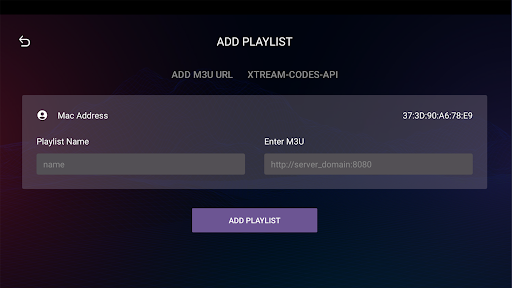
Discover now the player that combines excellent performance and easy control to meet your TV viewing needs.
Shamel.tv app features many great features that make the experience of watching m3u playlists and IPTV smoother and more comfortable.
Shamel.tv Features:
1. Easy to Use: The app features a simple and user-friendly interface, making it easy to browse and play playlists.
2. Multi-Device Support: Shamel.tv can be used on a variety of devices including smart TVs, smartphones, and tablets.
3. Display Quality: The app supports all screen resolutions including 4K resolution, allowing you to experience high-quality viewing.
4. Fast Playlist Loading: The app quickly loads m3u and IPTV playlists, providing you with a lag-free viewing experience.
5. Add Content to Favorites: The app allows users to add favorite channels and programs to the favorites list for easy access in the future.
Using the app is simple and easy:
1. Download the app from your device's app store.
2. Open the app and follow the on-screen instructions to continue.
3. When opening the app, add your m3u playlist through the appropriate option.
4. Once the playlist is added, you can easily browse channels and play your favorite content.
Important Note:
- We do not provide any kind of IPTV services or online TV subscription.
- The user must contact the TV broadcasting service provider to obtain a username and password.
- Shamel.tv is just an application for playing content and does not include any media or content.
Important Confirmation:
- Shamel.tv does not provide or include any media or content.
- Users must obtain their own content.
- Shamel.tv is not affiliated with any entity that provides live streaming services or media content or IPTV.
- We do not endorse or support any unauthorized streaming of copyrighted materials without permission from the copyright owner.
Enjoy a great viewing experience with the Shamel.tv app!
Pokaż więcej

1. Pobierz instalator MEmu i zakończ instalację

2. Uruchom MEmu, a następnie otwórz Google Play na pulpicie

3. Wyszukaj Shamel.tv w Google Play
Install
4. Pobierz i zainstaluj Shamel.tv
5. Po zakończeniu instalacji kliknij ikonę, aby rozpocząć

6. Użyj MEmu, aby doświadczyć Shamel.tv na swoim komputerze
MEmu Play to najlepszy emulator Androida, z którego korzysta ponad 100 milionów użytkowników, ciesząc się wyjątkowym doświadczeniem aplikacji na Androida. Technologia wirtualizacji MEmu pozwala na płynne uruchamianie tysięcy aplikacji Androida na komputerze, nawet tych najbardziej wymagających.
Większy ekran z lepszą grafiką; Długi czas, bez ograniczeń baterii lub danych mobilnych.
Pełna obsługa mapowania klawiszy dla precyzyjnego sterowania klawiaturą i myszą lub gamepadem.
Wiele kont gier lub zadań na jednym komputerze jednocześnie z menedżerem wielu instancji.
Use Shamel.tv on PC by following steps: