Fareidolia
Atualizada
Versão atual
Oferecido por

Com toda a sua paixão por jogar Fareidolia, não deixe os polegares te atrapalharem em uma pequena tela do seu celular. Jogue como um profissional e tenha controle total do seu jogo com teclado e mouse. O MEmu oferece todas as coisas que você está esperando. Baixe e jogue Fareidolia no PC. Jogue o tempo que quiser, sem mais limitações de bateria, dados móveis e aquelas ligações enquanto estiver jogando. O novíssimo MEmu 9 é a melhor escolha de jogar Fareidolia no PC. Com grandes novidades no sistema de mapeamento que faz Fareidolia um jogo de PC real. Nossa equipe melhorou o gerenciamento de várias instâncias do Android, reduzindo tempo de reprodução de 2 ou mais contas no mesmo dispositivo. O mais importante, nosso mecanimos de emulação exclusivo pode liberar todo o potencial do seu PC sem travamentos, rodando tudo liso. Nós nos preocupamos não apenas com você joga, mas com todo o processo de desfrutar de 100% do seu jogo favorito.
Mostre mais
Download do Fareidolia no PC com MEmu Android Emulador: Divirta-se jogando na tela grande. Project RX is a role-playing game developed by the IO Division under NEXON Games.
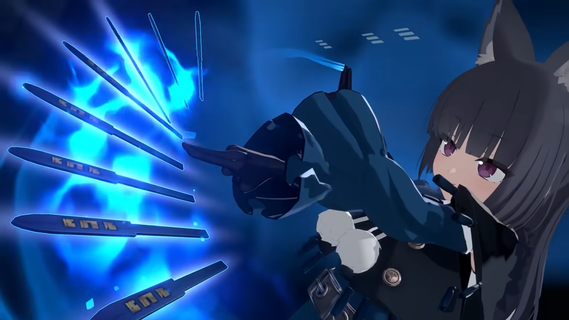
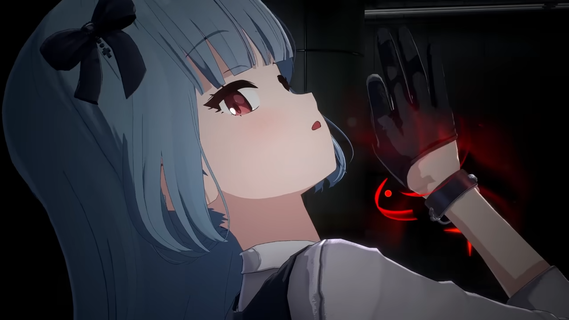
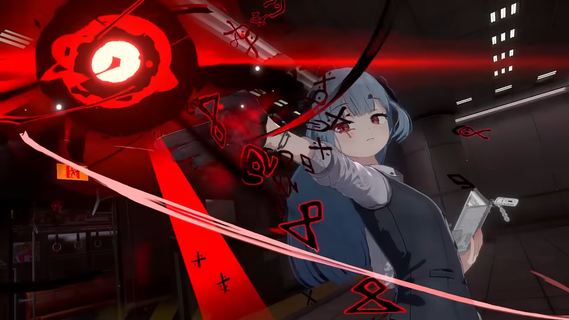
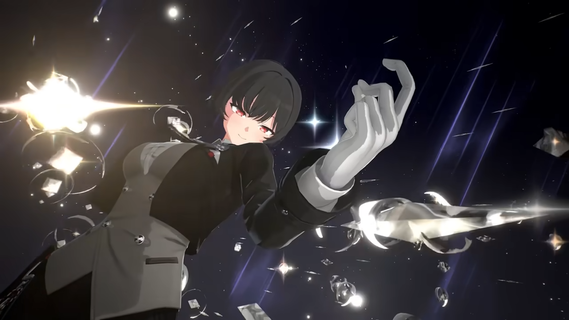
Project RX is a role-playing game developed by the IO Division under NEXON Games. The development is handled by RX Studio, which was formed by the original core members of Blue Archive, with Cha Min-seo serving as the producer and Kim Yong-ha, the head of the IO Division, overseeing the project. Project RX is a "Subculture Game" similar to Blue Archive, where players can interact with characters through story and slice-of-life content. The game's goal is to realize an "Other World" where players can live together with the characters. The game is developed using Unreal Engine 5 and supports 3D graphics rendering.Plot SettingThe core features of the game lie in its "life gameplay that allows players to enjoy alongside the characters" and its "immersive narrative experience." Its goal is to realize an "Other World" where players can live together with charming characters. The game is developed using Unreal Engine 5, aiming to provide high-quality 3D visuals to enhance the "sense of presence" and the world's immersion for players living in the same space as the characters.According to the official preview trailer, the game's atmosphere presents a contrast between daily life and combat. The first half of the video captures tranquil moments of characters engaging in activities like reading and cooking within everyday spaces such as the reception room, rooms, and garden. The latter half showcases dazzling skill effects, hinting at intense combat content that forms a stark contrast with the peaceful daily life.Game FeaturesProject RX combines Daily Simulation and Combat Gameplay. Its core design philosophy is to create a "sense of presence living in the same space as the characters," exploring the integration of "Daily Simulation + Combat" gameplay. The game does not pursue a large-scale open world but instead focuses on building an "Other World immersion," utilizing Unreal Engine 5 's rendering technology to enhance this experience.The game also includes life gameplay activities performed together with characters, with its narrative experience designed to foster immersion.Release InformationOn December 19, 2025, Nexon Games unveiled the first trailer for the game, briefly showcasing the designs of some characters, animations, and what appeared to be combat animations. The game is planned for release on PC and mobile platforms.Official accounts by languageç¹é«ä¸æ: @Fareidolia_TWEnglish: @Fareidolia_ENæ¥æ¬èª: @Fareidolia_JPíêµì´: @Fareidolia_KR
Mostre mais

1. Faça o download do instalador do MEmu e conclua a instalação

2. Inicie o MEmu e depois abra o Google Play na página inicial

3. Pesquise Fareidolia no Google Play
Install
4. Baixe e Instale Fareidolia
5. Na conclusão da instalação, clique no ícone para iniciar

6. Divirta-se jogando Fareidolia no PC com MEmu
O MEmu App Player é o melhor emulador de Android grátis e 50 milhões de pessoas já desfrutam de sua excelente experiência de jogos no Android. A tecnologia de virtualização do MEmu permite que você jogue milhares de jogos do Android sem problemas no seu PC, mesmo os com gráficos mais intensivos.
Tela maior com gráficos melhores; Longa duração e sem limitação de bateria ou dados móveis.
Suporte completo ao Mapaeamento de Teclas para controle preciso do teclado e mouse ou gamepad.
Várias contas de jogos ou tarefas em um único PC de uma só vez com o Gerenciador de várias instâncias.
Play Fareidolia on PC by following steps: