로스트 소드
Обновлено
Текущая версия
1.591.1
Продавец

При всей вашей страсти к игре в ххх, ваши руки не должны быть ограничены на крошечном экране вашего телефона. Играйте как профессионал и получите полный контроль над игрой с помощью клавиатуры и мыши. MEmu предлагает вам все то, что вы ожидаете. Скачайте и играйте ххх на ПК. Играйте сколько угодно, никаких ограничений по батарее, мобильным данным и звонкам. Совершенно новый MEmu 9 - лучший выбор для игры в ххх на ПК. Благодаря изысканной системе предустановки клавиш, ххх превращается в настоящую игру для ПК. Менеджер нескольких экземпляров делает возможным игру с двумя или более учетными записями на одном устройстве. И самое главное, наш эксклюзивный механизм эмуляции может полностью раскрыть потенциал вашего ПК, сделать все гладко. Нам важно не только то, как вы играете, но и весь процесс наслаждения игровым счастьем.
Показать больше
Скачайте 로스트 소드 на ПК с помощью Андроид эмулятора MEmu. Наслаждайтесь на большом экране. Epic Anime Fantasy RPG .
Epic Anime Fantasy RPG
Endless Romantic "Action X Flirting" with the Girls!
Begin the otherworld anime journey with the unique characters from Lost Sword now.
Meet the action flirting RPG with vivid character skill display and strong story line.
“Holy Sword Excalibur, forged by fairies,
has godlike powers that can halve a mountain in a single swing.
This divine relic of the Fairy, at some point, vanished without a trace;
it shall reappear to serve the true king when the blessing of the Red Dragon fades away.
This prophecy had only been taken as myth, but recently grew in prominence,
after Uther Pendragon, who had the blessing of the Red Dragon, was struck down by the False King Vortigern.
The war to determine the true king commenced,
and King Uther’s daughter, Elizabeth Pendragon, left to find Excalibur, but went missing.
Thus began the Great Disorder.”
▣Game Overview▣
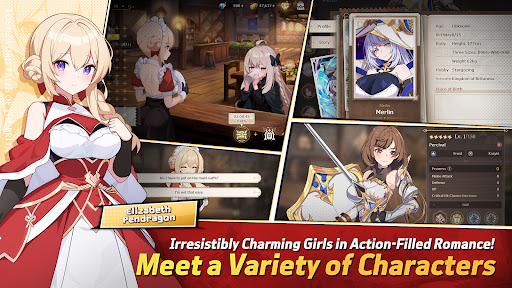
■ Isekai Adventure RPG Filled with Lively Chemistry and Charming Girls!
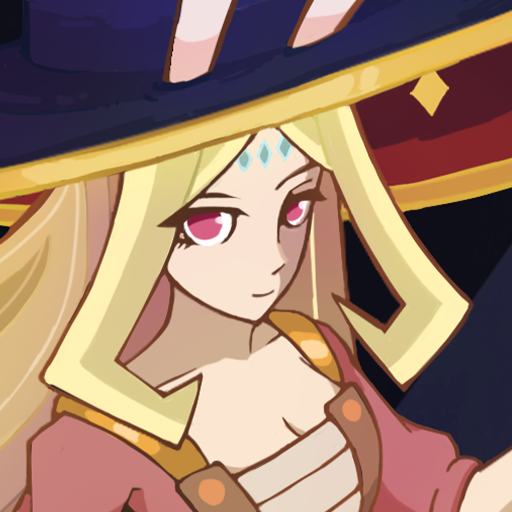
Fairy Queen Morgana, who becomes a shut-in after many rebirths,
Princess Elizabeth, who holds strong mind beneath her gentle smile,
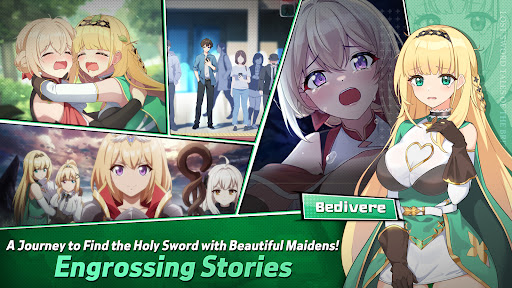
Bedivere, one of the Britannia`s knights and a cry baby but who has a strong loyalty to Elizabeth,
and finally, Ethan, who joins the adventure to find the Holy Sword along with them!
Begin the journey with the attractive characters to find the Holy Sword together!
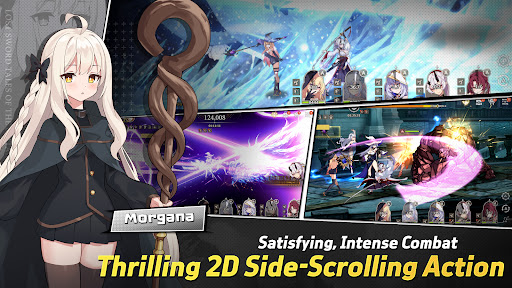
■ afk RPG of Your Dreams! 2D Side-Scrolling Real Time Action & Various Battles
Growing party play through endless real time afk battles!
From various dungeons and single raid to interesting event dungeons,
Enjoy the growth through interesting battle RPG contents!
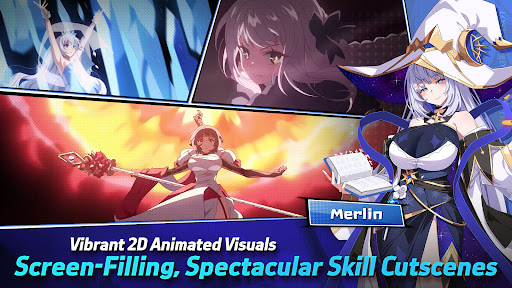
■ Visually Stunning High Quality 2D Anime Illustrations & Spectacular Skill Action!
Visually enjoyable afk battles with detailed Anime LD character motions and spectacular skill cutscenes!
With battle motions and skill cutscenes that feel like real animation,
Double the fun of character collection and battle!
■ Realistic Character Voice with the Top-Tier Voice Actors!
Best voice actors participated!
Deeply engaging experience enhanced by the realistic voices of our talented voice actors!
Dive deeper into the world of Lost Sword with the top-tier voice actors.
[Lost Sword Official Community Channel]
- Brand Webpage: https://lostsword.wemadeconnect.com/EN/index.html#Main
- Discord: https://discord.gg/ekgwAEQWu3
- Twitter (X): https://x.com/lostsword_en
- Facebook: https://www.facebook.com/LostSword.Global
- YouTube: https://www.youtube.com/@lostsword_en
- TikTok: https://www.tiktok.com/@lostsword_en
- Reddit: https://www.reddit.com/r/LostSwordOfficial
[Minimum Specs]
- OS: Android 6.0 or above
- Samsung Galaxy S9 or above
- RAM : 4GB or above
[App Permission Information]
In order to provide the services below, we request certain permissions.
[Optional Permission]
Phone: This is used to connect wireless devices, such as earphones, via Bluetooth.
Notifications: To allow the app to send service notifications
*Denying optional permissions does not affect gameplay.
[App Permission Management]
▶Android 6.0 or Higher:
- Revoking by Permission Type:
Device Settings > Apps > More Options (Settings & Controls) > App Settings > App Permissions > Select the desired permission > Choose to Allow or Deny access
- Revoking by App:
Device Settings > Apps > Select the specific app > Permissions > Choose to Allow or Deny access
▶Under Android 6.0:
Due to the limitations of the operating system, it is not possible to revoke individual permissions. Permissions can only be revoked by deleting the app.
We recommend upgrading your Android version to 6.0 or higher.
Показать больше

1. Скачать инсталлятор MEmu и завершайте установку

2. Запускайте MEmu, затем откройте Google Play на главной странице

3. Ищите 로스트 소드 в Google Play
Install
4. Скачайте и установите 로스트 소드
5. При завершении установки, нажмите на значок для старта

6. Наслаждайтесь 로스트 소드 на своем компьютере с помощью MEmu
MEmu App Player лучший бесплатный андроид эмулятор и 50 миллионов людей уже наслаждаются превосходным игровым опытом в андроид. Технология виртуализации MEmu позволяет вам запускать тысячи игр андроида на вашем ПК без тормозов, даже самые графически насыщенные.
Большой экран с лучшей графикой; Большая продолжительность, без ограничения батареи или мобильных данных.
Полная поддержка установки клавиш для точного управления клавиатурой и мышью или геймпадом.
Несколько игровых учетных записей или задач на одном компьютере одновременно с менеджером нескольких экземпляров.
Play 로스트 소드 on PC by following steps: