로스트 소드
Оновлено
Поточна версія
1.591.1
Постачальник

Перестаньте турбуватися про надмірні витрати, використовуючи ххх на своєму мобільному телефоні, звільніться від крихітного екрану і насолоджуйтеся використанням програми на набагато більшому дисплеї. Відтепер отримуйте повний екран свого додатка за допомогою клавіатури та миші. MEmu пропонує вам усі дивовижні функції, які ви очікували: швидка установка та просте налаштування, інтуїтивно зрозумілі елементи керування, більше обмежень від акумулятора, мобільних даних та тривожних дзвінків. Новий MEmu 9 - найкращий вибір використання 로스트 소드 на вашому комп’ютері. За допомогою нашого поглинання менеджер із кількома примірниками одночасно дозволяє відкрити 2 або більше рахунків. І найголовніше, наш ексклюзивний емуляційний двигун може вивільнити весь потенціал вашого ПК, зробити все гладким і приємним.
Show more
Насолоджуйтесь чудовим досвідом гри на ПК за допомогою програми MEMU App Player. Це потужний безкоштовний емулятор Android, який дозволяє вам грати в тисячі ігор Android. Epic Anime Fantasy RPG .
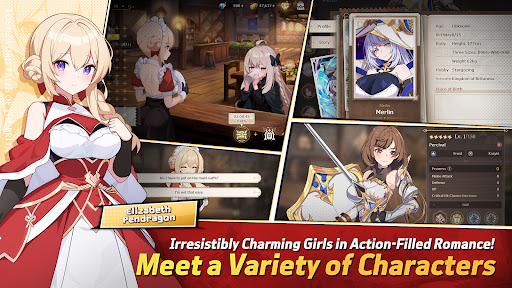
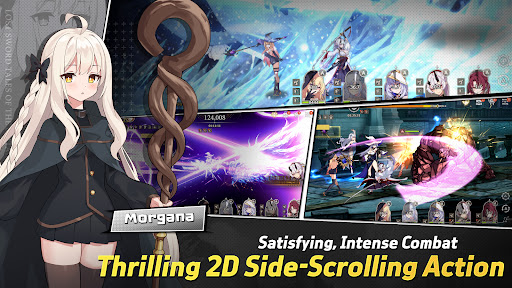
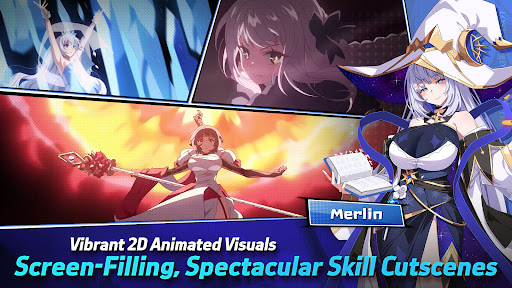
Epic Anime Fantasy RPG
Endless Romantic "Action X Flirting" with the Girls!
Begin the otherworld anime journey with the unique characters from Lost Sword now.
Meet the action flirting RPG with vivid character skill display and strong story line.
“Holy Sword Excalibur, forged by fairies,
has godlike powers that can halve a mountain in a single swing.
This divine relic of the Fairy, at some point, vanished without a trace;
it shall reappear to serve the true king when the blessing of the Red Dragon fades away.
This prophecy had only been taken as myth, but recently grew in prominence,
after Uther Pendragon, who had the blessing of the Red Dragon, was struck down by the False King Vortigern.
The war to determine the true king commenced,
and King Uther’s daughter, Elizabeth Pendragon, left to find Excalibur, but went missing.
Thus began the Great Disorder.”
▣Game Overview▣
■ Isekai Adventure RPG Filled with Lively Chemistry and Charming Girls!
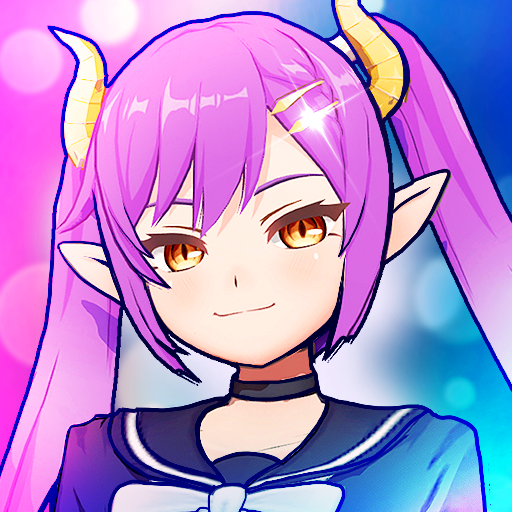
Fairy Queen Morgana, who becomes a shut-in after many rebirths,
Princess Elizabeth, who holds strong mind beneath her gentle smile,
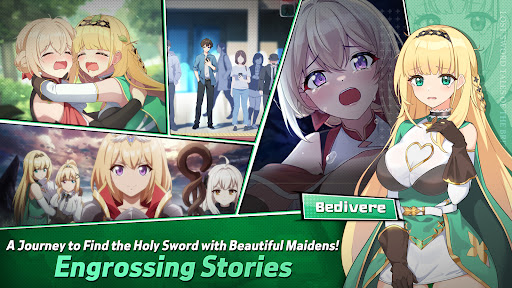
Bedivere, one of the Britannia`s knights and a cry baby but who has a strong loyalty to Elizabeth,
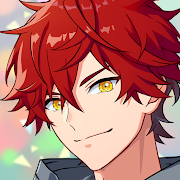
and finally, Ethan, who joins the adventure to find the Holy Sword along with them!
Begin the journey with the attractive characters to find the Holy Sword together!
■ afk RPG of Your Dreams! 2D Side-Scrolling Real Time Action & Various Battles
Growing party play through endless real time afk battles!
From various dungeons and single raid to interesting event dungeons,
Enjoy the growth through interesting battle RPG contents!
■ Visually Stunning High Quality 2D Anime Illustrations & Spectacular Skill Action!
Visually enjoyable afk battles with detailed Anime LD character motions and spectacular skill cutscenes!
With battle motions and skill cutscenes that feel like real animation,
Double the fun of character collection and battle!
■ Realistic Character Voice with the Top-Tier Voice Actors!
Best voice actors participated!
Deeply engaging experience enhanced by the realistic voices of our talented voice actors!
Dive deeper into the world of Lost Sword with the top-tier voice actors.
[Lost Sword Official Community Channel]
- Brand Webpage: https://lostsword.wemadeconnect.com/EN/index.html#Main
- Discord: https://discord.gg/ekgwAEQWu3
- Twitter (X): https://x.com/lostsword_en
- Facebook: https://www.facebook.com/LostSword.Global
- YouTube: https://www.youtube.com/@lostsword_en
- TikTok: https://www.tiktok.com/@lostsword_en
- Reddit: https://www.reddit.com/r/LostSwordOfficial
[Minimum Specs]
- OS: Android 6.0 or above
- Samsung Galaxy S9 or above
- RAM : 4GB or above
[App Permission Information]
In order to provide the services below, we request certain permissions.
[Optional Permission]
Phone: This is used to connect wireless devices, such as earphones, via Bluetooth.
Notifications: To allow the app to send service notifications
*Denying optional permissions does not affect gameplay.
[App Permission Management]
▶Android 6.0 or Higher:
- Revoking by Permission Type:
Device Settings > Apps > More Options (Settings & Controls) > App Settings > App Permissions > Select the desired permission > Choose to Allow or Deny access
- Revoking by App:
Device Settings > Apps > Select the specific app > Permissions > Choose to Allow or Deny access
▶Under Android 6.0:
Due to the limitations of the operating system, it is not possible to revoke individual permissions. Permissions can only be revoked by deleting the app.
We recommend upgrading your Android version to 6.0 or higher.
Show more

1. Download MEmu installer and finish the setup

2. Start MEmu then open Google Play on the desktop

3. Search 로스트 소드 in Google Play
Install
4. Download and Install 로스트 소드
5. On install completion click the icon to start

6. Enjoy playing 로스트 소드 on PC with MEmu
MEmu App Player є кращим безкоштовним емулятором Android, і 50 мільйонів людей вже користуються його чудовим ігровим досвідом Android. Технологія віртуалізації MEmu дає вам змогу відтворювати тисячі ігор Android на вашому комп'ютері, навіть найбільш насичених графікою.
Bigger screen with better graphics; Long duration, without limitation of battery or mobile data.
Full Keymapping support for precise control of keyboard and mouse or gamepad.
Multiple game accounts or tasks on single PC at one time with Multi-Instance manager.
Play 로스트 소드 on PC by following steps: