Starling Ascent
Обновлено
Текущая версия
1.0.11
Продавец

При всей вашей страсти к игре в ххх, ваши руки не должны быть ограничены на крошечном экране вашего телефона. Играйте как профессионал и получите полный контроль над игрой с помощью клавиатуры и мыши. MEmu предлагает вам все то, что вы ожидаете. Скачайте и играйте ххх на ПК. Играйте сколько угодно, никаких ограничений по батарее, мобильным данным и звонкам. Совершенно новый MEmu 9 - лучший выбор для игры в ххх на ПК. Благодаря изысканной системе предустановки клавиш, ххх превращается в настоящую игру для ПК. Менеджер нескольких экземпляров делает возможным игру с двумя или более учетными записями на одном устройстве. И самое главное, наш эксклюзивный механизм эмуляции может полностью раскрыть потенциал вашего ПК, сделать все гладко. Нам важно не только то, как вы играете, но и весь процесс наслаждения игровым счастьем.
Показать больше
Скачайте Starling Ascent на ПК с помощью Андроид эмулятора MEmu. Наслаждайтесь на большом экране. Starling Ascent: Bring the light back.
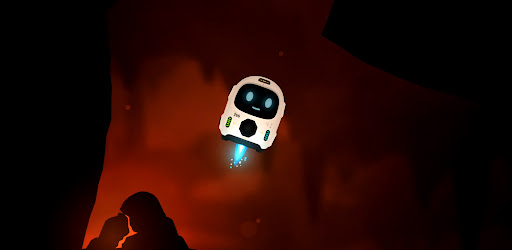
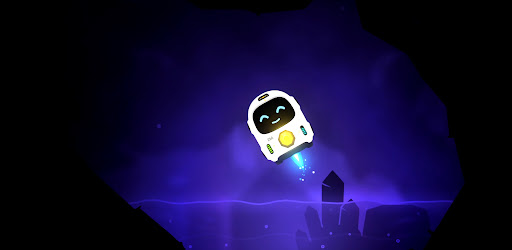
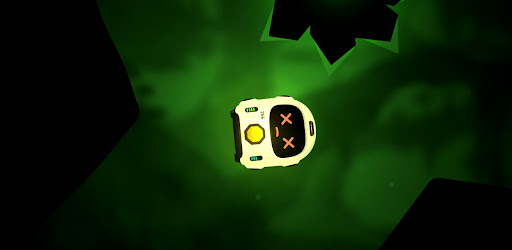
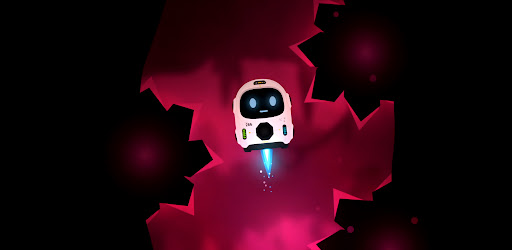
Starling Ascent: Bring the light back.
A whole civilisation went dark, power scattered into the caves far below. One small fail-safe robot was built to survive exactly this, and now he has one job: find the lost cores, carry them home, and climb back to a surface he has never seen.
Fly with super simple controls, nothing but rotate and thrust... use your momentum, angles and gravity pulling the whole time. It takes a few seconds to understand and hours to master.
Return Cores & Ascend Every level, a lost core is waiting somewhere in the cave. Find it, pick it up, then carry it to the docks and set it down clean. Do that and the way up opens. Be careful, Starling has limited health and fuel. You can find extra fuel in most of the longer levels and see if you can perfect every level with no damage against the clock!
Five worlds and one final ascent. You climb through five different layers, each with its own look, its own feel, and its own ways to kill you. Every world adds a new hazard to everything you've already learned and one careless touch of lava, spikes, or a laser is instant death. They glow bright, so you always see them coming. The only question is whether you can fly clean enough to get past. Then put all your skills to test in the final Ascent through the opening.
FS-266 (Starling) isn't alone on this mission. Volare is his weary AI companion riding shotgun for the climb: part guide, part narrator, part sarcastic friend. Starling was made for one job. Volare knows exactly what that means. By the time you reach the surface, so will you.
Bring the light back.
- Simple controls. Rotate and thrust, that's it. A few seconds to understand, hours to master.
- Momentum flight. Use your angles, your speed and the gravity pulling on you the whole time.
- Grab, carry, dock. Find the lost core, carry it to the docks, set it down clean to open the way up.
- Five worlds and a final ascent. Each layer has its own look, its own feel and its own ways to kill you.
- One-shot hazards. Lava, spikes and lasers are instant death, but they glow bright so you always see them coming.
- Mind your fuel. Thrust burns it, coasting is free. Find extra fuel in the longer caves and plan your route home.
- Perfect every level. Clear it with no damage and against the clock if you're good enough.
- Volare. Your weary AI companion for the climb: part guide, part narrator, part sarcastic friend.
Показать больше

1. Скачать инсталлятор MEmu и завершайте установку

2. Запускайте MEmu, затем откройте Google Play на главной странице

3. Ищите Starling Ascent в Google Play
Install
4. Скачайте и установите Starling Ascent
5. При завершении установки, нажмите на значок для старта

6. Наслаждайтесь Starling Ascent на своем компьютере с помощью MEmu
MEmu App Player лучший бесплатный андроид эмулятор и 50 миллионов людей уже наслаждаются превосходным игровым опытом в андроид. Технология виртуализации MEmu позволяет вам запускать тысячи игр андроида на вашем ПК без тормозов, даже самые графически насыщенные.
Большой экран с лучшей графикой; Большая продолжительность, без ограничения батареи или мобильных данных.
Полная поддержка установки клавиш для точного управления клавиатурой и мышью или геймпадом.
Несколько игровых учетных записей или задач на одном компьютере одновременно с менеджером нескольких экземпляров.
Play Starling Ascent on PC by following steps: