Starling Ascent
تازہ کاری
موجودہ ورژن
1.0.11
پیشکش بذریعہ

Starling Ascent کھیلنے کے اپنے پورے جنون کے دوران آپ کے ہاتھ آپ کے فون کی ایک چھوٹی سی اسکرین تک محدود نہیں ہونے چاہئیں۔ پرو کی طرح کھیلیں اور کی بورڈ اور ماؤس کے سہارے اپنے گیم پر مکمل کنٹرول حاصل کریں۔ MEmu آپ کو وہ تمام چیزیں پیش کرتا ہے جس کی آپ امید کرتے ہیں۔ پی سی پر Starling Ascent ڈاؤن لوڈ کریں اور کھیلیں۔ جتنی دیر تک آپ چاہیں کھیلیں، بیٹری، موبائل ڈیٹا کی کوئی حد نہیں ہے اور پریشان کن کالز نہیں ہیں۔ نئے برانڈ کا MEmu 9 پی سی پر Starling Ascent کھیلنے کا بہترین اختیار ہے۔ ہماری مہارت کی مدد سے تیار کردہ، شاندار پری سیٹ کی میپنگ سسٹم Starling Ascent کو ایک ریئل پی سی گیم بناتا ہے۔ MEmu کثیر نظیری منیجرایک ہی ڈیوائس پر 2 یا زیادہ اکاؤنٹس پلے کرنا ممکن بناتا ہے۔ اور سب سے اہم بات یہ ہے کہ، ہمارا خصوصی ایمولیشن انجن آپ کے پی سی کی مکمل طاقت ریلیز کرتے ہوئے ہر چیز ہموار بنا سکتا ہے۔
مزید دکھائیں
MEmu Play کے ساتھ PC پر Starling Ascent ڈاؤن لوڈ کریں۔ بڑی اسکرین پر کھیلنے کا لطف اٹھائیں۔ Starling Ascent: Bring the light back.
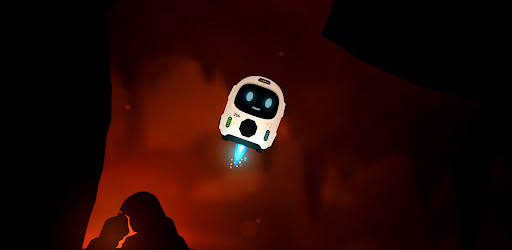
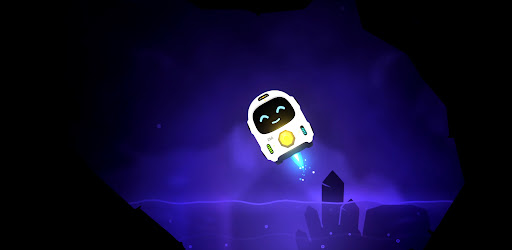
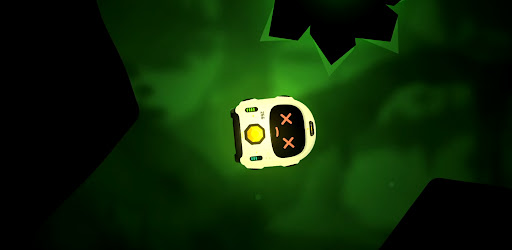
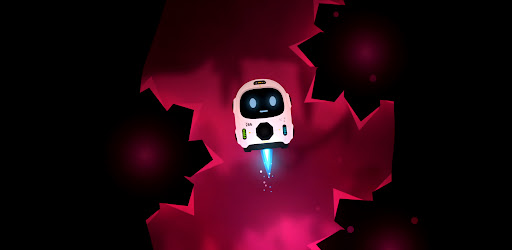
Starling Ascent: Bring the light back.
A whole civilisation went dark, power scattered into the caves far below. One small fail-safe robot was built to survive exactly this, and now he has one job: find the lost cores, carry them home, and climb back to a surface he has never seen.
Fly with super simple controls, nothing but rotate and thrust... use your momentum, angles and gravity pulling the whole time. It takes a few seconds to understand and hours to master.
Return Cores & Ascend Every level, a lost core is waiting somewhere in the cave. Find it, pick it up, then carry it to the docks and set it down clean. Do that and the way up opens. Be careful, Starling has limited health and fuel. You can find extra fuel in most of the longer levels and see if you can perfect every level with no damage against the clock!
Five worlds and one final ascent. You climb through five different layers, each with its own look, its own feel, and its own ways to kill you. Every world adds a new hazard to everything you've already learned and one careless touch of lava, spikes, or a laser is instant death. They glow bright, so you always see them coming. The only question is whether you can fly clean enough to get past. Then put all your skills to test in the final Ascent through the opening.
FS-266 (Starling) isn't alone on this mission. Volare is his weary AI companion riding shotgun for the climb: part guide, part narrator, part sarcastic friend. Starling was made for one job. Volare knows exactly what that means. By the time you reach the surface, so will you.
Bring the light back.
- Simple controls. Rotate and thrust, that's it. A few seconds to understand, hours to master.
- Momentum flight. Use your angles, your speed and the gravity pulling on you the whole time.
- Grab, carry, dock. Find the lost core, carry it to the docks, set it down clean to open the way up.
- Five worlds and a final ascent. Each layer has its own look, its own feel and its own ways to kill you.
- One-shot hazards. Lava, spikes and lasers are instant death, but they glow bright so you always see them coming.
- Mind your fuel. Thrust burns it, coasting is free. Find extra fuel in the longer caves and plan your route home.
- Perfect every level. Clear it with no damage and against the clock if you're good enough.
- Volare. Your weary AI companion for the climb: part guide, part narrator, part sarcastic friend.
مزید دکھائیں

1. MEmu انسٹالر ڈاؤن لوڈ کریں اور سیٹ اپ مکمل کریں

2. MEmu شروع کریں اسکے بعد ڈیسکٹاپ پر Google Play کھولیں

3. Google Play میں Starling Ascent تلاش کریں
Install
4. Starling Ascent ڈاؤن لوڈ کریں اور انسٹال کریں
5. انسٹال مکمل ہونے کے بعد سٹارٹ کرنے کے لیے آئیکن پر کلک کریں

6. MEmu کے ساتھ پی سی پر Starling Ascent کھیلنے کا لطف لیں
MEmu پلے بہترین اینڈرائڈ ایمولیٹر ہے اور 100 ملین لوگ اس کے زبردست اینڈرائڈ گیمنگ تجربہ سے لطف اندوز ہو رہے ہیں۔ MEmu کی ورچولائزیشن ٹیکنالوجی آپ کو اپنے PC پر ہزاروں اینڈرائڈ گیمز یہاں تک کہ انتہائی گرافک والے گیمز باسہولت کھیلنے کی طاقت دیتی ہے۔
بہتر گرافکس کے ساتھ بڑی اسکرین؛ طویل دورانیہ، بیٹری یا لامحدود موبائل ڈیٹا کے بغیر۔
کی بورڈ اور ماؤس یا گیم پیڈ کے عین مطابق کنٹرول کے لیے کی میپنگ کا پورا سپورٹ۔
کثیر مثالی منیجر کے ساتھ بیک وقت ایک پی سی پر متعدد گیم اکاؤنٹس یا ٹاسکس۔
پی سی پر درج ذیل مراحل پر عمل کرتے ہوئے Starling Ascent کھیلیں: