Starling Ascent
更新日
現在のバージョン
1.0.11
提供元

スマホ不要!プロ選手のようにキーボードとマウスで操作しよう。MEmuエミュはあなたにすべての期待を与える。電池が切れてしまうとか画面が小さいとかの問題を心配する必要がなくて、存分Starling Ascentを楽しんでください。新しいMEmuエミュ7はPCでStarling Ascentをプレイするのに最適!完璧なキーマッピングシステムにより、まるでパソコンゲームみたい。マルチインスタンスで複数のゲームやアプリを同時に実行!唯一無二な仮想化エンジンがパソコンの可能性を最大限になる。遊べるだけでなく、より楽しめる!
もっと見る
Starling AscentをPCでダウンロード!大画面でより楽しむ。電源が落ちてしまうとか通信料が足りないとかの問題を心配する必要がなく、PCの大画面でより快適にゲームを楽しましょう! Starling Ascent: Bring the light back.
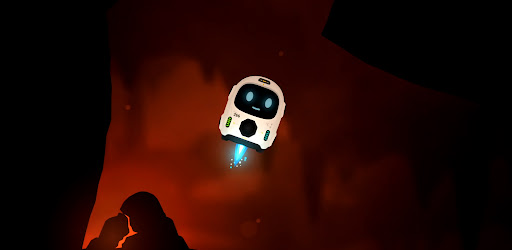
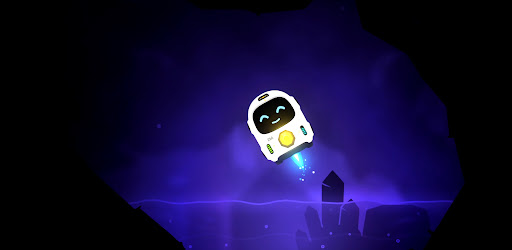
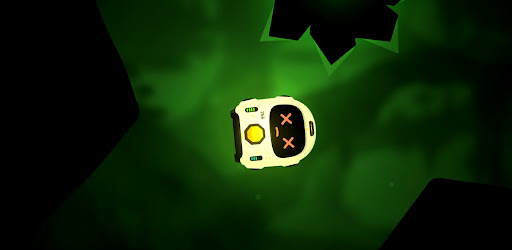
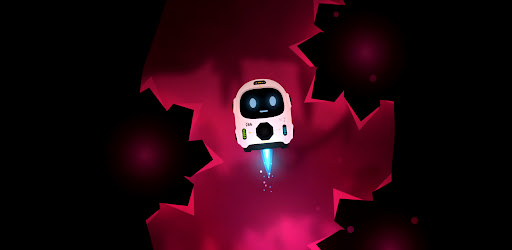
Starling Ascent: Bring the light back.
A whole civilisation went dark, power scattered into the caves far below. One small fail-safe robot was built to survive exactly this, and now he has one job: find the lost cores, carry them home, and climb back to a surface he has never seen.
Fly with super simple controls, nothing but rotate and thrust... use your momentum, angles and gravity pulling the whole time. It takes a few seconds to understand and hours to master.
Return Cores & Ascend Every level, a lost core is waiting somewhere in the cave. Find it, pick it up, then carry it to the docks and set it down clean. Do that and the way up opens. Be careful, Starling has limited health and fuel. You can find extra fuel in most of the longer levels and see if you can perfect every level with no damage against the clock!
Five worlds and one final ascent. You climb through five different layers, each with its own look, its own feel, and its own ways to kill you. Every world adds a new hazard to everything you've already learned and one careless touch of lava, spikes, or a laser is instant death. They glow bright, so you always see them coming. The only question is whether you can fly clean enough to get past. Then put all your skills to test in the final Ascent through the opening.
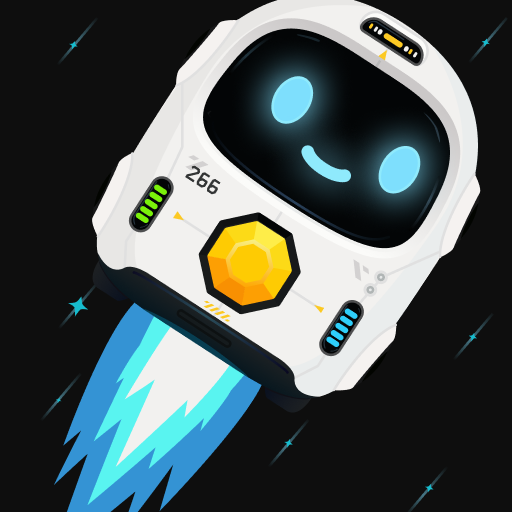
FS-266 (Starling) isn't alone on this mission. Volare is his weary AI companion riding shotgun for the climb: part guide, part narrator, part sarcastic friend. Starling was made for one job. Volare knows exactly what that means. By the time you reach the surface, so will you.
Bring the light back.
- Simple controls. Rotate and thrust, that's it. A few seconds to understand, hours to master.
- Momentum flight. Use your angles, your speed and the gravity pulling on you the whole time.
- Grab, carry, dock. Find the lost core, carry it to the docks, set it down clean to open the way up.
- Five worlds and a final ascent. Each layer has its own look, its own feel and its own ways to kill you.
- One-shot hazards. Lava, spikes and lasers are instant death, but they glow bright so you always see them coming.
- Mind your fuel. Thrust burns it, coasting is free. Find extra fuel in the longer caves and plan your route home.
- Perfect every level. Clear it with no damage and against the clock if you're good enough.
- Volare. Your weary AI companion for the climb: part guide, part narrator, part sarcastic friend.
もっと見る

1. MEmuインストーラーをダウンロードしてセットアップを完了する

2. MEmuを起動し、デスクトップでのPlayストアを開く

3. PlayストアでStarling Ascentを検索する
Install
4. Starling Ascentをダウンロードしてインストールする
5. インストールが完了したら、アイコンをクリックしてスタート

6. MEmuを使用してPCでStarling Ascentを楽しむ
MEmu App Playerは最高の無料で提供されるAndroidエミュレータで、5,000万人がすでに優れたAndroidゲーム体験を楽しんでいます。 MEmuの仮想化技術は、あなたのPCで何千ものAndroidゲームを快適にプレイすることを可能にします。
大画面でより精細;無限の待機、電池とドラフィックの極限を超え
キーボード・マウス・コントローラーを全力でサポート、より快適
マルチインスタンスで複数のゲームを同時に実行
Play Starling Ascent on PC by following steps: