Replaio Radio
Обновлено
Текущая версия
Продавец

Перестаньте беспокоиться о быстром разряде батареи при использовании Replaio Radio на вашем телефоне. Освободитесь от крошечного экрана и наслаждайтесь приложением на гораздо большем экране. Теперь вы можете работать с приложением в полноэкранном режиме с удобством клавиатуры и мыши. MEmu предлагает вам все ожидаемые удивительные функции: быструю установку и простую настройку, интуитивно понятное управление и больше никаких забот о времени автономной работы, мобильном трафике или неожиданных звонках. Совершенно новый MEmu 9 — идеальный выбор для использования Replaio Radio на вашем компьютере. С помощью менеджера нескольких экземпляров MEmu вы можете одновременно использовать два или более аккаунтов. И самое главное, наш эксклюзивный движок эмуляции раскрывает весь потенциал вашего ПК, обеспечивая плавную и приятную работу.
Показать больше
Скачайте Replaio Radio на ПК с помощью Андроид эмулятора MEmu. Наслаждайтесь на большом экране. Internet radio FM - Replaio is the only app you need on your phone to listen to radio FM online.
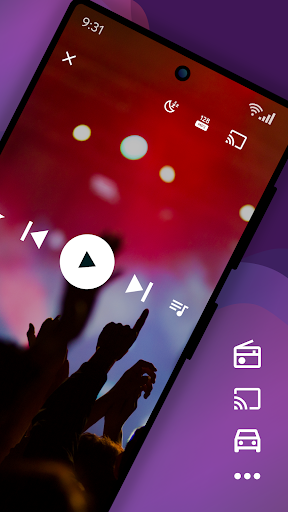
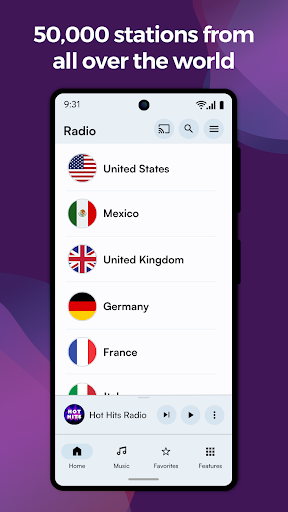
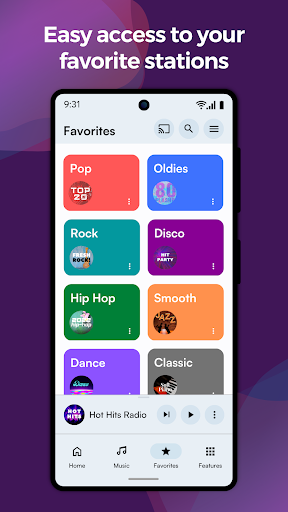
Internet radio FM - Replaio is the only app you need on your phone to listen to radio FM online.
Listen to your FM, AM, and DAB online radio from USA available on the internet. Browse the stations' websites to get more information fast and easily. Discover the world's radio, including music-only stations. P.S. We try so hard to make Replaio Radio really good. Install now and find out for yourself how easy and smooth listening to the radio on your phone or tablet can be.
Replaio Radio
• Over 50,000 stations from around the world
• Internet radio stations by music genres
• Handy and clear Favorites list
• Google Chromecast and Android Auto support
• Low usage of mobile data and battery
Key features
• Radio alarm clock with snooze function
• Sleep timer to fall asleep easily
• Equalizer improving the sound of the station
• Favorite radio programs reminders
Other features
• Online radio by different genres (pop, rock, EDM, various decades, and more)
• Material Design 3 with Dynamic Colors support
• Color themes and dark mode
• Stream quality selection for 3G/LTE and WiFi (saves data!)
• Possibility of stopping playing when using mobile data
• Adding songs listened to on radio FM online to a playlist on Spotify
• Autostart when connected to Bluetooth
• Easy and fast browsing of radio station websites (schedules, support)
• Ability to add your own URL radio streams
• Your favorite AM, FM radio available even when you are abroad
That's not all! We encourage you to try the rest of the options directly in the app.
Premium add-ons (optional purchase)
• No banners or video ads in the app for life
• Widgets of various sizes, dark and light
• Radio icons on the phone desktop
• Single payment, no subscription
• Pizza (Hawaiian maybe?) for Replaio Radio Team!
Questions and troubleshooting
Replaio Radio does not broadcast any audio ads before launching the radio. Regardless of Replaio, some stations may broadcast such advertisements.
Please note that Replaio is a web browser with audio options, we are not radio broadcasters.
If you have any questions, want to cooperate, or have problems with the app, shoot us a note at support@repla.io or contact us via the contact form in the app. We read all messages.
Replaio Radio is a brand of Replaio sp. z o.o. All other names, brands, and marks that may appear in the app and on this website are the property of their respective owners and are used for information and identification purposes. The services we provide are in no way affiliated with these companies.
Показать больше

1. Скачать инсталлятор MEmu и завершайте установку

2. Запускайте MEmu, затем откройте Google Play на главной странице

3. Ищите Replaio Radio в Google Play
Install
4. Скачайте и установите Replaio Radio
5. При завершении установки, нажмите на значок для старта

6. Наслаждайтесь Replaio Radio на своем компьютере с помощью MEmu.
MEmu Play — лучший бесплатный эмулятор Android, превосходный опыт работы с которым оценили 50 миллионов пользователей. Технология виртуализации MEmu позволяет без проблем запускать тысячи Android-приложений на вашем компьютере, даже самые требовательные.
Большой экран с лучшей графикой; Большая продолжительность, без ограничения батареи или мобильных данных.
Полная поддержка установки клавиш для точного управления клавиатурой и мышью или геймпадом.
Несколько игровых учетных записей или задач на одном компьютере одновременно с менеджером нескольких экземпляров.
Use Replaio Radio on PC by following steps: