Find Differences Search & Spot
อัปเดตเมื่อ
เวอร์ชันปัจจุบัน
3.39
ให้บริการโดย

เวลาคุณเล่น Find Differences Search & Spot, คุณอาจรู้สึกว่ามือคุณอาจบังจอแล้วทำให้ไม่ได้เล่นแบบเต็มที่. เล่นแบบไร้ขีดจำกัดด้วยเม้าส์และคีย์บอร์ด. MEmu มีตัวเลือกหลายอย่างให้คุณใช้งานเกมที่คุณเล่นแบบที่คุณต้องการ. ดาวน์โหลดและเล่น Find Differences Search & Spot บน PC. เล่นนานแค่ไหนก็ได้, ไม่ต้องชาร์จแบตเตอรี่, หรือเจอคนโทรเข้ามาระหว่างเล่น. MEmu 9 เป็นตัวเลือกสำหรับการเล่น Find Differences Search & Spot บน PC. ทางทีมงานเราได้ปรับแต่งเกม, ปรับให้เล่นเกมบางเกมได้เหมือนเล่น Find Differences Search & Spot เป็นเกม PC เช่นเล็งด้วยเม้าส์หรือใช้คีย์บอร์ด. ระบบของเรายังทำให้คุณสามารถเปิดเล่นได้มากกว่า 2 เกมพร้อมๆกันในคอมของคุณ. และที่สำคัญที่สุด, ระบบโปรแกรมของเราสามารถทำให้คุณใช้ระบบของ PC ทำให้เกมลื่นเหมือนกับใช้โทรศัพท์รุ่นล่าสุด. เราไม่ได้ดูแลเรื่องการเล่นเกม, แต่เราดูแลถึงความสนุกสนานที่คุณได้จากการเล่นด้วย.
แสดงเพิ่มเติม
ดาวน์โหลด Find Differences Search & Spot บน PC ด้วย MEmu Android Emulator สนุกกับการเล่นบนหน้าจอขนาดใหญ่ Welcome to 'Find Differences Search & Spot' — Find the Differences & Relax.
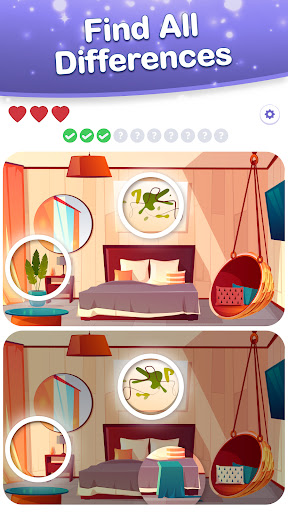
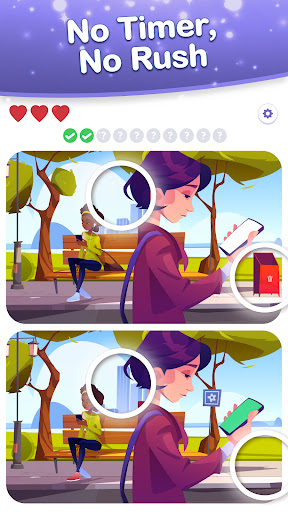

Welcome to 'Find Differences Search & Spot' — Find the Differences & Relax.
The ultimate free difference game where you can find hidden differences in thousands of high-definition pictures and photos! Immerse yourself in a world of captivating images and sharpen your mind as you search for subtle differences. Perfect for fans of puzzle games, brain teasers, and visual challenges, this game offers endless hours of entertainment.
Embark on a journey through thousands of engaging, high-definition images across different themes. Test your ability to find differences in scenes from around the world. Enjoy a relaxing and fun puzzle game designed to sharpen your observation and focus skills, whether you're a casual gamer or a seasoned pro.
A Visual Experience Like No Other
Each high-quality picture offers a clear yet captivating challenge, carefully crafted to provide just the right level of difficulty. Enhance your focus, spot the subtle differences, and delight in discovering new details that you might have missed at first glance. Our hidden difference game provides endless fun for all ages, making it perfect for family game nights or solo relaxation sessions.
Relax and Spot Differences at Your Own Pace
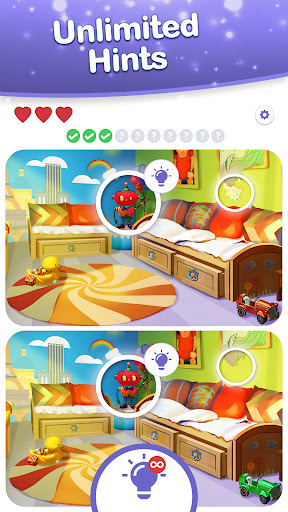
No timers, unlimited hints, and an easy zoom feature allow you to relax and take all the time you need to find the differences. Whether you have a few minutes or a few hours, enjoy a stress-free gaming experience that lets you focus on the joy of spotting differences without any pressure.
Experience Endless Fun While Finding Differences
Enjoy an easy-to-use, distraction-free interface that lets you fully engage in the fun of finding differences. With soothing background music and sound effects, our free spot the difference game is perfect for unwinding after a long day or taking a relaxing break. Lose yourself in the tranquil world of find differences and let the stress melt away.
Diverse Challenges and Continuous Updates
From beginner puzzles that gently introduce you to the game mechanics to expert-level challenges that will test even the most keen-eyed players, there’s something for everyone. Our extensive library of puzzles ensures endless entertainment. Plus, with new levels added regularly, you'll always have fresh content and new hidden differences in pictures and photos to discover.
Daily Boost for Your Brain
Energize your day with fresh images daily that challenge your spotting skills and keep the gameplay dynamic. Make it a habit to play our daily puzzles and watch as your focus and observation skills improve over time. Compete with friends and family to see who can find the differences the fastest, or simply enjoy the satisfaction of completing each puzzle at your own pace.
Effortless and Easy-to-Use Interface
Focus on the game without distractions thanks to our simple, clean interface designed with player comfort in mind. Customize your gameplay experience with adjustable settings for sound and notifications. Dive into the world of hidden difference puzzles and enjoy the most relaxing difference game experience available. Whether you're playing on a phone or tablet, the game is optimized for all screen sizes.
Ready to Play?
Start the fun with 'Find Differences Search & Spot' now. Download for free and join millions of players around the world who are already enjoying this delightful difference-finding adventure. Relax, enhance your skills, and delight in the excitement of finding hidden differences in beautiful pictures. Dive right in and start your differences adventure today!
แสดงเพิ่มเติม

1. ดาวน์โหลดตัวติดตั้ง MEmu และสิ้นสุดการติดตั้ง

2. เริ่ม MEmu จากนั้นเปิด Google Play บนหน้าแรก

3. ค้นหา Find Differences Search & Spot ใน Google Play
Install
4. ดาวน์โหลดและติดตั้ง Find Differences Search & Spot
5. เมื่อติดตั้งเสร็จให้คลิกที่ไอคอนเพื่อเริ่มใช้งาน

6. สนุกกับการเล่น Find Differences Search & Spot บนพีซีด้วย MEmu
MEmu App Player เป็นอีมูเลเตอร์ Android ที่ดีที่สุดและผู้คนกว่า 50 ล้านคนเพลิดเพลินไปกับประสบการณ์การเล่นเกม Android ที่ยอดเยี่ยม เทคโนโลยีการจำลองเสมือนของ MEmu ช่วยให้คุณเล่นเกม Android หลายพันเกมได้อย่างราบรื่นบนพีซีของคุณแม้แต่เกมที่ต้องใช้กราฟิกมากที่สุด
จอใหญ่และกราฟฟิกสวยกว่า; เล่นได้นาน, ไม่ต้องใช้แบตเตอรี่โทรศัพท์หรือเน็ตโทรศัพท์.
ระบบปรับแต่งปุ่มคีย์บอร์ดและเม้าส์ตามที่คุณเลือก
เล่นมากกว่าหนึ่งเกมบน PC ในเวลาเดียวกันด้วยระบบหลายจอหรือ Multi-Instance manager.
Play Find Differences Search & Spot on PC by following steps: