Happy Games - Play Card
อัปเดตเมื่อ
เวอร์ชันปัจจุบัน
2.1
ให้บริการโดย

เวลาคุณเล่น Happy Games - Play Card, คุณอาจรู้สึกว่ามือคุณอาจบังจอแล้วทำให้ไม่ได้เล่นแบบเต็มที่. เล่นแบบไร้ขีดจำกัดด้วยเม้าส์และคีย์บอร์ด. MEmu มีตัวเลือกหลายอย่างให้คุณใช้งานเกมที่คุณเล่นแบบที่คุณต้องการ. ดาวน์โหลดและเล่น Happy Games - Play Card บน PC. เล่นนานแค่ไหนก็ได้, ไม่ต้องชาร์จแบตเตอรี่, หรือเจอคนโทรเข้ามาระหว่างเล่น. MEmu 9 เป็นตัวเลือกสำหรับการเล่น Happy Games - Play Card บน PC. ทางทีมงานเราได้ปรับแต่งเกม, ปรับให้เล่นเกมบางเกมได้เหมือนเล่น Happy Games - Play Card เป็นเกม PC เช่นเล็งด้วยเม้าส์หรือใช้คีย์บอร์ด. ระบบของเรายังทำให้คุณสามารถเปิดเล่นได้มากกว่า 2 เกมพร้อมๆกันในคอมของคุณ. และที่สำคัญที่สุด, ระบบโปรแกรมของเราสามารถทำให้คุณใช้ระบบของ PC ทำให้เกมลื่นเหมือนกับใช้โทรศัพท์รุ่นล่าสุด. เราไม่ได้ดูแลเรื่องการเล่นเกม, แต่เราดูแลถึงความสนุกสนานที่คุณได้จากการเล่นด้วย.
แสดงเพิ่มเติม
ดาวน์โหลด Happy Games - Play Card บน PC ด้วย MEmu Android Emulator สนุกกับการเล่นบนหน้าจอขนาดใหญ่ Tong-its is a three-player rummy game popular in the Philippines.




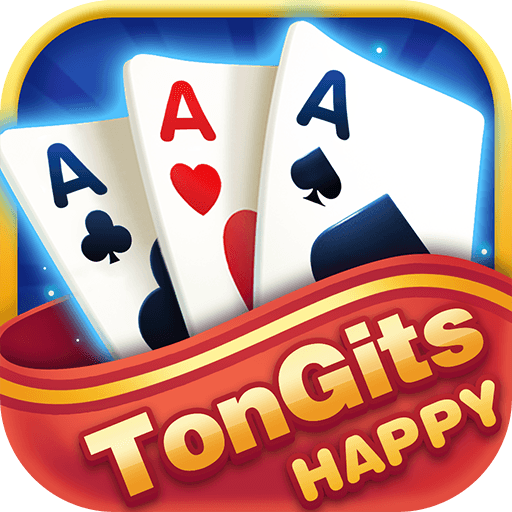
Tong-its is a three-player rummy game popular in the Philippines. Happy Tongits is a popular free casual card game with multiple game modes and great rewards. You can play anytime, anywhere. Download now, invite your friends to play and have a great time!
-Pusoy: Another popular card game in the Philippines. The cards are similar to Texas, as long as you win every trick, you're a big winner!
-Lucky 9: A very fun casual card game. It's easy to play when you want to pass the time. Hit Lucky9 and win!
#Multiple modes to choose from#
-Club: You can create your own Group! Invite more players to play the game!
- Family Table: Create your own table and invite your friends or family to play together.
#Various rewards are prepared for you#
-Login Bonus: login every day to get bonus.
-Lucky Wheel: Free draw rewards every day.
-Lucky Egg: A lot of rewards are waiting for you.
-Game Reward: You can get rewards by playing games.
-Online Bonus: the longer you are online, the more generous the rewards will be.
-Limited time activities: complete tasks or participate in activities, each player can get more prizes.
Play have fun with your friends, have happy time every day!
*Contact us
Contact us with any questions or feedback, we'd love to hear from every player.
We will randomly select players who provide opinions to distribute rewards and bonuses!
Email: zhaoqian5464@gmail.com
แสดงเพิ่มเติม

1. ดาวน์โหลดตัวติดตั้ง MEmu และสิ้นสุดการติดตั้ง

2. เริ่ม MEmu จากนั้นเปิด Google Play บนหน้าแรก

3. ค้นหา Happy Games - Play Card ใน Google Play
Install
4. ดาวน์โหลดและติดตั้ง Happy Games - Play Card
5. เมื่อติดตั้งเสร็จให้คลิกที่ไอคอนเพื่อเริ่มใช้งาน

6. สนุกกับการเล่น Happy Games - Play Card บนพีซีด้วย MEmu
MEmu App Player เป็นอีมูเลเตอร์ Android ที่ดีที่สุดและผู้คนกว่า 50 ล้านคนเพลิดเพลินไปกับประสบการณ์การเล่นเกม Android ที่ยอดเยี่ยม เทคโนโลยีการจำลองเสมือนของ MEmu ช่วยให้คุณเล่นเกม Android หลายพันเกมได้อย่างราบรื่นบนพีซีของคุณแม้แต่เกมที่ต้องใช้กราฟิกมากที่สุด
จอใหญ่และกราฟฟิกสวยกว่า; เล่นได้นาน, ไม่ต้องใช้แบตเตอรี่โทรศัพท์หรือเน็ตโทรศัพท์.
ระบบปรับแต่งปุ่มคีย์บอร์ดและเม้าส์ตามที่คุณเลือก
เล่นมากกว่าหนึ่งเกมบน PC ในเวลาเดียวกันด้วยระบบหลายจอหรือ Multi-Instance manager.
Play Happy Games - Play Card on PC by following steps: