Harvest Moon: Skytree Village
อัปเดตเมื่อ
เวอร์ชันปัจจุบัน
1.0
ให้บริการโดย

เวลาคุณเล่น Harvest Moon: Skytree Village, คุณอาจรู้สึกว่ามือคุณอาจบังจอแล้วทำให้ไม่ได้เล่นแบบเต็มที่. เล่นแบบไร้ขีดจำกัดด้วยเม้าส์และคีย์บอร์ด. MEmu มีตัวเลือกหลายอย่างให้คุณใช้งานเกมที่คุณเล่นแบบที่คุณต้องการ. ดาวน์โหลดและเล่น Harvest Moon: Skytree Village บน PC. เล่นนานแค่ไหนก็ได้, ไม่ต้องชาร์จแบตเตอรี่, หรือเจอคนโทรเข้ามาระหว่างเล่น. MEmu 9 เป็นตัวเลือกสำหรับการเล่น Harvest Moon: Skytree Village บน PC. ทางทีมงานเราได้ปรับแต่งเกม, ปรับให้เล่นเกมบางเกมได้เหมือนเล่น Harvest Moon: Skytree Village เป็นเกม PC เช่นเล็งด้วยเม้าส์หรือใช้คีย์บอร์ด. ระบบของเรายังทำให้คุณสามารถเปิดเล่นได้มากกว่า 2 เกมพร้อมๆกันในคอมของคุณ. และที่สำคัญที่สุด, ระบบโปรแกรมของเราสามารถทำให้คุณใช้ระบบของ PC ทำให้เกมลื่นเหมือนกับใช้โทรศัพท์รุ่นล่าสุด. เราไม่ได้ดูแลเรื่องการเล่นเกม, แต่เราดูแลถึงความสนุกสนานที่คุณได้จากการเล่นด้วย.
แสดงเพิ่มเติม
ดาวน์โหลด Harvest Moon: Skytree Village บน PC ด้วย MEmu Android Emulator สนุกกับการเล่นบนหน้าจอขนาดใหญ่ Times have changed in the land known as the Oasis of the Harvest Goddess.
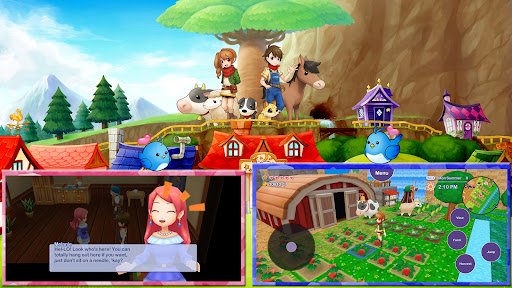
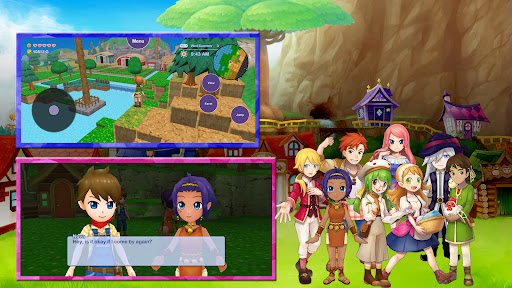
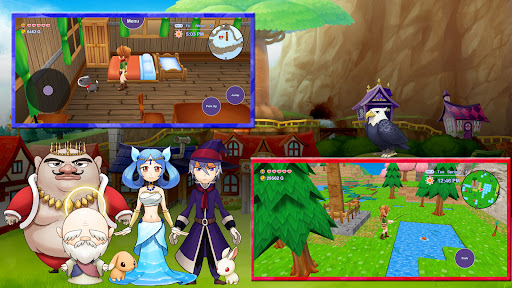
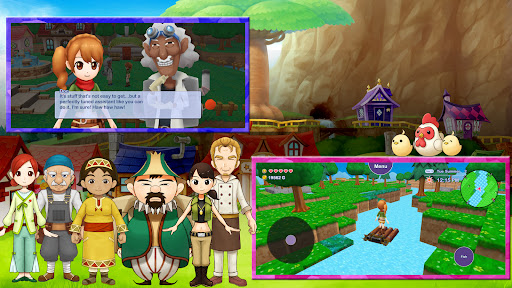
Times have changed in the land known as the Oasis of the Harvest Goddess. Many people used to live in Skytree Village, and the land was lush and green. However, the power of the Harvest Goddess gradually began to wane, and the land became parched and dry.
You will be challenged to restore the seven legendary Skytrees that make the town so iconic and bring power and prosperity to the land around them. Along the way, you’ll meet a new cast of characters (with a few returning familiar faces), user-friendly controls, and the ability customize your farm by terraforming the land!
• Meet an array of quirky characters in a bustling town!
• Customize your terrain to your heart's content!
• Woo your favorite bachelor or bachelorette and start a family!
• Discover new crops, flowers, and expanded fishing mechanics!
*Harvest Moon: Skytree Village is compatible with the following spec devices.
• Samsung Galaxy S series
• Samsung Galaxy Z Flip series
• Google Pixel series
• Google Pixel Tablet
*Compatibility has been verified on the above device families. Performance may vary depending on the device model and OS version.
แสดงเพิ่มเติม

1. ดาวน์โหลดตัวติดตั้ง MEmu และสิ้นสุดการติดตั้ง

2. เริ่ม MEmu จากนั้นเปิด Google Play บนหน้าแรก

3. ค้นหา Harvest Moon: Skytree Village ใน Google Play
Install
4. ดาวน์โหลดและติดตั้ง Harvest Moon: Skytree Village
5. เมื่อติดตั้งเสร็จให้คลิกที่ไอคอนเพื่อเริ่มใช้งาน

6. สนุกกับการเล่น Harvest Moon: Skytree Village บนพีซีด้วย MEmu
MEmu App Player เป็นอีมูเลเตอร์ Android ที่ดีที่สุดและผู้คนกว่า 50 ล้านคนเพลิดเพลินไปกับประสบการณ์การเล่นเกม Android ที่ยอดเยี่ยม เทคโนโลยีการจำลองเสมือนของ MEmu ช่วยให้คุณเล่นเกม Android หลายพันเกมได้อย่างราบรื่นบนพีซีของคุณแม้แต่เกมที่ต้องใช้กราฟิกมากที่สุด
จอใหญ่และกราฟฟิกสวยกว่า; เล่นได้นาน, ไม่ต้องใช้แบตเตอรี่โทรศัพท์หรือเน็ตโทรศัพท์.
ระบบปรับแต่งปุ่มคีย์บอร์ดและเม้าส์ตามที่คุณเลือก
เล่นมากกว่าหนึ่งเกมบน PC ในเวลาเดียวกันด้วยระบบหลายจอหรือ Multi-Instance manager.
Play Harvest Moon: Skytree Village on PC by following steps: