
Music Tutor (Sight Reading)
อัปเดตเมื่อ
เวอร์ชันปัจจุบัน
2.31.1
ให้บริการโดย

เวลาคุณเล่น Music Tutor (Sight Reading), คุณอาจรู้สึกว่ามือคุณอาจบังจอแล้วทำให้ไม่ได้เล่นแบบเต็มที่. เล่นแบบไร้ขีดจำกัดด้วยเม้าส์และคีย์บอร์ด. MEmu มีตัวเลือกหลายอย่างให้คุณใช้งานเกมที่คุณเล่นแบบที่คุณต้องการ. ดาวน์โหลดและเล่น Music Tutor (Sight Reading) บน PC. เล่นนานแค่ไหนก็ได้, ไม่ต้องชาร์จแบตเตอรี่, หรือเจอคนโทรเข้ามาระหว่างเล่น. MEmu 9 เป็นตัวเลือกสำหรับการเล่น Music Tutor (Sight Reading) บน PC. ทางทีมงานเราได้ปรับแต่งเกม, ปรับให้เล่นเกมบางเกมได้เหมือนเล่น Music Tutor (Sight Reading) เป็นเกม PC เช่นเล็งด้วยเม้าส์หรือใช้คีย์บอร์ด. ระบบของเรายังทำให้คุณสามารถเปิดเล่นได้มากกว่า 2 เกมพร้อมๆกันในคอมของคุณ. และที่สำคัญที่สุด, ระบบโปรแกรมของเราสามารถทำให้คุณใช้ระบบของ PC ทำให้เกมลื่นเหมือนกับใช้โทรศัพท์รุ่นล่าสุด. เราไม่ได้ดูแลเรื่องการเล่นเกม, แต่เราดูแลถึงความสนุกสนานที่คุณได้จากการเล่นด้วย.
แสดงเพิ่มเติม
ดาวน์โหลด Music Tutor (Sight Reading) บน PC ด้วย MEmu Android Emulator สนุกกับการเล่นบนหน้าจอขนาดใหญ่ Learn to read sheet music and improve your sight-reading skills with Music Tutor.
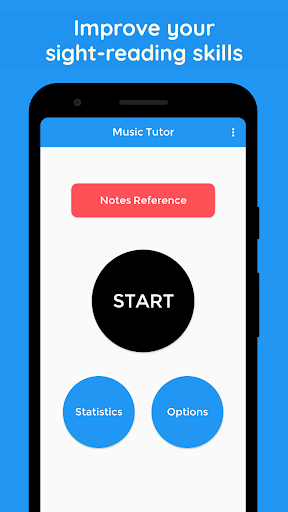
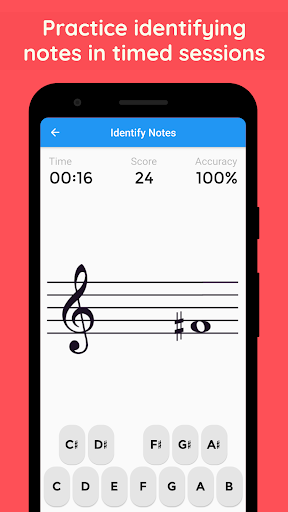
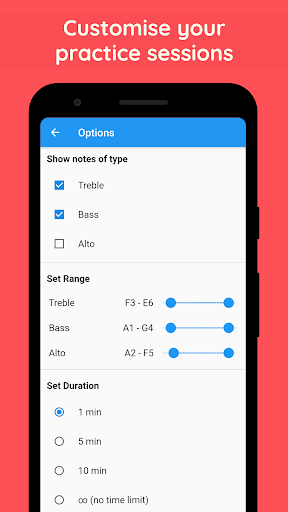
Learn to read sheet music and improve your sight-reading skills with Music Tutor. Develop your speed and accuracy in reading sheet music by identifying music notes in timed sessions. Choose to practice between treble, bass and/or alto clefs for a duration of 1, 5 or 10-minute sessions. Music Tutor helps with ear training and practicing your listening (aural) skills. During the practice session, every note is displayed along with the sound of the note (this feature can also be turned off if not necessary).
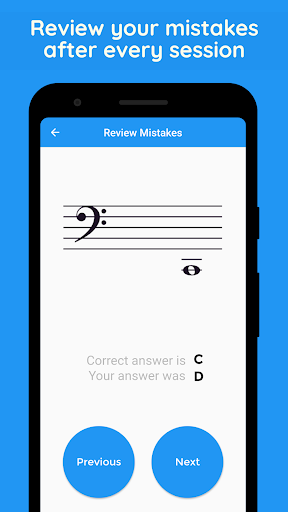
After each test, you can review your mistakes and see your progress. There is also an option to set the range for practice, making this an ideal app for both beginners and advanced students. Music Tutor also supports Solfège (Do, Re, Mi, Fa, Sol, La, Si or Ti) and German note names.
Music Tutor also comes with a sheet music reference chart for treble, bass and alto clefs that you can use to quickly grasp the names of all the notes. As you use Music Tutor, you can keep track of your progress and improvement using the Stats page.
แสดงเพิ่มเติม

1. ดาวน์โหลดตัวติดตั้ง MEmu และสิ้นสุดการติดตั้ง

2. เริ่ม MEmu จากนั้นเปิด Google Play บนหน้าแรก

3. ค้นหา Music Tutor (Sight Reading) ใน Google Play
Install
4. ดาวน์โหลดและติดตั้ง Music Tutor (Sight Reading)
5. เมื่อติดตั้งเสร็จให้คลิกที่ไอคอนเพื่อเริ่มใช้งาน

6. สนุกกับการเล่น Music Tutor (Sight Reading) บนพีซีด้วย MEmu
MEmu App Player เป็นอีมูเลเตอร์ Android ที่ดีที่สุดและผู้คนกว่า 50 ล้านคนเพลิดเพลินไปกับประสบการณ์การเล่นเกม Android ที่ยอดเยี่ยม เทคโนโลยีการจำลองเสมือนของ MEmu ช่วยให้คุณเล่นเกม Android หลายพันเกมได้อย่างราบรื่นบนพีซีของคุณแม้แต่เกมที่ต้องใช้กราฟิกมากที่สุด
จอใหญ่และกราฟฟิกสวยกว่า; เล่นได้นาน, ไม่ต้องใช้แบตเตอรี่โทรศัพท์หรือเน็ตโทรศัพท์.
ระบบปรับแต่งปุ่มคีย์บอร์ดและเม้าส์ตามที่คุณเลือก
เล่นมากกว่าหนึ่งเกมบน PC ในเวลาเดียวกันด้วยระบบหลายจอหรือ Multi-Instance manager.
Play Music Tutor (Sight Reading) on PC by following steps: