Piano Music Hop: EDM Rush!
อัปเดตเมื่อ
เวอร์ชันปัจจุบัน
1.0.61
ให้บริการโดย

เวลาคุณเล่น Piano Music Hop: EDM Rush!, คุณอาจรู้สึกว่ามือคุณอาจบังจอแล้วทำให้ไม่ได้เล่นแบบเต็มที่. เล่นแบบไร้ขีดจำกัดด้วยเม้าส์และคีย์บอร์ด. MEmu มีตัวเลือกหลายอย่างให้คุณใช้งานเกมที่คุณเล่นแบบที่คุณต้องการ. ดาวน์โหลดและเล่น Piano Music Hop: EDM Rush! บน PC. เล่นนานแค่ไหนก็ได้, ไม่ต้องชาร์จแบตเตอรี่, หรือเจอคนโทรเข้ามาระหว่างเล่น. MEmu 9 เป็นตัวเลือกสำหรับการเล่น Piano Music Hop: EDM Rush! บน PC. ทางทีมงานเราได้ปรับแต่งเกม, ปรับให้เล่นเกมบางเกมได้เหมือนเล่น Piano Music Hop: EDM Rush! เป็นเกม PC เช่นเล็งด้วยเม้าส์หรือใช้คีย์บอร์ด. ระบบของเรายังทำให้คุณสามารถเปิดเล่นได้มากกว่า 2 เกมพร้อมๆกันในคอมของคุณ. และที่สำคัญที่สุด, ระบบโปรแกรมของเราสามารถทำให้คุณใช้ระบบของ PC ทำให้เกมลื่นเหมือนกับใช้โทรศัพท์รุ่นล่าสุด. เราไม่ได้ดูแลเรื่องการเล่นเกม, แต่เราดูแลถึงความสนุกสนานที่คุณได้จากการเล่นด้วย.
แสดงเพิ่มเติม
ดาวน์โหลด Piano Music Hop: EDM Rush! บน PC ด้วย MEmu Android Emulator สนุกกับการเล่นบนหน้าจอขนาดใหญ่ Control the ball to jump on the colorful piano tiles!

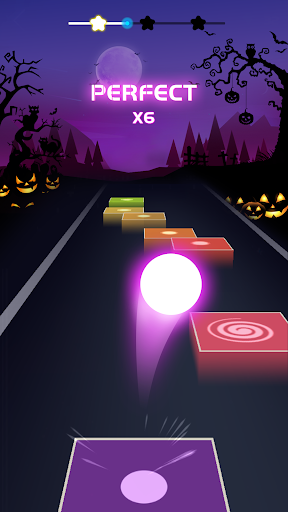
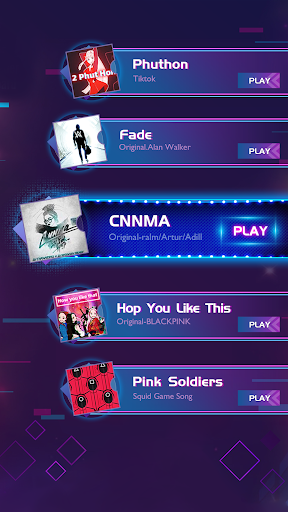
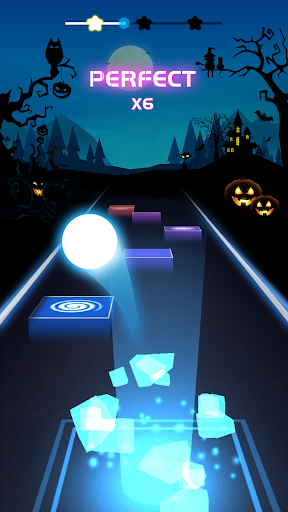
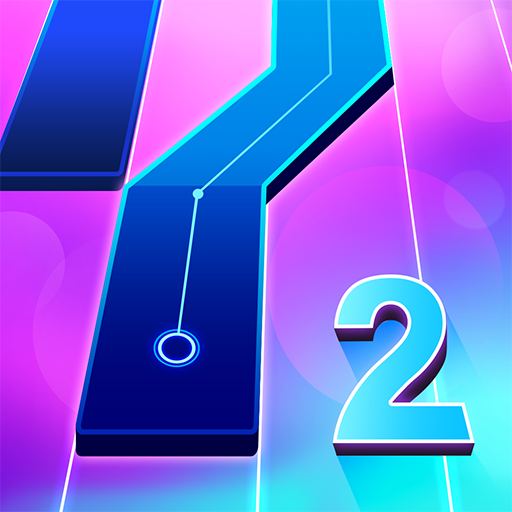
Control the ball to jump on the colorful piano tiles! Rush with your favorite music songs this summer!
Follow the rhythm to dash, run as far as you can on your music road, don't miss any tiles on your way!
Test your reaction and rhythm sensation in this game! Run futher and win higher score in each level holds for you.
This is a ball music game which only needs you to hold the ball, let it jump and hop on the tiles until the end. It will create a whole new experience for players who like ball games or music games.
How to play:
1. Press & Drag the ball, let it jump on the colorful music tiles.
2. Choose your favorite music. Finish the music and rush to the end!
3. Try to hop on every tile, don't miss the tiles!
4. Control the ball, rush to the end with hot songs!
Game Features:
1. Easy to control, but hard to expert.
2. Songs will be added periodically.
3. Simple but special graphic design
4. Breathtaking 3D visuals and effects
5. Off-line mode ✅ You can play it without wifi
Challenge yourself in this music ballgame, try your best to win a higher score, collect more stars on your music road!
You can always find your favorite music styles in this game, use your favorite ball, follow your favorite music and never stop hopping!
Enjoy this wonderful music world, relax and give yourself a little excited feeling while controlling the ball to hop on the tiles!
แสดงเพิ่มเติม

1. ดาวน์โหลดตัวติดตั้ง MEmu และสิ้นสุดการติดตั้ง

2. เริ่ม MEmu จากนั้นเปิด Google Play บนหน้าแรก

3. ค้นหา Piano Music Hop: EDM Rush! ใน Google Play
Install
4. ดาวน์โหลดและติดตั้ง Piano Music Hop: EDM Rush!
5. เมื่อติดตั้งเสร็จให้คลิกที่ไอคอนเพื่อเริ่มใช้งาน

6. สนุกกับการเล่น Piano Music Hop: EDM Rush! บนพีซีด้วย MEmu
MEmu App Player เป็นอีมูเลเตอร์ Android ที่ดีที่สุดและผู้คนกว่า 50 ล้านคนเพลิดเพลินไปกับประสบการณ์การเล่นเกม Android ที่ยอดเยี่ยม เทคโนโลยีการจำลองเสมือนของ MEmu ช่วยให้คุณเล่นเกม Android หลายพันเกมได้อย่างราบรื่นบนพีซีของคุณแม้แต่เกมที่ต้องใช้กราฟิกมากที่สุด
จอใหญ่และกราฟฟิกสวยกว่า; เล่นได้นาน, ไม่ต้องใช้แบตเตอรี่โทรศัพท์หรือเน็ตโทรศัพท์.
ระบบปรับแต่งปุ่มคีย์บอร์ดและเม้าส์ตามที่คุณเลือก
เล่นมากกว่าหนึ่งเกมบน PC ในเวลาเดียวกันด้วยระบบหลายจอหรือ Multi-Instance manager.
Play Piano Music Hop: EDM Rush! on PC by following steps: