Pony World Craft
อัปเดตเมื่อ
เวอร์ชันปัจจุบัน
1.3.997
ให้บริการโดย

เวลาคุณเล่น Pony World Craft, คุณอาจรู้สึกว่ามือคุณอาจบังจอแล้วทำให้ไม่ได้เล่นแบบเต็มที่. เล่นแบบไร้ขีดจำกัดด้วยเม้าส์และคีย์บอร์ด. MEmu มีตัวเลือกหลายอย่างให้คุณใช้งานเกมที่คุณเล่นแบบที่คุณต้องการ. ดาวน์โหลดและเล่น Pony World Craft บน PC. เล่นนานแค่ไหนก็ได้, ไม่ต้องชาร์จแบตเตอรี่, หรือเจอคนโทรเข้ามาระหว่างเล่น. MEmu 9 เป็นตัวเลือกสำหรับการเล่น Pony World Craft บน PC. ทางทีมงานเราได้ปรับแต่งเกม, ปรับให้เล่นเกมบางเกมได้เหมือนเล่น Pony World Craft เป็นเกม PC เช่นเล็งด้วยเม้าส์หรือใช้คีย์บอร์ด. ระบบของเรายังทำให้คุณสามารถเปิดเล่นได้มากกว่า 2 เกมพร้อมๆกันในคอมของคุณ. และที่สำคัญที่สุด, ระบบโปรแกรมของเราสามารถทำให้คุณใช้ระบบของ PC ทำให้เกมลื่นเหมือนกับใช้โทรศัพท์รุ่นล่าสุด. เราไม่ได้ดูแลเรื่องการเล่นเกม, แต่เราดูแลถึงความสนุกสนานที่คุณได้จากการเล่นด้วย.
แสดงเพิ่มเติม
ดาวน์โหลด Pony World Craft บน PC ด้วย MEmu Android Emulator สนุกกับการเล่นบนหน้าจอขนาดใหญ่ Dear players!
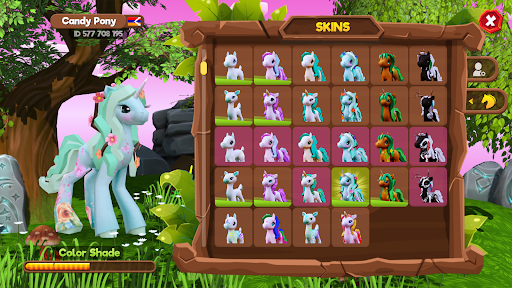
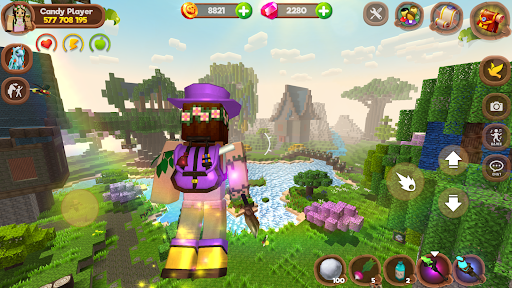
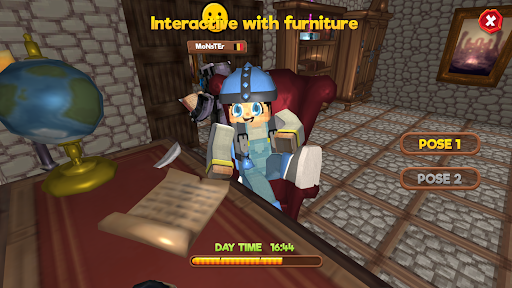
Dear players! This game is under active development. We want to hear your game ideas. We will definitely add them in the next update.
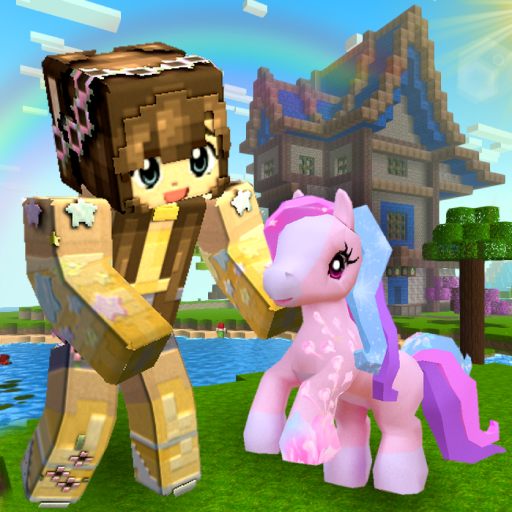
Pony World is a fantasy life simulator in a cubic style.
Diverse biomes invite you to immerse yourself in a magical adventure.
Choose who to play - a boy or a girl, a pony or a unicorn.
Performing story missions, exploring the jungle, castle, houses and mines, collect treasures and prizes.
Use the portal to move around locations, make friends, ride unicorns.
Dress up in cool fashionable clothes, equip yourself with a stylish staff and become a brave defender of the fantasy universe.
Don't forget to pick up free bonuses - coins and rubies.
Creative mode:
You can create your own world: cities, forests, deserts and caves.
For building, you will find hundreds of design blocks, a thousand furniture and decorations, doors and much more.
Build your own unique location where you can invite friends and get pets.
Players and relationships:
Hundreds of players can make you a campaign.
Just go to the one you like and add him to your friends list.
Invite them for a walk at any time.
Meet, chat and fall in love.
Fauna:
Many kinds of animals inhabit these regions. The forest is filled with beetles and dragon flies, and the ponds are filled with fish.
Most of them are friendly. But beware of bright spiders and evil wood monsters.
The wolf and unicorn will allow you to ride them and ride with the breeze.
Skins and staves:
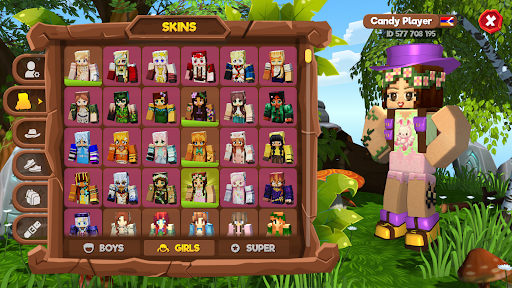
Huge selection of skins for the character and pony.
Hundreds of colorful clothes: backpacks, shoes and hats.
A beautiful set of staves that shoot magic balls with which you can fend off enemies.
Survival:
Your character needs to eat and drink. Don't forget to look for food and feed him.
Also look at the indicators of health and magic, look for potions and drink them to recover.
Use interactive with furniture to sleep and relax.
Game Features:
- Two main characters: pony and human
- Beautiful graphics and shaders
- Colorful change of day and night
- Pleasant music that immerses you even more into the atmosphere of the game
- Interesting tasks (for rewards and bonuses)
- Riding on unicorns and wolves
- Chests with coins
- Beautiful character animation
- First and third person game function
- Ability to sit on chairs and lie on beds
- Optimization for a comfortable game on weak devices (from 1 GB of RAM)
- Full customization of gameplay and buttons as you wish
- Setting the difficulty of the game
- Convenient and clear control
- Inventory
Incredible adventures and fun await you.
Discover the world of pixel entertainment.
แสดงเพิ่มเติม

1. ดาวน์โหลดตัวติดตั้ง MEmu และสิ้นสุดการติดตั้ง

2. เริ่ม MEmu จากนั้นเปิด Google Play บนหน้าแรก

3. ค้นหา Pony World Craft ใน Google Play
Install
4. ดาวน์โหลดและติดตั้ง Pony World Craft
5. เมื่อติดตั้งเสร็จให้คลิกที่ไอคอนเพื่อเริ่มใช้งาน

6. สนุกกับการเล่น Pony World Craft บนพีซีด้วย MEmu
MEmu App Player เป็นอีมูเลเตอร์ Android ที่ดีที่สุดและผู้คนกว่า 50 ล้านคนเพลิดเพลินไปกับประสบการณ์การเล่นเกม Android ที่ยอดเยี่ยม เทคโนโลยีการจำลองเสมือนของ MEmu ช่วยให้คุณเล่นเกม Android หลายพันเกมได้อย่างราบรื่นบนพีซีของคุณแม้แต่เกมที่ต้องใช้กราฟิกมากที่สุด
จอใหญ่และกราฟฟิกสวยกว่า; เล่นได้นาน, ไม่ต้องใช้แบตเตอรี่โทรศัพท์หรือเน็ตโทรศัพท์.
ระบบปรับแต่งปุ่มคีย์บอร์ดและเม้าส์ตามที่คุณเลือก
เล่นมากกว่าหนึ่งเกมบน PC ในเวลาเดียวกันด้วยระบบหลายจอหรือ Multi-Instance manager.
Play Pony World Craft on PC by following steps: