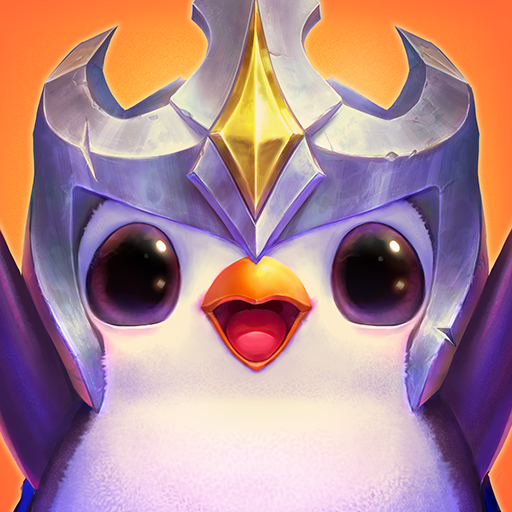
Teamfight Tactics PBE
อัปเดตเมื่อ
เวอร์ชันปัจจุบัน
ให้บริการโดย

เวลาคุณเล่น Teamfight Tactics PBE, คุณอาจรู้สึกว่ามือคุณอาจบังจอแล้วทำให้ไม่ได้เล่นแบบเต็มที่. เล่นแบบไร้ขีดจำกัดด้วยเม้าส์และคีย์บอร์ด. MEmu มีตัวเลือกหลายอย่างให้คุณใช้งานเกมที่คุณเล่นแบบที่คุณต้องการ. ดาวน์โหลดและเล่น Teamfight Tactics PBE บน PC. เล่นนานแค่ไหนก็ได้, ไม่ต้องชาร์จแบตเตอรี่, หรือเจอคนโทรเข้ามาระหว่างเล่น. MEmu 9 เป็นตัวเลือกสำหรับการเล่น Teamfight Tactics PBE บน PC. ทางทีมงานเราได้ปรับแต่งเกม, ปรับให้เล่นเกมบางเกมได้เหมือนเล่น Teamfight Tactics PBE เป็นเกม PC เช่นเล็งด้วยเม้าส์หรือใช้คีย์บอร์ด. ระบบของเรายังทำให้คุณสามารถเปิดเล่นได้มากกว่า 2 เกมพร้อมๆกันในคอมของคุณ. และที่สำคัญที่สุด, ระบบโปรแกรมของเราสามารถทำให้คุณใช้ระบบของ PC ทำให้เกมลื่นเหมือนกับใช้โทรศัพท์รุ่นล่าสุด. เราไม่ได้ดูแลเรื่องการเล่นเกม, แต่เราดูแลถึงความสนุกสนานที่คุณได้จากการเล่นด้วย.
แสดงเพิ่มเติม
ดาวน์โหลด Teamfight Tactics PBE บน PC ด้วย MEmu Android Emulator สนุกกับการเล่นบนหน้าจอขนาดใหญ่ Put your team-building skills to the test in Teamfight Tactics, the ultimate multiplayer PvP auto battler from the studio behind League of Legends.
Put your team-building skills to the test in Teamfight Tactics, the ultimate multiplayer PvP auto battler from the studio behind League of Legends.
Bust out the big-brain strats as you draft, position, and fight your way to victory in an 8-way free-for-all battle. With hundreds of team combinations and an ever-evolving meta, any strategy goes—but only one can win.
Master turn based strategy and arena combat in epic auto battles. Queue up across a variety of chess-like social and competitive multiplayer modes, then outsmart and outlast your enemies to take your place at the top!
A REIMAGINED RUNETERRA
A tempest has thrown the Convergence into chaos, fracturing and fusing regions of Runeterra into a nonsensical new world.
Lead your favorite Runeterran champions to victory with new Tacticians at the helm: Chibi Teemo, a flock of Raptors, and a fluft of Poro variants!
Invoke the power of Legends, which influence your Augments to support your favorite playstyle.
OLD FRIENDS, NEW FIGHTS
Draft an unstoppable team of champions from a shared multiplayer pool.
Battle it out round by round to be the last Tactician standing.
Random drafts and in-game events mean no two matches play out exactly the same, so use your creativity and cunning to hatch a winning strategy.
PICK UP AND GO
Challenge your friends and destroy your foes in turn-based battles across PC, Mac, and mobile.
Queue up together and find out if you and your friends have what it takes to come out on top.
RISE UP THE RANKS
Full competitive support and PvP matchmaking means there are countless ways to outplay your opponents.
From Iron to Challenger, auto battle your way up the ladder based on your final standing in every game.
A top-tier strategy might even earn you exclusive Ranked rewards at the end of every set!
REP YOUR FAVORITE REGION
Make every match your own with personalized arenas, booms, and emotes.
Dive into battle with your favorite Chibi Champion or Little Legend!
Collect new looks just by playing games, or by purchasing them in the TFT store.
EARN AS YOU PLAY
Collect free loot with the all-new Runeterra Reforged Pass, or upgrade to Pass+ to unlock set-exclusive rewards!
Download and play Teamfight Tactics today!
Support: RiotMobileSupport@riotgames.com
Privacy Policy: https://www.riotgames.com/en/privacy-notice
Terms of Use: https://www.riotgames.com/en/terms-of-service
แสดงเพิ่มเติม

1. ดาวน์โหลดตัวติดตั้ง MEmu และสิ้นสุดการติดตั้ง

2. เริ่ม MEmu จากนั้นเปิด Google Play บนหน้าแรก

3. ค้นหา Teamfight Tactics PBE ใน Google Play
Install
4. ดาวน์โหลดและติดตั้ง Teamfight Tactics PBE
5. เมื่อติดตั้งเสร็จให้คลิกที่ไอคอนเพื่อเริ่มใช้งาน

6. สนุกกับการเล่น Teamfight Tactics PBE บนพีซีด้วย MEmu
MEmu App Player เป็นอีมูเลเตอร์ Android ที่ดีที่สุดและผู้คนกว่า 50 ล้านคนเพลิดเพลินไปกับประสบการณ์การเล่นเกม Android ที่ยอดเยี่ยม เทคโนโลยีการจำลองเสมือนของ MEmu ช่วยให้คุณเล่นเกม Android หลายพันเกมได้อย่างราบรื่นบนพีซีของคุณแม้แต่เกมที่ต้องใช้กราฟิกมากที่สุด
จอใหญ่และกราฟฟิกสวยกว่า; เล่นได้นาน, ไม่ต้องใช้แบตเตอรี่โทรศัพท์หรือเน็ตโทรศัพท์.
ระบบปรับแต่งปุ่มคีย์บอร์ดและเม้าส์ตามที่คุณเลือก
เล่นมากกว่าหนึ่งเกมบน PC ในเวลาเดียวกันด้วยระบบหลายจอหรือ Multi-Instance manager.
Play Teamfight Tactics PBE on PC by following steps: