TikTok
อัปเดตเมื่อ
เวอร์ชันปัจจุบัน
1783005733
ให้บริการโดย

เมื่อใช้ TikTok บนโทรศัพท์ของคุณไม่ต้องกังวลกับการชาร์จไฟมากเกินไปปลดปล่อยตัวคุณเองจากหน้าจอขนาดเล็กและสนุกกับการใช้แอพนี้บนหน้าจอขนาดใหญ่ จากนี้ไปรับประสบการณ์เต็มหน้าจอของแอปพลิเคชันของคุณด้วยคีย์บอร์ดและเมาส์ MEmu มีคุณสมบัติที่น่าแปลกใจที่คุณคาดหวัง: การติดตั้งที่รวดเร็วและการตั้งค่าที่ง่ายควบคุมได้ง่ายไม่ จำกัด แบตเตอรี่ข้อมูลมือถือและการโทรที่รบกวน MEmu 9 ใหม่ล่าสุดเป็นตัวเลือกที่ดีที่สุดสำหรับการใช้ Meitu – โปรแกรมแก้ไขภาพแนวธรรมชาติ บนคอมพิวเตอร์ของคุณ ด้วยรหัสการดูดซึมของเราผู้จัดการหลายอินสแตนซ์ทำให้สามารถเปิดบัญชี 2 บัญชีขึ้นไปในเวลาเดียวกันได้ และที่สำคัญที่สุดเอ็นจิ้นจำลองพิเศษของเราสามารถปลดปล่อยศักยภาพของPCของคุณและทำให้ทุกอย่างราบรื่นและสนุกสนาน
แสดงเพิ่มเติม
ดาวน์โหลด TikTok บน PC ด้วย MEmu Android Emulator สนุกกับการเล่นบนหน้าจอขนาดใหญ่ ค้นพบวิดีโอ เพลง และสตรีมสดจากทั่วโลก และสร้างรายการของคุณเองด้วยเครื่องมือที่ใช้งานง่ายเพื่อบันทึกชีวิตของคุณ.
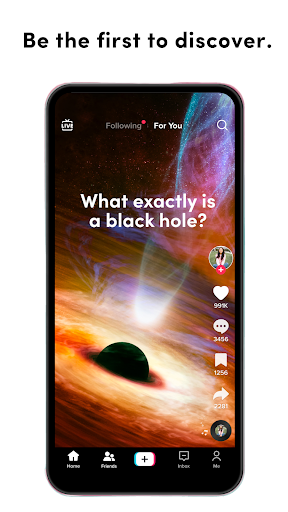
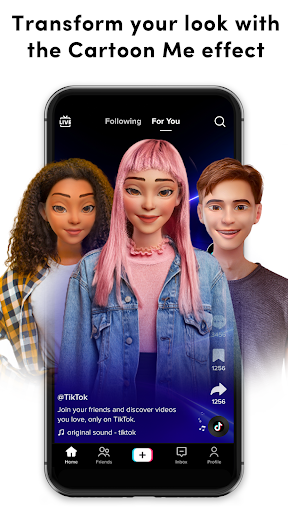
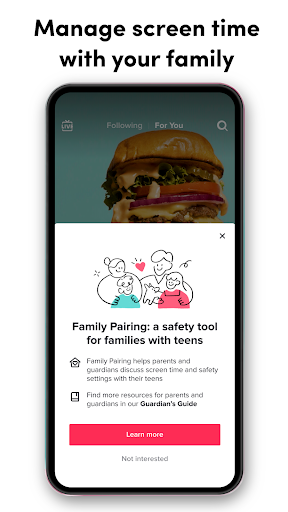
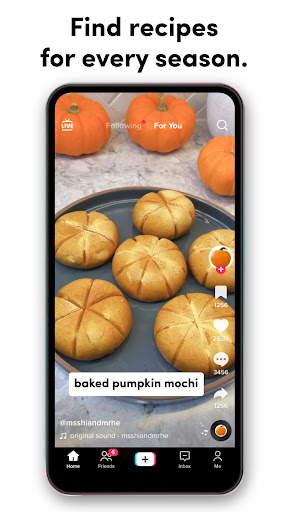
ค้นพบวิดีโอ เพลง และสตรีมสดจากทั่วโลก และสร้างรายการของคุณเองด้วยเครื่องมือที่ใช้งานง่ายเพื่อบันทึกชีวิตของคุณ
ตั้งแต่กาแฟยามเช้าไปจนถึงการเดินทางช่วงเย็น TikTok มีวิดีโอที่จะทำให้วันของคุณดีขึ้น ไม่ว่าคุณจะเป็นผู้คลั่งไคล้กีฬา คนรักการเดินทาง หรือเพียงแค่มองหาเสียงหัวเราะ มีบางสิ่งสำหรับทุกคนบน TikTok กำลังมองหาการเรียนรู้สิ่งใหม่ ๆ อยู่ใช่ไหม? เรียนรู้ทักษะใหม่ๆ ใน 15 วินาทีทั้ง DIY, สูตรอาหาร และสำหรับคนรักสัตว์
เพลิดเพลินกับวิดีโอสั้น ๆ มากมายเกี่ยวกับสิ่งที่คุณรักมากที่สุด ดูสิ่งที่คุณชอบและข้ามสิ่งที่คุณไม่ชอบ
ชม
ผู้สร้างบน TikTok นำเนื้อหาที่ดีที่สุดทางอินเทอร์เน็ตมาสู่โทรศัพท์ของคุณโดยตรง
ฟีดวิดีโอส่วนตัวตามสิ่งที่คุณดู ชอบ และแชร์ TikTok นำเสนอวิดีโอที่สมจริง น่าสนใจ และสนุกสนานที่จะทำให้วันของคุณดียิ่งขึ้น คุณจะได้พบกับวิดีโอที่หลากหลายตั้งแต่อาหารและแฟชั่นไปจนถึงกีฬาและฟิตเนส และทุกสิ่งที่เกี่ยวข้อง
สร้าง
หยุดชั่วคราวและเล่นวิดีโอต่อด้วยการแตะเพียงครั้งเดียว กี่ครั้งก็ได้ตามที่คุณต้องการ
ผู้สร้างหลายล้านคนบน TikTok แสดงทักษะอันน่าทึ่งและชีวิตประจำวันของพวกเขา ให้ตัวเองได้รับแรงบันดาลใจ ค้นพบบทช่วยสอนทั้งหมด
ใช้เอฟเฟกต์และการเปลี่ยนภาพเพื่อเพิ่มสัมผัสสุดท้ายให้กับวิดีโอของคุณก่อนที่จะเผยแพร่
ความบันเทิง
รับความบันเทิงและแรงบันดาลใจจากชุมชนผู้สร้างระดับโลก
ยกระดับการสร้างสรรค์วิดีโอไปอีกระดับด้วยเอฟเฟกต์พิเศษ ฟิลเตอร์ เพลง และอื่นๆ อีกมากมาย ปลดล็อกฟิลเตอร์ เอฟเฟกต์ และวัตถุ AR เพื่อยกระดับวิดีโอของคุณไปอีกระดับ
ปรับแต่ง
เครื่องมือแก้ไขแบบรวมของเราช่วยให้คุณแก้ไขวิดีโอของคุณได้อย่างง่ายดาย
เครื่องมือแก้ไขเพื่อตัดแต่ง ตัด ผสานและทำซ้ำคลิปวิดีโอโดยไม่ต้องออกจากแอป
เพิ่มเพลง
เพิ่มเสียงที่คุณชื่นชอบลงในวิดีโอของคุณด้วยคลิปเพลงและเสียงนับล้าน
เราคัดสรรรายการเพลงและเสียงให้กับคุณด้วยเพลงที่ร้อนแรงที่สุดในทุกประเภท รวมถึงฮิปฮอป EM ป๊อป ร็อค แร็พ และคันทรี่ และเสียงต้นฉบับที่ได้รับความนิยมมากที่สุด
■ ข้อกำหนดในการให้บริการ
https://www.tiktok.com/legal/terms-of-service
■ นโยบายความเป็นส่วนตัว
https://www.tiktok.com/legal/privacy-policy
แสดงเพิ่มเติม

1. ดาวน์โหลดตัวติดตั้ง MEmu และสิ้นสุดการติดตั้ง

2. เริ่ม MEmu จากนั้นเปิด Google Play บนหน้าแรก

3. ค้นหา TikTok ใน Google Play
Install
4. ดาวน์โหลดและติดตั้ง TikTok
5. เมื่อติดตั้งเสร็จให้คลิกที่ไอคอนเพื่อเริ่มใช้งาน

6. ใช้ MEmu เพื่อสัมผัสประสบการณ์ TikTok บนคอมพิวเตอร์ของคุณ
MEmu Play คือโปรแกรมจำลอง Android ที่ดีที่สุด มีผู้ใช้มากกว่า 50 ล้านคน มอบประสบการณ์การใช้งานแอป Android ขั้นสุดยอดให้กับคุณ เทคโนโลยีจำลองเสมือนของ MEmu ช่วยให้คุณรันแอป Android หลายพันแอปบนคอมพิวเตอร์ได้อย่างราบรื่น แม้แอปที่กินทรัพยากรเครื่องสูงที่สุด
จอใหญ่และกราฟฟิกสวยกว่า; เล่นได้นาน, ไม่ต้องใช้แบตเตอรี่โทรศัพท์หรือเน็ตโทรศัพท์.
ระบบปรับแต่งปุ่มคีย์บอร์ดและเม้าส์ตามที่คุณเลือก
เล่นมากกว่าหนึ่งเกมบน PC ในเวลาเดียวกันด้วยระบบหลายจอหรือ Multi-Instance manager.
Use TikTok on PC by following steps: