Beauty Camera : You Makeover
อัปเดตเมื่อ
เวอร์ชันปัจจุบัน
3.0
ให้บริการโดย

เมื่อใช้ Beauty Camera : You Makeover บนโทรศัพท์ของคุณไม่ต้องกังวลกับการชาร์จไฟมากเกินไปปลดปล่อยตัวคุณเองจากหน้าจอขนาดเล็กและสนุกกับการใช้แอพนี้บนหน้าจอขนาดใหญ่ จากนี้ไปรับประสบการณ์เต็มหน้าจอของแอปพลิเคชันของคุณด้วยคีย์บอร์ดและเมาส์ MEmu มีคุณสมบัติที่น่าแปลกใจที่คุณคาดหวัง: การติดตั้งที่รวดเร็วและการตั้งค่าที่ง่ายควบคุมได้ง่ายไม่ จำกัด แบตเตอรี่ข้อมูลมือถือและการโทรที่รบกวน MEmu 9 ใหม่ล่าสุดเป็นตัวเลือกที่ดีที่สุดสำหรับการใช้ Meitu – โปรแกรมแก้ไขภาพแนวธรรมชาติ บนคอมพิวเตอร์ของคุณ ด้วยรหัสการดูดซึมของเราผู้จัดการหลายอินสแตนซ์ทำให้สามารถเปิดบัญชี 2 บัญชีขึ้นไปในเวลาเดียวกันได้ และที่สำคัญที่สุดเอ็นจิ้นจำลองพิเศษของเราสามารถปลดปล่อยศักยภาพของPCของคุณและทำให้ทุกอย่างราบรื่นและสนุกสนาน
แสดงเพิ่มเติม
ดาวน์โหลด Beauty Camera : You Makeover บน PC ด้วย MEmu Android Emulator สนุกกับการเล่นบนหน้าจอขนาดใหญ่ Beauty Camera : You Makeover Plus Selfie.
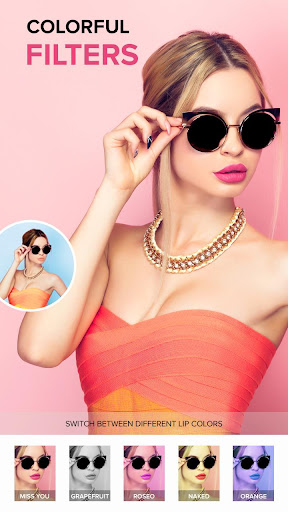
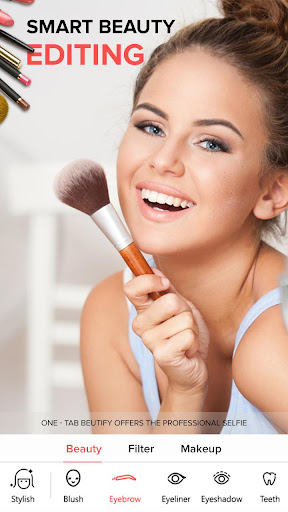
Beauty Camera : You Makeover Plus Selfie
Look beautiful With Beauty Camera : You Makeover Plus Selfie Editing your Pictures.We are striving hard to make this Beauty Makeup Plus Selfie Camera Editor perfect for you.
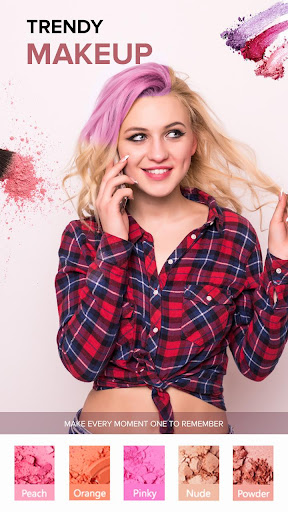
Beauty Makeover Plus Selfie app is a free beauty plus selfie cam helping you remove blemish, Blusher, Real-time Filters, Skin Tone, Hair Changer, Colorant, Colorize, Dark-Circles, Colors of Blonde, Erase Wrinkles, Burgundy Hair & Lipstick, slim face etc..
Especially, women love to capture all their moments by clicking photos & selfies To make you and nature look even more beautiful in the pics & selfies, all you need is good camera apps for android.
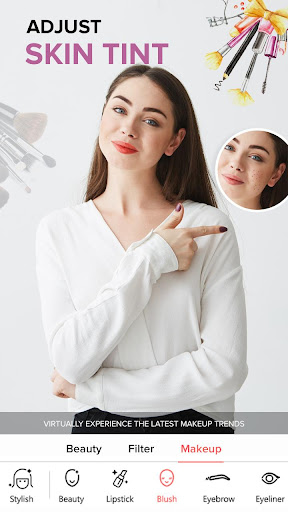
You Makeup Plus editor Remove temporary imperfections like acne, pimples and blemishes with tap of a finger.Any of the adjustments can be possible to do like eyes, nose, hair, mouth, and smile in this Beauty Camera - Sweet Camera & Face Selfie app.
Filter Camera, Photo Editor is a selfie app and selfie photo editor that lets, you to take selfies and enhance its look by applying some amazing effects.
Moreover, it includes some cool blur, retro, and vignette features to make your selfie stand out from the list of famous models or artists pictures.
- One tap to smooth your skin.
- Retain every detail and make your selfies look naturally stunning.
- 100+ lipstick brushes.
- Quality filters and Cartoon Effects.
- Smooth and rejuvenate your skin.
- Hundreds of filters for pictures and photo effects.
- Remove blemishes, Teeth Whitening and skin Whitening on, Touch Retouch.
- Perfect face selfie cam & makeup effects.
- Adjust brightness, contrast, color temperature, saturation.
- A whole set of editing functions including Collage, Bokeh Lens, Magic Brush, Rotate, Mosaic, Remover and more to distinguish your photos from others.
- Instantly enhance your complexion glow with our 'Beautify' tool 'Flawless' skin is yours with adjustable skin tones & effortless tans to give your selfie a polished, finishing touch.
In any case, if you notice any bugs or crashes, kindly Report it by sending a mail to us.
แสดงเพิ่มเติม

1. ดาวน์โหลดตัวติดตั้ง MEmu และสิ้นสุดการติดตั้ง

2. เริ่ม MEmu จากนั้นเปิด Google Play บนหน้าแรก

3. ค้นหา Beauty Camera : You Makeover ใน Google Play
Install
4. ดาวน์โหลดและติดตั้ง Beauty Camera : You Makeover
5. เมื่อติดตั้งเสร็จให้คลิกที่ไอคอนเพื่อเริ่มใช้งาน

6. ใช้ MEmu เพื่อสัมผัสประสบการณ์ Beauty Camera : You Makeover บนคอมพิวเตอร์ของคุณ
MEmu Play คือโปรแกรมจำลอง Android ที่ดีที่สุด มีผู้ใช้มากกว่า 50 ล้านคน มอบประสบการณ์การใช้งานแอป Android ขั้นสุดยอดให้กับคุณ เทคโนโลยีจำลองเสมือนของ MEmu ช่วยให้คุณรันแอป Android หลายพันแอปบนคอมพิวเตอร์ได้อย่างราบรื่น แม้แอปที่กินทรัพยากรเครื่องสูงที่สุด
จอใหญ่และกราฟฟิกสวยกว่า; เล่นได้นาน, ไม่ต้องใช้แบตเตอรี่โทรศัพท์หรือเน็ตโทรศัพท์.
ระบบปรับแต่งปุ่มคีย์บอร์ดและเม้าส์ตามที่คุณเลือก
เล่นมากกว่าหนึ่งเกมบน PC ในเวลาเดียวกันด้วยระบบหลายจอหรือ Multi-Instance manager.
Use Beauty Camera : You Makeover on PC by following steps: