
ChefTap: Recipe Clipper, Plann
อัปเดตเมื่อ
เวอร์ชันปัจจุบัน
5.0.0.519
ให้บริการโดย

เมื่อใช้ ChefTap: Recipe Clipper, Plann บนโทรศัพท์ของคุณไม่ต้องกังวลกับการชาร์จไฟมากเกินไปปลดปล่อยตัวคุณเองจากหน้าจอขนาดเล็กและสนุกกับการใช้แอพนี้บนหน้าจอขนาดใหญ่ จากนี้ไปรับประสบการณ์เต็มหน้าจอของแอปพลิเคชันของคุณด้วยคีย์บอร์ดและเมาส์ MEmu มีคุณสมบัติที่น่าแปลกใจที่คุณคาดหวัง: การติดตั้งที่รวดเร็วและการตั้งค่าที่ง่ายควบคุมได้ง่ายไม่ จำกัด แบตเตอรี่ข้อมูลมือถือและการโทรที่รบกวน MEmu 9 ใหม่ล่าสุดเป็นตัวเลือกที่ดีที่สุดสำหรับการใช้ Meitu – โปรแกรมแก้ไขภาพแนวธรรมชาติ บนคอมพิวเตอร์ของคุณ ด้วยรหัสการดูดซึมของเราผู้จัดการหลายอินสแตนซ์ทำให้สามารถเปิดบัญชี 2 บัญชีขึ้นไปในเวลาเดียวกันได้ และที่สำคัญที่สุดเอ็นจิ้นจำลองพิเศษของเราสามารถปลดปล่อยศักยภาพของPCของคุณและทำให้ทุกอย่างราบรื่นและสนุกสนาน
แสดงเพิ่มเติม
ดาวน์โหลด ChefTap: Recipe Clipper, Plann บน PC ด้วย MEmu Android Emulator สนุกกับการเล่นบนหน้าจอขนาดใหญ่ Powerful Recipe Clipper.
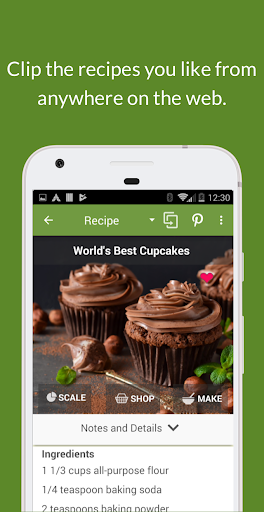
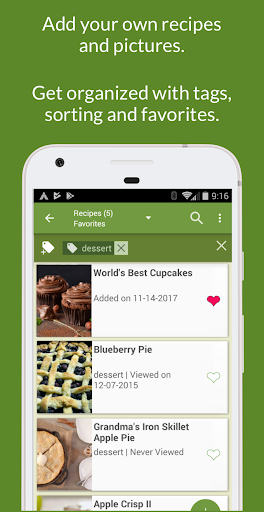
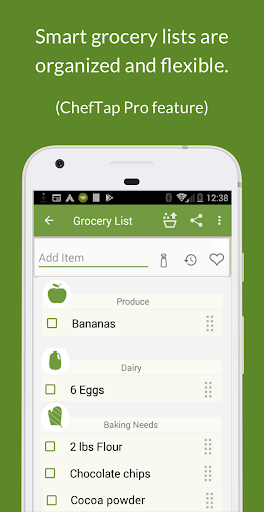
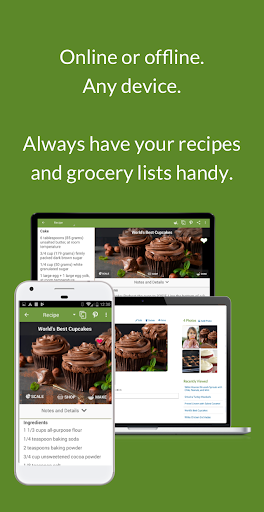
Powerful Recipe Clipper
Easily grab just the recipe from any website or blog, and leave the rest behind. No list of “supported sites”. ChefTap’s recipe clipper works with any website in English, and many that aren’t in English.
Meal Planner
Our newest feature! Plan your meals for the week, including make-aheads and leftovers. Once you have your plan ready, add everything to the grocery list at once.
Get Organized
* Easily find recipes using tags, searching and sorting
* New Related Recipes: Add links to related recipes, such as a link to your favorite pie crust recipe from a recipe for pie filling.
* New Menus. Create menus of things that you often cook together. This may include recipes, or individual items such as bread or salad.
* Duplicate recipes: Make a copy of a recipe so that you can try out variations
* Scale recipes
Grocery List
* Items are automatically categorized into aisles, such as “produce” or “spices”.
* Multiple grocery lists
* Pantry organizer helps you keep track of what you have.
* Use the Favorites list to kickstart your list.
* Smart autocomplete suggests items that you have added before.
Try out ChefTap Basic for free:
* Clip up to 100 recipes
* Sync between devices every ten days
* 30-day free trial for Pro features
ChefTap Pro features include:
* Unlimited recipes and syncing
* Meal planner
* Grocery list
* Menus
* Related recipes
* Recipe scaling
แสดงเพิ่มเติม

1. ดาวน์โหลดตัวติดตั้ง MEmu และสิ้นสุดการติดตั้ง

2. เริ่ม MEmu จากนั้นเปิด Google Play บนหน้าแรก

3. ค้นหา ChefTap: Recipe Clipper, Plann ใน Google Play
Install
4. ดาวน์โหลดและติดตั้ง ChefTap: Recipe Clipper, Plann
5. เมื่อติดตั้งเสร็จให้คลิกที่ไอคอนเพื่อเริ่มใช้งาน

6. ใช้ MEmu เพื่อสัมผัสประสบการณ์ ChefTap: Recipe Clipper, Plann บนคอมพิวเตอร์ของคุณ
MEmu Play คือโปรแกรมจำลอง Android ที่ดีที่สุด มีผู้ใช้มากกว่า 50 ล้านคน มอบประสบการณ์การใช้งานแอป Android ขั้นสุดยอดให้กับคุณ เทคโนโลยีจำลองเสมือนของ MEmu ช่วยให้คุณรันแอป Android หลายพันแอปบนคอมพิวเตอร์ได้อย่างราบรื่น แม้แอปที่กินทรัพยากรเครื่องสูงที่สุด
จอใหญ่และกราฟฟิกสวยกว่า; เล่นได้นาน, ไม่ต้องใช้แบตเตอรี่โทรศัพท์หรือเน็ตโทรศัพท์.
ระบบปรับแต่งปุ่มคีย์บอร์ดและเม้าส์ตามที่คุณเลือก
เล่นมากกว่าหนึ่งเกมบน PC ในเวลาเดียวกันด้วยระบบหลายจอหรือ Multi-Instance manager.
Use ChefTap: Recipe Clipper, Plann on PC by following steps: