Clicx Mobile
อัปเดตเมื่อ
เวอร์ชันปัจจุบัน
1.7.30
ให้บริการโดย

เมื่อใช้ Clicx Mobile บนโทรศัพท์ของคุณไม่ต้องกังวลกับการชาร์จไฟมากเกินไปปลดปล่อยตัวคุณเองจากหน้าจอขนาดเล็กและสนุกกับการใช้แอพนี้บนหน้าจอขนาดใหญ่ จากนี้ไปรับประสบการณ์เต็มหน้าจอของแอปพลิเคชันของคุณด้วยคีย์บอร์ดและเมาส์ MEmu มีคุณสมบัติที่น่าแปลกใจที่คุณคาดหวัง: การติดตั้งที่รวดเร็วและการตั้งค่าที่ง่ายควบคุมได้ง่ายไม่ จำกัด แบตเตอรี่ข้อมูลมือถือและการโทรที่รบกวน MEmu 9 ใหม่ล่าสุดเป็นตัวเลือกที่ดีที่สุดสำหรับการใช้ Meitu – โปรแกรมแก้ไขภาพแนวธรรมชาติ บนคอมพิวเตอร์ของคุณ ด้วยรหัสการดูดซึมของเราผู้จัดการหลายอินสแตนซ์ทำให้สามารถเปิดบัญชี 2 บัญชีขึ้นไปในเวลาเดียวกันได้ และที่สำคัญที่สุดเอ็นจิ้นจำลองพิเศษของเราสามารถปลดปล่อยศักยภาพของPCของคุณและทำให้ทุกอย่างราบรื่นและสนุกสนาน
แสดงเพิ่มเติม
สัมผัสประสบการณ์สุดยอดการใช้งาน Clicx Mobile บนพีซีด้วย MEmu Play นี่คือโปรแกรมจำลอง Android ฟรีที่ทรงพลัง ให้คุณใช้งานแอป Android นับพันบนเดสก์ท็อป สนุกกับการเชื่อมต่อกับเพื่อนๆ และขัดเกลาผลงานของคุณอย่างมีประสิทธิภาพยิ่งขึ้น! Clicx offers an integrated solution for smart management of your company assets (machines, infrastructure, art, .
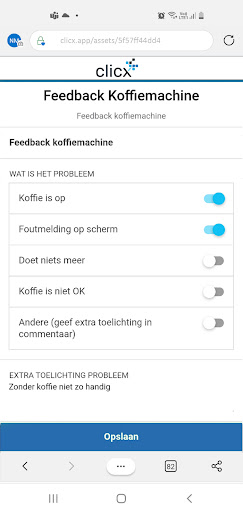
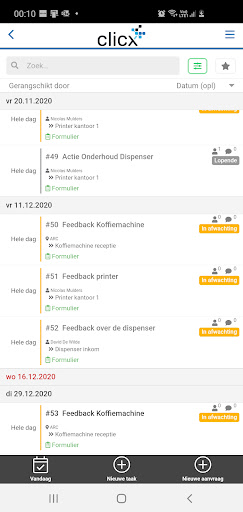
Clicx offers an integrated solution for smart management of your company assets (machines, infrastructure, art, ...) within your organisation.
Your company assets are equipped with the most appropriate identification solution and then the collected usage data is transformed into usable information for you in Clicx, with the sole purpose of assisting you in managing and optimising your business.
Thanks to the combination of a wide range of supported technologies and related identification solutions (NFC, QR, UHF, RFID, BLE, SigFox, Lora, 2G/3G/4G ... ), connected to our state of the art "Clicx asset management and service tool", powered by the expertise of our dedicated team, we guarantee you the maximum optimization of your connected business.
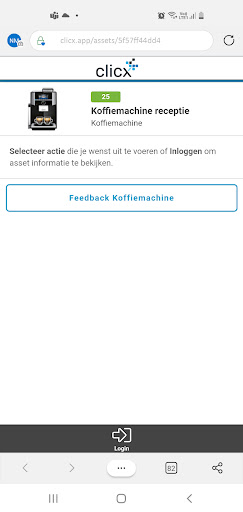
Clicx distinguishes itself from the rest of the market by not only making the asset information available, but also by linking it to available smart processes required to optimally manage and track your cmpany assets.
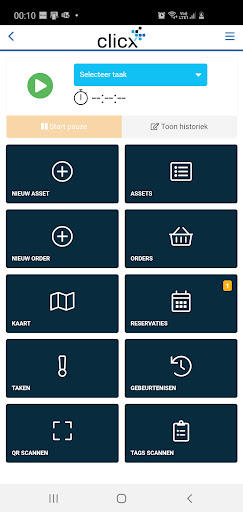
The Clicx solution is based on 5 entities that convert the data into usable information:
- the asset definition: what is the object, enriched with fields, properties and categories that can be defined by the user
- the location information: where is the object, by whom is it used and when?
- the creation and management of tasks related to one of these entities (asset or location); triggered automatically or manually, their assignment, the follow-up of their execution and the time recording of the task
- A reservation and planning system; allowing you to reserve your objects and monitor their use
- an order system to track any consumables and their availability, to initiate re-orders based on registrations with the mobile app etc to your ERP.
The combination of these entities with a user-friendly desktop interface and the accompanying mobile application that handles the processing of your objects (inventory, transfer, control, ...) ensures that Clicx, for your organisation with a wide range of materials to manage, is the tool par excellence for a smart, digital & automated management.
Contact us for more information at info@clicx.info or visit our website at www.clicx.info.
แสดงเพิ่มเติม

1. ดาวน์โหลดตัวติดตั้ง MEmu และสิ้นสุดการติดตั้ง

2. เริ่ม MEmu จากนั้นเปิด Google Play บนหน้าแรก

3. ค้นหา Clicx Mobile ใน Google Play
Install
4. ดาวน์โหลดและติดตั้ง Clicx Mobile
5. เมื่อติดตั้งเสร็จให้คลิกที่ไอคอนเพื่อเริ่มใช้งาน

6. ใช้ MEmu เพื่อสัมผัสประสบการณ์ Clicx Mobile บนคอมพิวเตอร์ของคุณ
MEmu Play คือโปรแกรมจำลอง Android ที่ดีที่สุด มีผู้ใช้มากกว่า 50 ล้านคน มอบประสบการณ์การใช้งานแอป Android ขั้นสุดยอดให้กับคุณ เทคโนโลยีจำลองเสมือนของ MEmu ช่วยให้คุณรันแอป Android หลายพันแอปบนคอมพิวเตอร์ได้อย่างราบรื่น แม้แอปที่กินทรัพยากรเครื่องสูงที่สุด
จอใหญ่และกราฟฟิกสวยกว่า; เล่นได้นาน, ไม่ต้องใช้แบตเตอรี่โทรศัพท์หรือเน็ตโทรศัพท์.
ระบบปรับแต่งปุ่มคีย์บอร์ดและเม้าส์ตามที่คุณเลือก
เล่นมากกว่าหนึ่งเกมบน PC ในเวลาเดียวกันด้วยระบบหลายจอหรือ Multi-Instance manager.
Use Clicx Mobile on PC by following steps: