NT iptv
อัปเดตเมื่อ
เวอร์ชันปัจจุบัน
500.1.2023082900o
ให้บริการโดย

เมื่อใช้ NT iptv บนโทรศัพท์ของคุณไม่ต้องกังวลกับการชาร์จไฟมากเกินไปปลดปล่อยตัวคุณเองจากหน้าจอขนาดเล็กและสนุกกับการใช้แอพนี้บนหน้าจอขนาดใหญ่ จากนี้ไปรับประสบการณ์เต็มหน้าจอของแอปพลิเคชันของคุณด้วยคีย์บอร์ดและเมาส์ MEmu มีคุณสมบัติที่น่าแปลกใจที่คุณคาดหวัง: การติดตั้งที่รวดเร็วและการตั้งค่าที่ง่ายควบคุมได้ง่ายไม่ จำกัด แบตเตอรี่ข้อมูลมือถือและการโทรที่รบกวน MEmu 9 ใหม่ล่าสุดเป็นตัวเลือกที่ดีที่สุดสำหรับการใช้ Meitu – โปรแกรมแก้ไขภาพแนวธรรมชาติ บนคอมพิวเตอร์ของคุณ ด้วยรหัสการดูดซึมของเราผู้จัดการหลายอินสแตนซ์ทำให้สามารถเปิดบัญชี 2 บัญชีขึ้นไปในเวลาเดียวกันได้ และที่สำคัญที่สุดเอ็นจิ้นจำลองพิเศษของเราสามารถปลดปล่อยศักยภาพของPCของคุณและทำให้ทุกอย่างราบรื่นและสนุกสนาน
แสดงเพิ่มเติม
ดาวน์โหลด NT iptv บน PC ด้วย MEmu Android Emulator สนุกกับการเล่นบนหน้าจอขนาดใหญ่ nt NET PLAY | iptv application is an Android application for users to experience the MeTV television service (an IPTV service powered by National Telecom Public Company Limited.
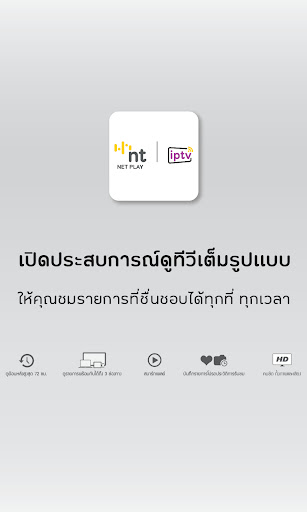
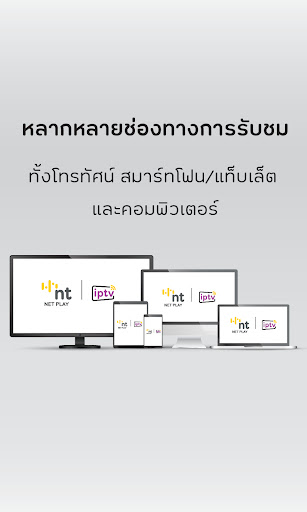
nt NET PLAY | iptv application is an Android application for users to experience the MeTV television service (an IPTV service powered by National Telecom Public Company Limited. And Me Television Co., Ltd.) on Android terminals.
Features:
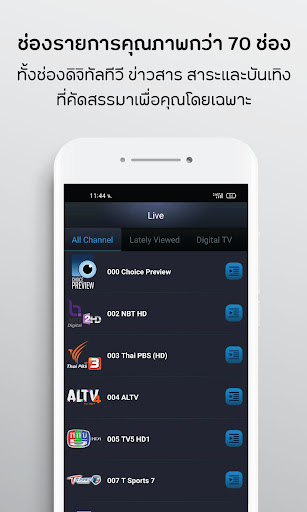
• Package CHOICE: Access over 70 Thai channels. (Included 36 Channels of Digital TV)
• Package Choice Super Plus: Now available at 45++ International Premium channels.
•High Definition: Enjoy more than 30 high-quality channels.
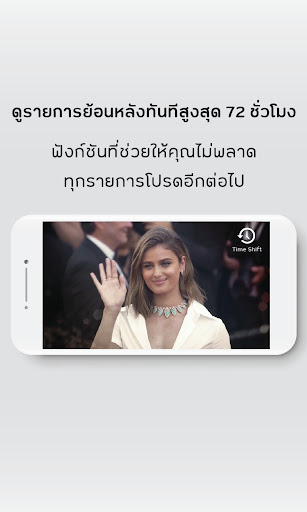
•Time Shift: The Time Shift function allows the user to play or pause a live broadcast, rewind to a previously program up to 72 hours.
•Multi-Screen: Single ID management system on multiple screens to watch TV programs and provide support on the TOT iptv Set-Top-Box, Smartphone/Tablet and PC.
•Parental Control: The Parental Control is a function that helps concerned parents prevent their children from accessing adult-oriented content.
•Favorite: Save favorite channels and movies for immediate access anytime. No matter which devices you use, you can access saved channels and movies each time you sign in to your TOT iptv account with ‘Continuous Play’ mode.
•History: Look up your history for quick and easy access.
•You can use Wi-Fi / 4G/ 3G to watch television anywhere at anytime.
Note: Smoothness of service depends on quality of the Internet connection.
Know more about the service please call 02-500-1111 or http://www.totiptv.com
แสดงเพิ่มเติม

1. ดาวน์โหลดตัวติดตั้ง MEmu และสิ้นสุดการติดตั้ง

2. เริ่ม MEmu จากนั้นเปิด Google Play บนหน้าแรก

3. ค้นหา NT iptv ใน Google Play
Install
4. ดาวน์โหลดและติดตั้ง NT iptv
5. เมื่อติดตั้งเสร็จให้คลิกที่ไอคอนเพื่อเริ่มใช้งาน

6. ใช้ MEmu เพื่อสัมผัสประสบการณ์ NT iptv บนคอมพิวเตอร์ของคุณ
MEmu Play คือโปรแกรมจำลอง Android ที่ดีที่สุด มีผู้ใช้มากกว่า 50 ล้านคน มอบประสบการณ์การใช้งานแอป Android ขั้นสุดยอดให้กับคุณ เทคโนโลยีจำลองเสมือนของ MEmu ช่วยให้คุณรันแอป Android หลายพันแอปบนคอมพิวเตอร์ได้อย่างราบรื่น แม้แอปที่กินทรัพยากรเครื่องสูงที่สุด
จอใหญ่และกราฟฟิกสวยกว่า; เล่นได้นาน, ไม่ต้องใช้แบตเตอรี่โทรศัพท์หรือเน็ตโทรศัพท์.
ระบบปรับแต่งปุ่มคีย์บอร์ดและเม้าส์ตามที่คุณเลือก
เล่นมากกว่าหนึ่งเกมบน PC ในเวลาเดียวกันด้วยระบบหลายจอหรือ Multi-Instance manager.
Use NT iptv on PC by following steps: