Pika! Charging show - charging animation
อัปเดตเมื่อ
เวอร์ชันปัจจุบัน
1.9.3
ให้บริการโดย

เมื่อใช้ Pika! Charging show - charging animation บนโทรศัพท์ของคุณไม่ต้องกังวลกับการชาร์จไฟมากเกินไปปลดปล่อยตัวคุณเองจากหน้าจอขนาดเล็กและสนุกกับการใช้แอพนี้บนหน้าจอขนาดใหญ่ จากนี้ไปรับประสบการณ์เต็มหน้าจอของแอปพลิเคชันของคุณด้วยคีย์บอร์ดและเมาส์ MEmu มีคุณสมบัติที่น่าแปลกใจที่คุณคาดหวัง: การติดตั้งที่รวดเร็วและการตั้งค่าที่ง่ายควบคุมได้ง่ายไม่ จำกัด แบตเตอรี่ข้อมูลมือถือและการโทรที่รบกวน MEmu 9 ใหม่ล่าสุดเป็นตัวเลือกที่ดีที่สุดสำหรับการใช้ Meitu – โปรแกรมแก้ไขภาพแนวธรรมชาติ บนคอมพิวเตอร์ของคุณ ด้วยรหัสการดูดซึมของเราผู้จัดการหลายอินสแตนซ์ทำให้สามารถเปิดบัญชี 2 บัญชีขึ้นไปในเวลาเดียวกันได้ และที่สำคัญที่สุดเอ็นจิ้นจำลองพิเศษของเราสามารถปลดปล่อยศักยภาพของPCของคุณและทำให้ทุกอย่างราบรื่นและสนุกสนาน
แสดงเพิ่มเติม
ดาวน์โหลด Pika! Charging show - charging animation บน PC ด้วย MEmu Android Emulator สนุกกับการเล่นบนหน้าจอขนาดใหญ่ Cool!
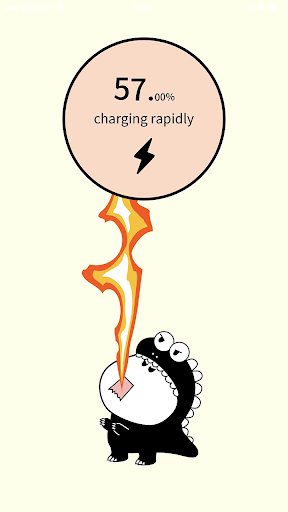
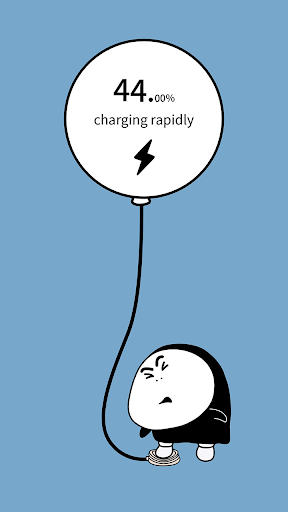
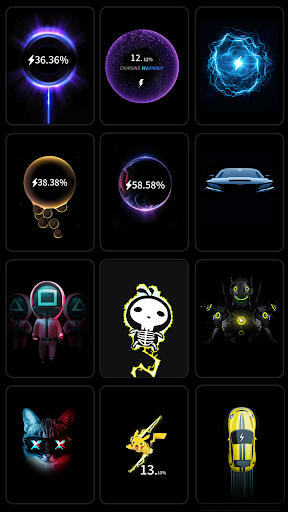
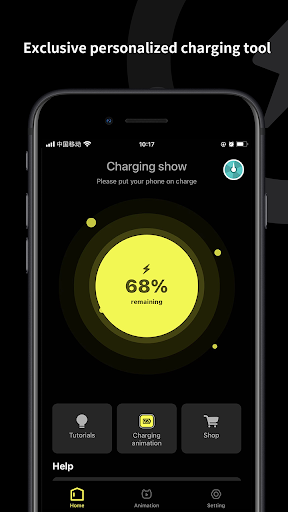
Cool! Don't let your phone sit still while charging
A cool charging animation has gone live! Let you instantly become the most cool boy in the crowd!
Cool and smooth!! Dozens of exquisite charging animations are carefully designed to make the picture smooth and delicate, and never drop frames! Reject the "PPT" type of picture, bring different feelings of charging ~
Pika! Charging show - charging animation is automatically displayed. After connecting to the charging cable, there is no need to open the APP manually, and charging animation is immediately displayed on the phone screen. Come and have a try ~
Invite friends to get coupons! Unlock new animations!
Pika! Charging show - charging animation has been launched.
[Personality Settings] Custom upload wallpaper, charging animation.
[Unlock quickly] Unlock new charging animations in a variety of convenient ways.
More personalized charging animation is also coming online! There is always one for you!
Don't worry about the memory! If you think there are too many animations in the software, you can also clean the cache in the software. Instead of uninstalling the APP or cleaning up in the background, it can be executed directly in the software. What are you waiting for? Download Pik! Charging show - charging animation and use it!
แสดงเพิ่มเติม

1. ดาวน์โหลดตัวติดตั้ง MEmu และสิ้นสุดการติดตั้ง

2. เริ่ม MEmu จากนั้นเปิด Google Play บนหน้าแรก

3. ค้นหา Pika! Charging show - charging animation ใน Google Play
Install
4. ดาวน์โหลดและติดตั้ง Pika! Charging show - charging animation
5. เมื่อติดตั้งเสร็จให้คลิกที่ไอคอนเพื่อเริ่มใช้งาน

6. ใช้ MEmu เพื่อสัมผัสประสบการณ์ Pika! Charging show - charging animation บนคอมพิวเตอร์ของคุณ
MEmu Play คือโปรแกรมจำลอง Android ที่ดีที่สุด มีผู้ใช้มากกว่า 50 ล้านคน มอบประสบการณ์การใช้งานแอป Android ขั้นสุดยอดให้กับคุณ เทคโนโลยีจำลองเสมือนของ MEmu ช่วยให้คุณรันแอป Android หลายพันแอปบนคอมพิวเตอร์ได้อย่างราบรื่น แม้แอปที่กินทรัพยากรเครื่องสูงที่สุด
จอใหญ่และกราฟฟิกสวยกว่า; เล่นได้นาน, ไม่ต้องใช้แบตเตอรี่โทรศัพท์หรือเน็ตโทรศัพท์.
ระบบปรับแต่งปุ่มคีย์บอร์ดและเม้าส์ตามที่คุณเลือก
เล่นมากกว่าหนึ่งเกมบน PC ในเวลาเดียวกันด้วยระบบหลายจอหรือ Multi-Instance manager.
Use Pika! Charging show - charging animation on PC by following steps: