Score! Hero
อัปเดตเมื่อ
เวอร์ชันปัจจุบัน
4.510
ให้บริการโดย

เวลาคุณเล่น Score! Hero, คุณอาจรู้สึกว่ามือคุณอาจบังจอแล้วทำให้ไม่ได้เล่นแบบเต็มที่. เล่นแบบไร้ขีดจำกัดด้วยเม้าส์และคีย์บอร์ด. MEmu มีตัวเลือกหลายอย่างให้คุณใช้งานเกมที่คุณเล่นแบบที่คุณต้องการ. ดาวน์โหลดและเล่น Score! Hero บน PC. เล่นนานแค่ไหนก็ได้, ไม่ต้องชาร์จแบตเตอรี่, หรือเจอคนโทรเข้ามาระหว่างเล่น. MEmu 9 เป็นตัวเลือกสำหรับการเล่น Score! Hero บน PC. ทางทีมงานเราได้ปรับแต่งเกม, ปรับให้เล่นเกมบางเกมได้เหมือนเล่น Score! Hero เป็นเกม PC เช่นเล็งด้วยเม้าส์หรือใช้คีย์บอร์ด. ระบบของเรายังทำให้คุณสามารถเปิดเล่นได้มากกว่า 2 เกมพร้อมๆกันในคอมของคุณ. และที่สำคัญที่สุด, ระบบโปรแกรมของเราสามารถทำให้คุณใช้ระบบของ PC ทำให้เกมลื่นเหมือนกับใช้โทรศัพท์รุ่นล่าสุด. เราไม่ได้ดูแลเรื่องการเล่นเกม, แต่เราดูแลถึงความสนุกสนานที่คุณได้จากการเล่นด้วย.
แสดงเพิ่มเติม
ดาวน์โหลด Score! Hero บน PC ด้วย MEmu Android Emulator สนุกกับการเล่นบนหน้าจอขนาดใหญ่ ร่วมเป็นส่วนหนึ่งของผู้เล่นนับล้าน!
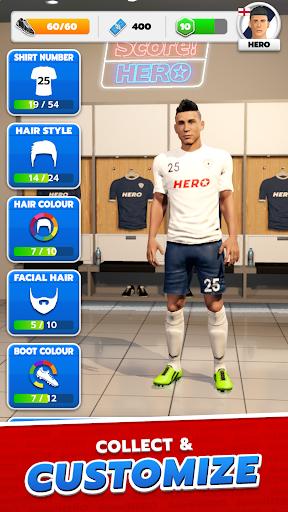
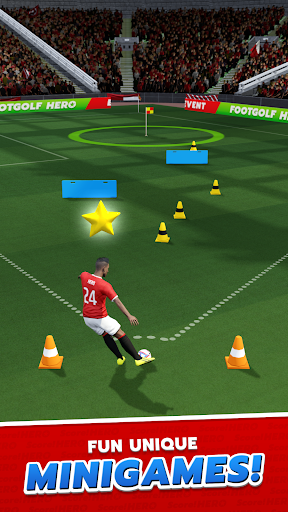

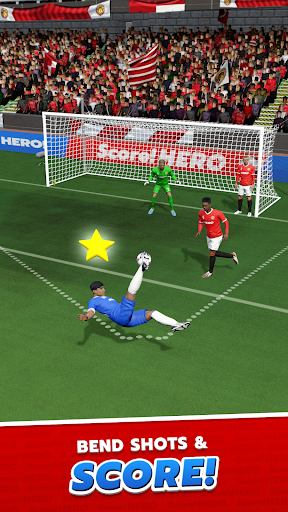
ร่วมเป็นส่วนหนึ่งของผู้เล่นนับล้าน! คว้าชัยชนะในวงการฟุตบอล! เป็นฮีโร่ในเกมระดับโลก!
เคยฝันอยากเป็นซูเปอร์สตาร์ฟุตบอลระดับโลกไหม? ชอบเกมที่เล่นง่ายสไตล์เกมปริศนาที่ได้รับความนิยมจากผู้เล่นนับล้านหรือไม่? เกมฟุตบอลที่ให้แอ็คชั่น 3 มิติสมจริง พร้อมโอกาสในการเซ็นสัญญากับทีมฟุตบอลที่คุณชื่นชอบ หรือเล่นให้กับประเทศของคุณ!?
เรารู้ว่าคุณมีพรสวรรค์ ความแม่นยำ และทักษะ คุณต้องการที่จะเปรียบเทียบตัวเองกับผู้เล่นที่ดีที่สุด ดังนั้นเล่นเลย - ฟรี!
เล่นง่าย แต่ท้าทายให้เชี่ยวชาญ สร้างแรงบันดาลใจให้ฮีโร่ของคุณผ่านช่วงเวลาที่น่าตื่นเต้นมากมาย ซึ่งได้รับการปรับปรุงและพัฒนาให้ดียิ่งขึ้นจากเกมฟุตบอลยอดนิยมเวอร์ชันดั้งเดิมที่วางจำหน่ายในปี 2015
ร่ายมนตร์ส่งบอลสุดวิเศษ ทะลวงแนวรับ แล้วยิงประตูสุดเพอร์เฟ็กต์เพื่อฉลอง! คว้าถ้วยรางวัลเมื่อคุณก้าวหน้าในอาชีพการงานและรับรางวัลมากมาย พิชิตด่านต่างๆ นับร้อยด่านที่ท้าทาย
ปรับแต่งฮีโร่ของคุณด้วยชุดแข่งสุดเท่ด้วย! แต่งตัวให้ดูดีด้วยไอเท็มสุดเท่มากมายให้เลือก
จากทีมงาน First Touch Games ผู้สร้างเกมฟุตบอลมือถือยอดฮิตมากมาย รวมถึง Dream League Soccer เกม Score! Hero ยังคงสานต่อธรรมเนียมของเราในการนำเสนอภาพกราฟิกที่น่าทึ่ง แอนิเมชั่นที่งดงาม และเกมเพลย์ที่สมจริงสุดๆ
คุณสมบัติ
• ฝันให้ใหญ่เข้าไว้ ยิงประตูสุดอลังการ เลือกส่งบอลสุดเฉียบ และยิงโค้งเข้ามุมบน!
เกมเพลย์เล่นง่ายสุดๆ
• ก้าวหน้าผ่านด่านนับร้อยด่าน แต่ละด่านเป็นฉากฟุตบอลที่สร้างขึ้นมาเป็นพิเศษเพื่อให้คุณได้ฝึกฝน!
• อัพเลเวลฮีโร่ของคุณ เล่นอีเวนต์พิเศษ และทำภารกิจประจำวันให้สำเร็จ!
• กราฟิก 3 มิติที่ได้รับการปรับปรุง แอนิเมชั่นที่สมจริงยิ่งขึ้น AI และฟิสิกส์ขั้นสูง มอบประสบการณ์ฟุตบอลที่สมจริงอย่างเต็มที่
• เลือกรูปลักษณ์และสไตล์ที่เป็นเอกลักษณ์ของฮีโร่ของคุณได้ตามใจชอบ
สำคัญ
• เกมนี้เล่นได้ฟรี แต่เนื้อหาเพิ่มเติมและไอเทมในเกมอาจซื้อได้ด้วยเงินจริง หากต้องการปิดการซื้อในแอป ให้ไปที่ Play Store/การตั้งค่า/การตรวจสอบสิทธิ์
• แอปนี้มีโฆษณาจากบุคคลที่สาม
เยี่ยมชมเราได้ที่: firsttouchgames.com
กดไลค์เราได้ที่: facebook.com/scoreherogame/
ติดตามเราได้ที่: instagram.com/playscorehero/
รับชมเราได้ที่: tiktok.com/@scorehero.ftg
แสดงเพิ่มเติม

1. ดาวน์โหลดตัวติดตั้ง MEmu และสิ้นสุดการติดตั้ง

2. เริ่ม MEmu จากนั้นเปิด Google Play บนหน้าแรก

3. ค้นหา Score! Hero ใน Google Play
Install
4. ดาวน์โหลดและติดตั้ง Score! Hero
5. เมื่อติดตั้งเสร็จให้คลิกที่ไอคอนเพื่อเริ่มใช้งาน

6. สนุกกับการเล่น Score! Hero บนพีซีด้วย MEmu
MEmu App Player เป็นอีมูเลเตอร์ Android ที่ดีที่สุดและผู้คนกว่า 50 ล้านคนเพลิดเพลินไปกับประสบการณ์การเล่นเกม Android ที่ยอดเยี่ยม เทคโนโลยีการจำลองเสมือนของ MEmu ช่วยให้คุณเล่นเกม Android หลายพันเกมได้อย่างราบรื่นบนพีซีของคุณแม้แต่เกมที่ต้องใช้กราฟิกมากที่สุด
จอใหญ่และกราฟฟิกสวยกว่า; เล่นได้นาน, ไม่ต้องใช้แบตเตอรี่โทรศัพท์หรือเน็ตโทรศัพท์.
ระบบปรับแต่งปุ่มคีย์บอร์ดและเม้าส์ตามที่คุณเลือก
เล่นมากกว่าหนึ่งเกมบน PC ในเวลาเดียวกันด้วยระบบหลายจอหรือ Multi-Instance manager.
Play Score! Hero on PC by following steps: