
Church's Texas Chicken®
อัปเดตเมื่อ
เวอร์ชันปัจจุบัน
7.4.3
ให้บริการโดย

เมื่อใช้ Church's Texas Chicken® บนโทรศัพท์ของคุณไม่ต้องกังวลกับการชาร์จไฟมากเกินไปปลดปล่อยตัวคุณเองจากหน้าจอขนาดเล็กและสนุกกับการใช้แอพนี้บนหน้าจอขนาดใหญ่ จากนี้ไปรับประสบการณ์เต็มหน้าจอของแอปพลิเคชันของคุณด้วยคีย์บอร์ดและเมาส์ MEmu มีคุณสมบัติที่น่าแปลกใจที่คุณคาดหวัง: การติดตั้งที่รวดเร็วและการตั้งค่าที่ง่ายควบคุมได้ง่ายไม่ จำกัด แบตเตอรี่ข้อมูลมือถือและการโทรที่รบกวน MEmu 9 ใหม่ล่าสุดเป็นตัวเลือกที่ดีที่สุดสำหรับการใช้ Meitu – โปรแกรมแก้ไขภาพแนวธรรมชาติ บนคอมพิวเตอร์ของคุณ ด้วยรหัสการดูดซึมของเราผู้จัดการหลายอินสแตนซ์ทำให้สามารถเปิดบัญชี 2 บัญชีขึ้นไปในเวลาเดียวกันได้ และที่สำคัญที่สุดเอ็นจิ้นจำลองพิเศษของเราสามารถปลดปล่อยศักยภาพของPCของคุณและทำให้ทุกอย่างราบรื่นและสนุกสนาน
แสดงเพิ่มเติม
ดาวน์โหลด Church's Texas Chicken® บน PC ด้วย MEmu Android Emulator สนุกกับการเล่นบนหน้าจอขนาดใหญ่ Church's Real Rewards - NEW!
Church's Real Rewards - NEW!
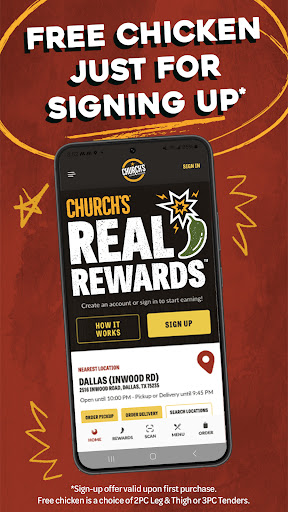
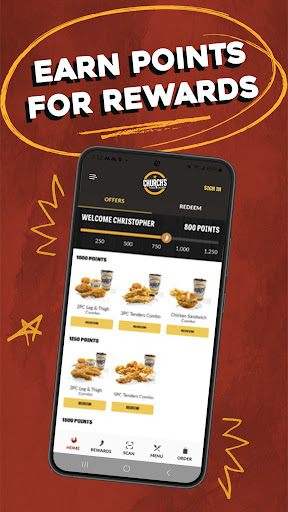
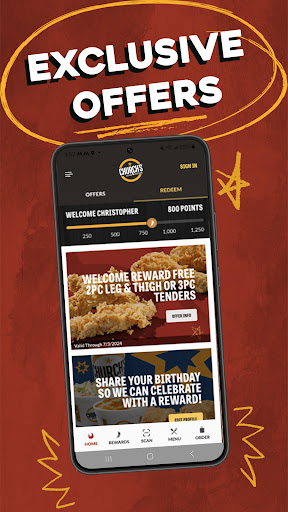
Fried chicken has never been this rewarding! Download the app, create your Church's® account and you'll get FREE CHICKEN (2 pc Leg & Thigh or 3 Tenders) with any purchase. Earn 10 points for every $1 spent and you'll have your choice of rewards to redeem for almost anything on our menu. We'll also celebrate your birthday and your sign up anniversary with a FREE regular side, 22 oz drink or dessert.PLUS, more special offers and member exclusives throughout the year.
Order Ahead & Skip the Lines
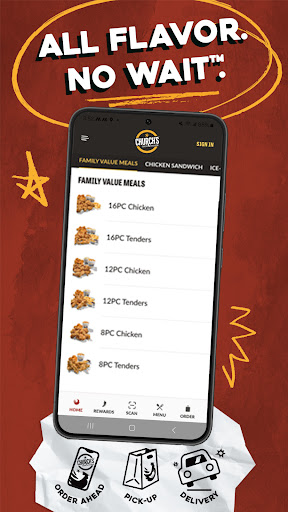
Ordering through the Church's® app is the easiest, most convenient way to feed that craving for Church's® fried chicken that you know and love. You can order for pickup ASAP or for a later time (during a tight lunch hour, on your way home from work or on your way to a family gathering). Park, walk in, pick up your order and you'll be on your way. PLUS you'll earn points automatically with any order in the app when you sign into your account.
Delivery That Delivers Real Rewards
When you just don't have time to drive to your nearest Church's® or wait in a drive-thru line, let Church's® bring your favorites right to your front door. Menu prices are the same as what you'd pay at the restaurant so you'll always get great value. Plus, we offer a larger delivery area than other delivery services. AND you'll earn points towards free food with every delivery order when you sign into your account.
Church's® Account Saves Time
After you create your Church's® account, you'll never have to type in your name, email or phone number again. Plus you'll have the option of saving your credit card information securely so checkout is a breeze. Previous delivery addresses will also become easy to reuse the next time you order for delivery.
Order History Makes Reorder Simple
Sometimes the perfect order doesn't need any adjustments and you want what you want. We make reordering your favorites easier than ever - reorder your most recent order or look through your order history to choose from that list.
Sign up for Updates via Email or Text
We make staying in touch easy, too. When you create your Church's® account, you can choose to receive updates about the latest promotions and offers from Church's® via email or text.
แสดงเพิ่มเติม

1. ดาวน์โหลดตัวติดตั้ง MEmu และสิ้นสุดการติดตั้ง

2. เริ่ม MEmu จากนั้นเปิด Google Play บนหน้าแรก

3. ค้นหา Church's Texas Chicken® ใน Google Play
Install
4. ดาวน์โหลดและติดตั้ง Church's Texas Chicken®
5. เมื่อติดตั้งเสร็จให้คลิกที่ไอคอนเพื่อเริ่มใช้งาน

6. ใช้ MEmu เพื่อสัมผัสประสบการณ์ Church's Texas Chicken® บนคอมพิวเตอร์ของคุณ
MEmu Play คือโปรแกรมจำลอง Android ที่ดีที่สุด มีผู้ใช้มากกว่า 50 ล้านคน มอบประสบการณ์การใช้งานแอป Android ขั้นสุดยอดให้กับคุณ เทคโนโลยีจำลองเสมือนของ MEmu ช่วยให้คุณรันแอป Android หลายพันแอปบนคอมพิวเตอร์ได้อย่างราบรื่น แม้แอปที่กินทรัพยากรเครื่องสูงที่สุด
จอใหญ่และกราฟฟิกสวยกว่า; เล่นได้นาน, ไม่ต้องใช้แบตเตอรี่โทรศัพท์หรือเน็ตโทรศัพท์.
ระบบปรับแต่งปุ่มคีย์บอร์ดและเม้าส์ตามที่คุณเลือก
เล่นมากกว่าหนึ่งเกมบน PC ในเวลาเดียวกันด้วยระบบหลายจอหรือ Multi-Instance manager.
Use Church's Texas Chicken® on PC by following steps: