CompAsia
อัปเดตเมื่อ
เวอร์ชันปัจจุบัน
1.0.34
ให้บริการโดย

เมื่อใช้ CompAsia บนโทรศัพท์ของคุณไม่ต้องกังวลกับการชาร์จไฟมากเกินไปปลดปล่อยตัวคุณเองจากหน้าจอขนาดเล็กและสนุกกับการใช้แอพนี้บนหน้าจอขนาดใหญ่ จากนี้ไปรับประสบการณ์เต็มหน้าจอของแอปพลิเคชันของคุณด้วยคีย์บอร์ดและเมาส์ MEmu มีคุณสมบัติที่น่าแปลกใจที่คุณคาดหวัง: การติดตั้งที่รวดเร็วและการตั้งค่าที่ง่ายควบคุมได้ง่ายไม่ จำกัด แบตเตอรี่ข้อมูลมือถือและการโทรที่รบกวน MEmu 9 ใหม่ล่าสุดเป็นตัวเลือกที่ดีที่สุดสำหรับการใช้ Meitu – โปรแกรมแก้ไขภาพแนวธรรมชาติ บนคอมพิวเตอร์ของคุณ ด้วยรหัสการดูดซึมของเราผู้จัดการหลายอินสแตนซ์ทำให้สามารถเปิดบัญชี 2 บัญชีขึ้นไปในเวลาเดียวกันได้ และที่สำคัญที่สุดเอ็นจิ้นจำลองพิเศษของเราสามารถปลดปล่อยศักยภาพของPCของคุณและทำให้ทุกอย่างราบรื่นและสนุกสนาน
แสดงเพิ่มเติม
ดาวน์โหลด CompAsia บน PC ด้วย MEmu Android Emulator สนุกกับการเล่นบนหน้าจอขนาดใหญ่ Looking for a fast and easy way to sell your devices?
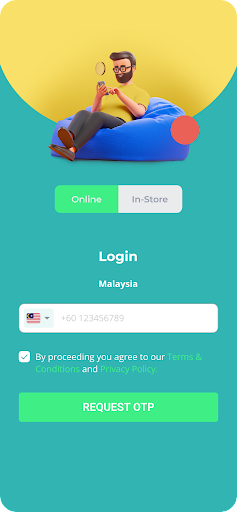
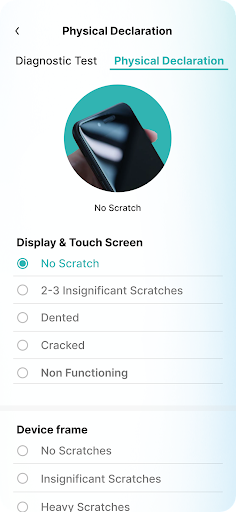
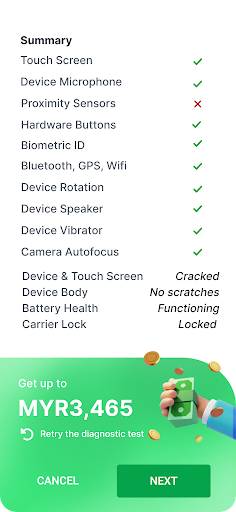
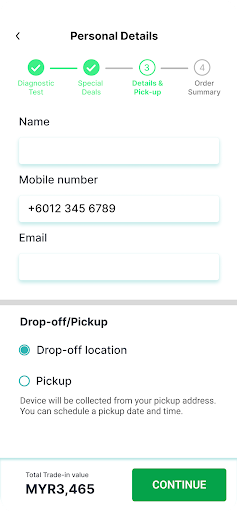
Looking for a fast and easy way to sell your devices? CompAsia is your seamless trade-in app that allows you trade-in directly from the device you plan to sell. Just download the app, diagnose your device and get an instant valuation for your device. You can then choose to sell it for cash or exchange it for great deals. Furthermore, we will come to you to collect the device you want to sell if you choose.
CompAsia is partnered with plenty of well-known brands to give you the best value every time you trade in. If you’re looking to upgrade your phone, you can check out available deals on that. Got unused tablets you want to trade for a laptop? We can help you with that too.
How to trade in through the app:
Download
Download this app and register your details
Run diagnostics
Run the tests to assess the software and hardware related to your device
Get quote
Once you have completed the diagnostic test, you will be given a quote for your device
Choose your payment
You can choose to be paid in cash that will be directly credited into your account, or in the form of store credit at any of our partner stores.
More reasons to choose CompAsia:
We accept thousands of models and brands
No matter how old your device, we have a price for it. Brands like Apple, Samsung, Google, OPPO, Vivo, Xiaomi and more are available for trade in!
We accept functioning and nonfunctioning devices
As long as you have a physical device, we are able to give you a price for it. Having trouble getting this app on the device you want to sell? You can also contact our friendly customer service to assist you on this.
We do not charge you for delivery
Delivery on confirmed trade-ins are free of charge. Simply provide us with your address and we will set a time to collect the device you want to sell. How is that for convenience?
Your data is securely wiped
Every device that is sold to us is securely wiped through a process that is more advanced than a regular factory reset. An initial factory reset will occur at the time your device is picked up, followed by another level of data erasure to ensure that your personal data is safe.
แสดงเพิ่มเติม

1. ดาวน์โหลดตัวติดตั้ง MEmu และสิ้นสุดการติดตั้ง

2. เริ่ม MEmu จากนั้นเปิด Google Play บนหน้าแรก

3. ค้นหา CompAsia ใน Google Play
Install
4. ดาวน์โหลดและติดตั้ง CompAsia
5. เมื่อติดตั้งเสร็จให้คลิกที่ไอคอนเพื่อเริ่มใช้งาน

6. ใช้ MEmu เพื่อสัมผัสประสบการณ์ CompAsia บนคอมพิวเตอร์ของคุณ
MEmu Play คือโปรแกรมจำลอง Android ที่ดีที่สุด มีผู้ใช้มากกว่า 50 ล้านคน มอบประสบการณ์การใช้งานแอป Android ขั้นสุดยอดให้กับคุณ เทคโนโลยีจำลองเสมือนของ MEmu ช่วยให้คุณรันแอป Android หลายพันแอปบนคอมพิวเตอร์ได้อย่างราบรื่น แม้แอปที่กินทรัพยากรเครื่องสูงที่สุด
จอใหญ่และกราฟฟิกสวยกว่า; เล่นได้นาน, ไม่ต้องใช้แบตเตอรี่โทรศัพท์หรือเน็ตโทรศัพท์.
ระบบปรับแต่งปุ่มคีย์บอร์ดและเม้าส์ตามที่คุณเลือก
เล่นมากกว่าหนึ่งเกมบน PC ในเวลาเดียวกันด้วยระบบหลายจอหรือ Multi-Instance manager.
Use CompAsia on PC by following steps: