Cupixel: AR Trace & Classes
อัปเดตเมื่อ
เวอร์ชันปัจจุบัน
10.7.0
ให้บริการโดย

เมื่อใช้ Cupixel: AR Trace & Classes บนโทรศัพท์ของคุณไม่ต้องกังวลกับการชาร์จไฟมากเกินไปปลดปล่อยตัวคุณเองจากหน้าจอขนาดเล็กและสนุกกับการใช้แอพนี้บนหน้าจอขนาดใหญ่ จากนี้ไปรับประสบการณ์เต็มหน้าจอของแอปพลิเคชันของคุณด้วยคีย์บอร์ดและเมาส์ MEmu มีคุณสมบัติที่น่าแปลกใจที่คุณคาดหวัง: การติดตั้งที่รวดเร็วและการตั้งค่าที่ง่ายควบคุมได้ง่ายไม่ จำกัด แบตเตอรี่ข้อมูลมือถือและการโทรที่รบกวน MEmu 9 ใหม่ล่าสุดเป็นตัวเลือกที่ดีที่สุดสำหรับการใช้ Meitu – โปรแกรมแก้ไขภาพแนวธรรมชาติ บนคอมพิวเตอร์ของคุณ ด้วยรหัสการดูดซึมของเราผู้จัดการหลายอินสแตนซ์ทำให้สามารถเปิดบัญชี 2 บัญชีขึ้นไปในเวลาเดียวกันได้ และที่สำคัญที่สุดเอ็นจิ้นจำลองพิเศษของเราสามารถปลดปล่อยศักยภาพของPCของคุณและทำให้ทุกอย่างราบรื่นและสนุกสนาน
แสดงเพิ่มเติม
ดาวน์โหลด Cupixel: AR Trace & Classes บน PC ด้วย MEmu Android Emulator สนุกกับการเล่นบนหน้าจอขนาดใหญ่ The world’s first all-in-one creativity app removes all obstacles from creating art using augmented reality and expert artists’ instruction.
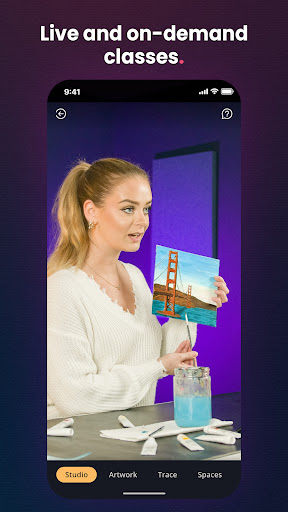
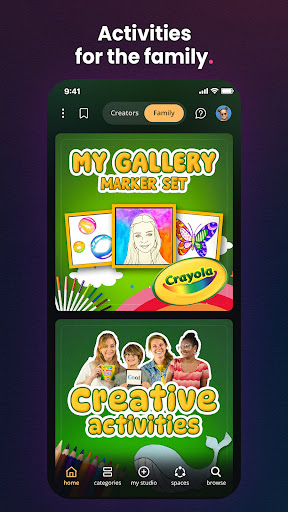
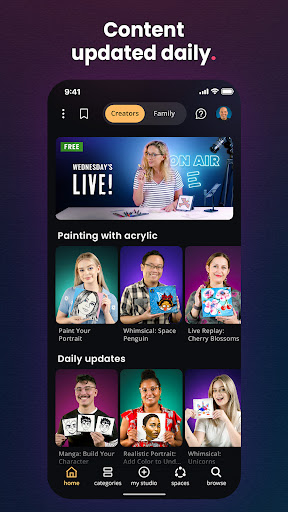
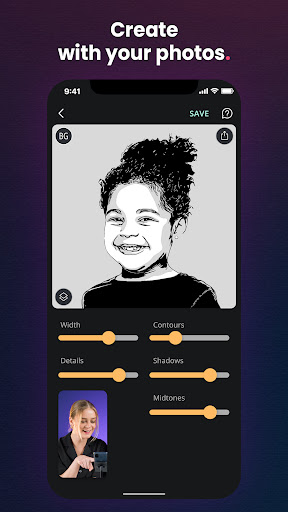
The world’s first all-in-one creativity app removes all obstacles from creating art using augmented reality and expert artists’ instruction. Daily class updates for beginners and experts covering everything from acrylic, to pencil, to watercolor, and even shoes means there is something for everyone.
HOW IT WORKS
1. Pick your experience - Choose from thousands of artist-led, step-by-step instructions. From pets and portraits, to cookies and shoes, there is something for everyone.
2. Convert your photo or select an artwork - Choose an image from your camera roll, and our AI technology converts it into outlines that you can use. Or, pick one of the thousands of artworks that we provide.
3. Trace - Look through your phone and trace the image directly onto any surface. Our Augmented Reality technology locks into the surface for foolproof tracing. This tool is essential for everyone, from beginners to masters.
4. Add the details - Follow along with our artists as they tell you how to add the details that bring your art to life. Or, if you like, you can create on your own, without the instructions.
MORE FEATURES OUR MEMBERS LOVE
Smart Trace: The Augmented Reality locks on to the corner of your surface for foolproof tracing
Use Any Surface: Canvas, paper, cookies, shoes… Anything you can imagine
Make Huge Artworks: Trace up to 16”x20” using the wide-angle camera on most phones
Drag Tool: Compose your art by dragging and scaling your tracing anywhere on the surface
Text Editor: Type your text and choose from tons of fonts to trace
Time Lapse Generator: A video can be recorded while you create to share on your social media
Spaces: Share your creation with the community
แสดงเพิ่มเติม

1. ดาวน์โหลดตัวติดตั้ง MEmu และสิ้นสุดการติดตั้ง

2. เริ่ม MEmu จากนั้นเปิด Google Play บนหน้าแรก

3. ค้นหา Cupixel: AR Trace & Classes ใน Google Play
Install
4. ดาวน์โหลดและติดตั้ง Cupixel: AR Trace & Classes
5. เมื่อติดตั้งเสร็จให้คลิกที่ไอคอนเพื่อเริ่มใช้งาน

6. ใช้ MEmu เพื่อสัมผัสประสบการณ์ Cupixel: AR Trace & Classes บนคอมพิวเตอร์ของคุณ
MEmu Play คือโปรแกรมจำลอง Android ที่ดีที่สุด มีผู้ใช้มากกว่า 50 ล้านคน มอบประสบการณ์การใช้งานแอป Android ขั้นสุดยอดให้กับคุณ เทคโนโลยีจำลองเสมือนของ MEmu ช่วยให้คุณรันแอป Android หลายพันแอปบนคอมพิวเตอร์ได้อย่างราบรื่น แม้แอปที่กินทรัพยากรเครื่องสูงที่สุด
จอใหญ่และกราฟฟิกสวยกว่า; เล่นได้นาน, ไม่ต้องใช้แบตเตอรี่โทรศัพท์หรือเน็ตโทรศัพท์.
ระบบปรับแต่งปุ่มคีย์บอร์ดและเม้าส์ตามที่คุณเลือก
เล่นมากกว่าหนึ่งเกมบน PC ในเวลาเดียวกันด้วยระบบหลายจอหรือ Multi-Instance manager.
Use Cupixel: AR Trace & Classes on PC by following steps: