Curious Cat: Paid Surveys
อัปเดตเมื่อ
เวอร์ชันปัจจุบัน
1.5.9
ให้บริการโดย

เมื่อใช้ Curious Cat: Paid Surveys บนโทรศัพท์ของคุณไม่ต้องกังวลกับการชาร์จไฟมากเกินไปปลดปล่อยตัวคุณเองจากหน้าจอขนาดเล็กและสนุกกับการใช้แอพนี้บนหน้าจอขนาดใหญ่ จากนี้ไปรับประสบการณ์เต็มหน้าจอของแอปพลิเคชันของคุณด้วยคีย์บอร์ดและเมาส์ MEmu มีคุณสมบัติที่น่าแปลกใจที่คุณคาดหวัง: การติดตั้งที่รวดเร็วและการตั้งค่าที่ง่ายควบคุมได้ง่ายไม่ จำกัด แบตเตอรี่ข้อมูลมือถือและการโทรที่รบกวน MEmu 9 ใหม่ล่าสุดเป็นตัวเลือกที่ดีที่สุดสำหรับการใช้ Meitu – โปรแกรมแก้ไขภาพแนวธรรมชาติ บนคอมพิวเตอร์ของคุณ ด้วยรหัสการดูดซึมของเราผู้จัดการหลายอินสแตนซ์ทำให้สามารถเปิดบัญชี 2 บัญชีขึ้นไปในเวลาเดียวกันได้ และที่สำคัญที่สุดเอ็นจิ้นจำลองพิเศษของเราสามารถปลดปล่อยศักยภาพของPCของคุณและทำให้ทุกอย่างราบรื่นและสนุกสนาน
แสดงเพิ่มเติม
ดาวน์โหลด Curious Cat: Paid Surveys บน PC ด้วย MEmu Android Emulator สนุกกับการเล่นบนหน้าจอขนาดใหญ่ Earn extra money taking paid surveys with Curious Cat.
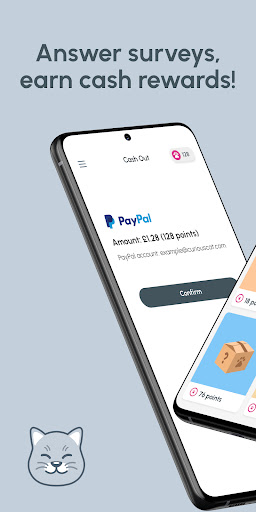
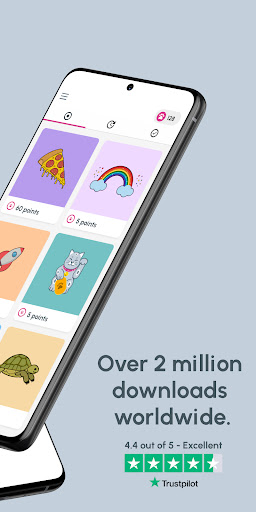
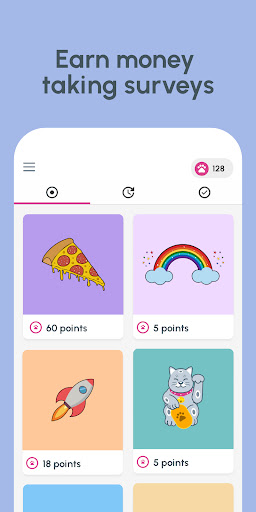
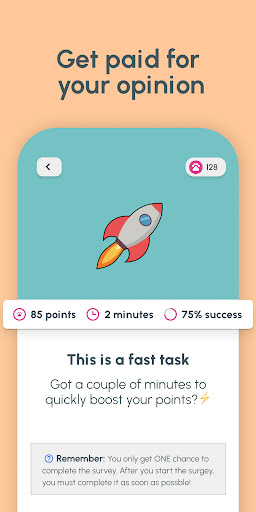
Earn extra money taking paid surveys with Curious Cat. Instant cash out to Paypal.
“Good choice of surveys, fast cashout to Paypal”
Rated Excellent on Trustpilot
● Curious Cat is a fun way to get paid for your opinion and earn extra money in your free time
● Get your money fast, with instant Paypal withdrawals from only 100 points (£1/$1.27/AU$1.97/€1.17*)
● We match you to the most interesting paid surveys, opinion polls, questionnaires and market research
● Earn rewards quickly - the average survey pays between 20 and 200 points
● You choose how many paid surveys you want to answer - there’s no limit on how much money you can earn.
No funny business - just surveys, cash and cats.
“Nifty app where you only need to earn £1 before it pays”
Recommended by Money Saving Expert
You must be 16 or over to earn money taking paid surveys. Paypal account required to cash out your money. In countries where Paypal is not available, we offer alternative money withdrawal options. *Latest exchange rates used when you cash out. See curiouscatapp.com for more information. Questions about paid surveys, survey types and Paypal money cash out? Visit our Help Center https://help.curiouscatapp.com/ or contact help@curiouscatapp.com
------------------------------------------------------------------------------------------------------------------------
Accessibility Services permission:
● The Accessibility Services permission is only requested if a user wishes to join the MAX research panel or the AMPD Digital Profiler.
● These opt-in market research panels (available in UK, Thailand, Malaysia, Singapore, Indonesia and Philippines) give eligible members the chance to participate in passive market research, where usage of online media streaming services is monitored via the use of Accessibility Services. Users are paid a weekly reward for their continued participation without having to complete a survey.
● To deactivate the task and leave the study at any time, go to the ‘Progress’ tab in the Curious Cat app.
แสดงเพิ่มเติม

1. ดาวน์โหลดตัวติดตั้ง MEmu และสิ้นสุดการติดตั้ง

2. เริ่ม MEmu จากนั้นเปิด Google Play บนหน้าแรก

3. ค้นหา Curious Cat: Paid Surveys ใน Google Play
Install
4. ดาวน์โหลดและติดตั้ง Curious Cat: Paid Surveys
5. เมื่อติดตั้งเสร็จให้คลิกที่ไอคอนเพื่อเริ่มใช้งาน

6. ใช้ MEmu เพื่อสัมผัสประสบการณ์ Curious Cat: Paid Surveys บนคอมพิวเตอร์ของคุณ
MEmu Play คือโปรแกรมจำลอง Android ที่ดีที่สุด มีผู้ใช้มากกว่า 50 ล้านคน มอบประสบการณ์การใช้งานแอป Android ขั้นสุดยอดให้กับคุณ เทคโนโลยีจำลองเสมือนของ MEmu ช่วยให้คุณรันแอป Android หลายพันแอปบนคอมพิวเตอร์ได้อย่างราบรื่น แม้แอปที่กินทรัพยากรเครื่องสูงที่สุด
จอใหญ่และกราฟฟิกสวยกว่า; เล่นได้นาน, ไม่ต้องใช้แบตเตอรี่โทรศัพท์หรือเน็ตโทรศัพท์.
ระบบปรับแต่งปุ่มคีย์บอร์ดและเม้าส์ตามที่คุณเลือก
เล่นมากกว่าหนึ่งเกมบน PC ในเวลาเดียวกันด้วยระบบหลายจอหรือ Multi-Instance manager.
Use Curious Cat: Paid Surveys on PC by following steps: