Doctor On Demand
อัปเดตเมื่อ
เวอร์ชันปัจจุบัน
2024.51.3
ให้บริการโดย

เมื่อใช้ Doctor On Demand บนโทรศัพท์ของคุณไม่ต้องกังวลกับการชาร์จไฟมากเกินไปปลดปล่อยตัวคุณเองจากหน้าจอขนาดเล็กและสนุกกับการใช้แอพนี้บนหน้าจอขนาดใหญ่ จากนี้ไปรับประสบการณ์เต็มหน้าจอของแอปพลิเคชันของคุณด้วยคีย์บอร์ดและเมาส์ MEmu มีคุณสมบัติที่น่าแปลกใจที่คุณคาดหวัง: การติดตั้งที่รวดเร็วและการตั้งค่าที่ง่ายควบคุมได้ง่ายไม่ จำกัด แบตเตอรี่ข้อมูลมือถือและการโทรที่รบกวน MEmu 9 ใหม่ล่าสุดเป็นตัวเลือกที่ดีที่สุดสำหรับการใช้ Meitu – โปรแกรมแก้ไขภาพแนวธรรมชาติ บนคอมพิวเตอร์ของคุณ ด้วยรหัสการดูดซึมของเราผู้จัดการหลายอินสแตนซ์ทำให้สามารถเปิดบัญชี 2 บัญชีขึ้นไปในเวลาเดียวกันได้ และที่สำคัญที่สุดเอ็นจิ้นจำลองพิเศษของเราสามารถปลดปล่อยศักยภาพของPCของคุณและทำให้ทุกอย่างราบรื่นและสนุกสนาน
แสดงเพิ่มเติม
ดาวน์โหลด Doctor On Demand บน PC ด้วย MEmu Android Emulator สนุกกับการเล่นบนหน้าจอขนาดใหญ่ Total Virtual Care™ available when you are – anytime, anywhere.
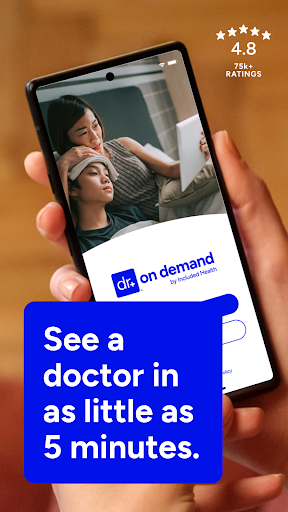
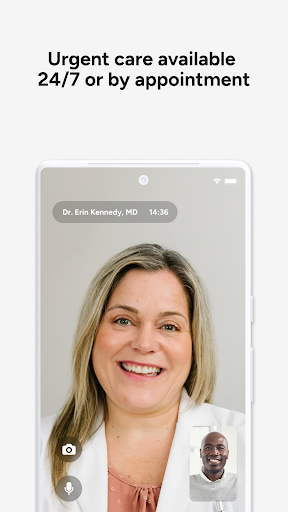
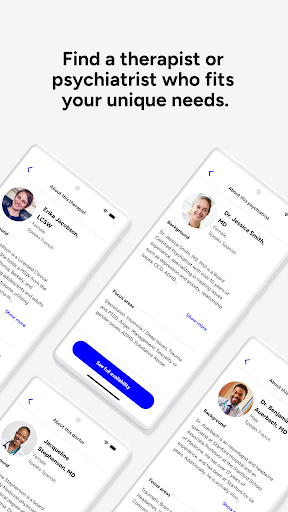
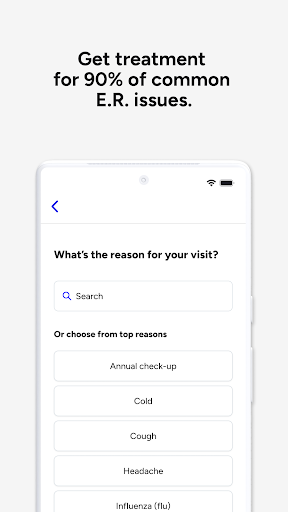
Total Virtual Care™ available when you are – anytime, anywhere. Connect face-to-face with board-certified providers and licensed therapists over live video on your smartphone or tablet.
Examples of what we treat:
- Cold & flu
- UTIs
- Depression and anxiety
- Allergies
- Skin and eye issues
- Urgent Care & more
- Behavioral Care
- Reproductive and sexual health Care
When can I see a doctor or therapist?
Our providers are available 24 hours a day, seven days a week. You can see a provider immediately or schedule a visit at your convenience.
What can I expect in a visit?
After you select the type of visit and provide your history and symptoms, you’ll meet with your provider. Your doctor may recommend lab work and treatment, including prescriptions. After the visit, you can review your visit details in your Doctor On Demand health record.
How much do visits cost and do you accept insurance?
Our services are available with and without insurance. We also partner with many top employers to reduce your cost. See exactly what your visit will cost before you connect. There are no monthly fees.
Can my family members use Doctor On Demand, too?
Our care team can help your entire family. From medical to mental health, we’re here to make sure your family gets the care they need.
This service is available in all 50 states and the District of Columbia.
แสดงเพิ่มเติม

1. ดาวน์โหลดตัวติดตั้ง MEmu และสิ้นสุดการติดตั้ง

2. เริ่ม MEmu จากนั้นเปิด Google Play บนหน้าแรก

3. ค้นหา Doctor On Demand ใน Google Play
Install
4. ดาวน์โหลดและติดตั้ง Doctor On Demand
5. เมื่อติดตั้งเสร็จให้คลิกที่ไอคอนเพื่อเริ่มใช้งาน

6. ใช้ MEmu เพื่อสัมผัสประสบการณ์ Doctor On Demand บนคอมพิวเตอร์ของคุณ
MEmu Play คือโปรแกรมจำลอง Android ที่ดีที่สุด มีผู้ใช้มากกว่า 50 ล้านคน มอบประสบการณ์การใช้งานแอป Android ขั้นสุดยอดให้กับคุณ เทคโนโลยีจำลองเสมือนของ MEmu ช่วยให้คุณรันแอป Android หลายพันแอปบนคอมพิวเตอร์ได้อย่างราบรื่น แม้แอปที่กินทรัพยากรเครื่องสูงที่สุด
จอใหญ่และกราฟฟิกสวยกว่า; เล่นได้นาน, ไม่ต้องใช้แบตเตอรี่โทรศัพท์หรือเน็ตโทรศัพท์.
ระบบปรับแต่งปุ่มคีย์บอร์ดและเม้าส์ตามที่คุณเลือก
เล่นมากกว่าหนึ่งเกมบน PC ในเวลาเดียวกันด้วยระบบหลายจอหรือ Multi-Instance manager.
Use Doctor On Demand on PC by following steps: