Emoji Battery Status Bar
อัปเดตเมื่อ
เวอร์ชันปัจจุบัน
1.7
ให้บริการโดย

เมื่อใช้ Emoji Battery Status Bar บนโทรศัพท์ของคุณไม่ต้องกังวลกับการชาร์จไฟมากเกินไปปลดปล่อยตัวคุณเองจากหน้าจอขนาดเล็กและสนุกกับการใช้แอพนี้บนหน้าจอขนาดใหญ่ จากนี้ไปรับประสบการณ์เต็มหน้าจอของแอปพลิเคชันของคุณด้วยคีย์บอร์ดและเมาส์ MEmu มีคุณสมบัติที่น่าแปลกใจที่คุณคาดหวัง: การติดตั้งที่รวดเร็วและการตั้งค่าที่ง่ายควบคุมได้ง่ายไม่ จำกัด แบตเตอรี่ข้อมูลมือถือและการโทรที่รบกวน MEmu 9 ใหม่ล่าสุดเป็นตัวเลือกที่ดีที่สุดสำหรับการใช้ Meitu – โปรแกรมแก้ไขภาพแนวธรรมชาติ บนคอมพิวเตอร์ของคุณ ด้วยรหัสการดูดซึมของเราผู้จัดการหลายอินสแตนซ์ทำให้สามารถเปิดบัญชี 2 บัญชีขึ้นไปในเวลาเดียวกันได้ และที่สำคัญที่สุดเอ็นจิ้นจำลองพิเศษของเราสามารถปลดปล่อยศักยภาพของPCของคุณและทำให้ทุกอย่างราบรื่นและสนุกสนาน
แสดงเพิ่มเติม
ดาวน์โหลด Emoji Battery Status Bar บน PC ด้วย MEmu Android Emulator สนุกกับการเล่นบนหน้าจอขนาดใหญ่ Emoji Battery Status Bar: Add Emoji Battery to you phone status bar.
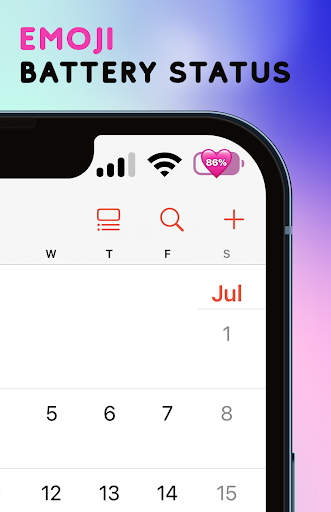
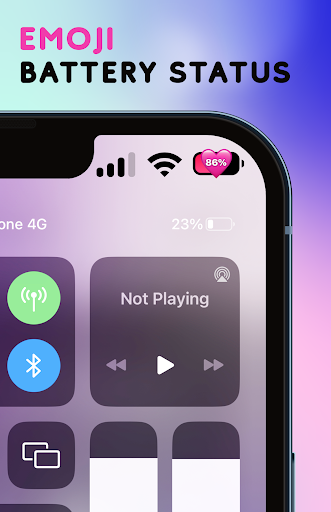
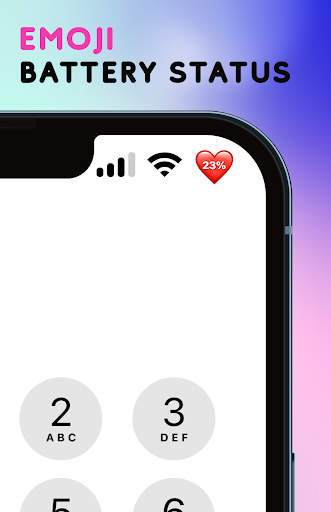
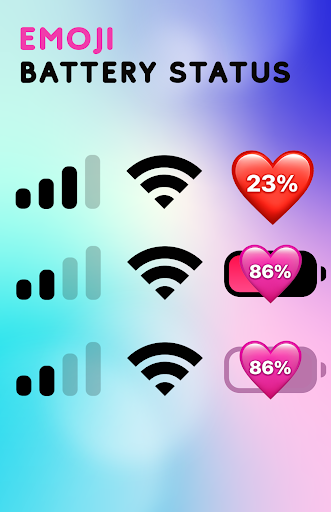
Emoji Battery Status Bar: Add Emoji Battery to you phone status bar.
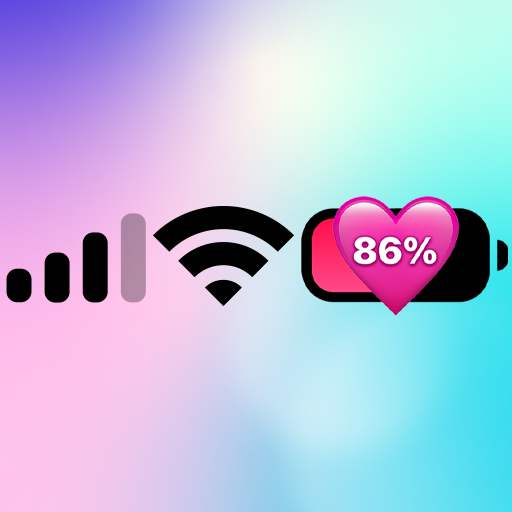
Emoji Battery Status: Turn battery icon on status bar become emoji battery icon. Customize status bar and battery icon battery indicator. Your phone will have new status bar style with heart emoji battery icon. Make you phone unique with just you with new iPhone status bar style and emoji battery status.
Emoji Battery Status is a delightful and practical app that adds a touch of fun to monitoring your device's battery level. With a vibrant collection of emojis representing different battery states, this app not only keeps you informed about your battery status but also adds a playful twist to your Android experience.
Make monitoring your device's battery status a delightful experience with Emoji Battery Status. Download now and infuse some fun and functionality into your Android device. Stay charged, stay expressive, and let your battery status reflect your mood!
Customize status bar and notch styles iOS 17 with Emoji Battery Status Bar. Make your phone unique with just you with status bar and X notch view iOS 17 style. Change your phone status bar & notch view with X Status Bar. Personalize your phone to stand out from the crowd, customize your status bar (notification bar), your notch with iOS style. Make your notch like iOS phone simple and very easy! Change your android smartphone status bar style to look like iOS 17 with X Status Bar.
FEATURE:
* Emoji Battery Indicators: Say goodbye to boring battery icons! Emoji Battery Status replaces the standard battery indicator with a range of colorful and expressive emojis that change based on your device's battery level. From smiling faces to worried expressions, the heart emojis add a touch of personality to your battery status.
* Change the color of status bar according to your preferences or the app you are using or your phone at home screen, lock screen.
* User-Friendly Interface: Emoji Battery Status offers a simple and intuitive user interface that is easy to navigate. Customize the app's settings to suit your preferences and enjoy a personalized battery tracking experience.
* The application will support command for press, long press and swipe actions on Emoji Battery Status Bar with following features:
- Back, Home, Recent actions.
- Popup notification, Quick settings.
- Popup Power dialogs.
- Take a Screenshot.
* Custom your status bar and notch look like iOS 17 style in few step, no root needed, simple and easy to use, turn it on or off, make you phone look like iOS Style
* Show time, battery, connection status in your X Status Bar with X Notch
* Change the color of status bar according to your preferences or the app you are using
* If your phone has a Notch, those are wonderful your Notch Options with iOS styles.
* Hate your Notch? Simply Remove or Hide Notch with this app.
PERMISSION REQUIREMENT:
- ACCESSIBILITY PERMISSION : Set up and display the custom Status bar and notch, display and show more information time, battery, connection status. The application commits not to collect or share any user information about this accessibility right. Please open application and grant permission to enable Emoji Battery Status.
Thank you!
แสดงเพิ่มเติม

1. ดาวน์โหลดตัวติดตั้ง MEmu และสิ้นสุดการติดตั้ง

2. เริ่ม MEmu จากนั้นเปิด Google Play บนหน้าแรก

3. ค้นหา Emoji Battery Status Bar ใน Google Play
Install
4. ดาวน์โหลดและติดตั้ง Emoji Battery Status Bar
5. เมื่อติดตั้งเสร็จให้คลิกที่ไอคอนเพื่อเริ่มใช้งาน

6. ใช้ MEmu เพื่อสัมผัสประสบการณ์ Emoji Battery Status Bar บนคอมพิวเตอร์ของคุณ
MEmu Play คือโปรแกรมจำลอง Android ที่ดีที่สุด มีผู้ใช้มากกว่า 50 ล้านคน มอบประสบการณ์การใช้งานแอป Android ขั้นสุดยอดให้กับคุณ เทคโนโลยีจำลองเสมือนของ MEmu ช่วยให้คุณรันแอป Android หลายพันแอปบนคอมพิวเตอร์ได้อย่างราบรื่น แม้แอปที่กินทรัพยากรเครื่องสูงที่สุด
จอใหญ่และกราฟฟิกสวยกว่า; เล่นได้นาน, ไม่ต้องใช้แบตเตอรี่โทรศัพท์หรือเน็ตโทรศัพท์.
ระบบปรับแต่งปุ่มคีย์บอร์ดและเม้าส์ตามที่คุณเลือก
เล่นมากกว่าหนึ่งเกมบน PC ในเวลาเดียวกันด้วยระบบหลายจอหรือ Multi-Instance manager.
Use Emoji Battery Status Bar on PC by following steps: