fctv 33 tv
อัปเดตเมื่อ
เวอร์ชันปัจจุบัน
1.0
ให้บริการโดย

เมื่อใช้ fctv 33 tv บนโทรศัพท์ของคุณไม่ต้องกังวลกับการชาร์จไฟมากเกินไปปลดปล่อยตัวคุณเองจากหน้าจอขนาดเล็กและสนุกกับการใช้แอพนี้บนหน้าจอขนาดใหญ่ จากนี้ไปรับประสบการณ์เต็มหน้าจอของแอปพลิเคชันของคุณด้วยคีย์บอร์ดและเมาส์ MEmu มีคุณสมบัติที่น่าแปลกใจที่คุณคาดหวัง: การติดตั้งที่รวดเร็วและการตั้งค่าที่ง่ายควบคุมได้ง่ายไม่ จำกัด แบตเตอรี่ข้อมูลมือถือและการโทรที่รบกวน MEmu 9 ใหม่ล่าสุดเป็นตัวเลือกที่ดีที่สุดสำหรับการใช้ Meitu – โปรแกรมแก้ไขภาพแนวธรรมชาติ บนคอมพิวเตอร์ของคุณ ด้วยรหัสการดูดซึมของเราผู้จัดการหลายอินสแตนซ์ทำให้สามารถเปิดบัญชี 2 บัญชีขึ้นไปในเวลาเดียวกันได้ และที่สำคัญที่สุดเอ็นจิ้นจำลองพิเศษของเราสามารถปลดปล่อยศักยภาพของPCของคุณและทำให้ทุกอย่างราบรื่นและสนุกสนาน
แสดงเพิ่มเติม
สัมผัสประสบการณ์สุดยอดการใช้งาน fctv 33 tv บนพีซีด้วย MEmu Play นี่คือโปรแกรมจำลอง Android ฟรีที่ทรงพลัง ให้คุณใช้งานแอป Android นับพันบนเดสก์ท็อป สนุกกับการเชื่อมต่อกับเพื่อนๆ และขัดเกลาผลงานของคุณอย่างมีประสิทธิภาพยิ่งขึ้น! FCTV 33 Player is a lightweight media player designed to provide a simple and stable experience for users who want to load and play their own playlists on Android devices.
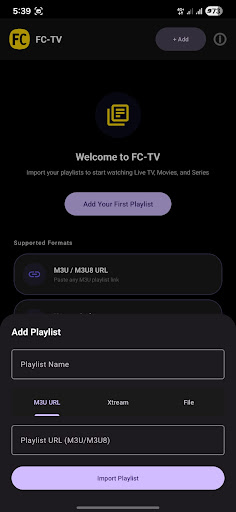
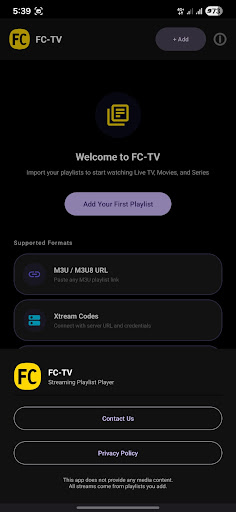
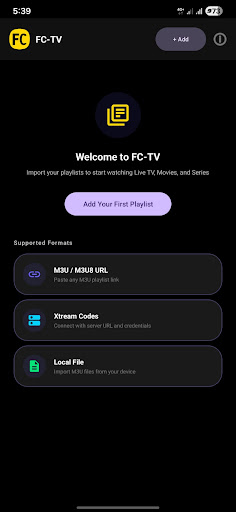
FCTV 33 Player is a lightweight media player designed to provide a simple and stable experience for users who want to load and play their own playlists on Android devices. The application focuses on clean design, smooth performance, and easy navigation without unnecessary complexity.
With FCTV 33 Player, users can import their playlists and access their content in an organized and clear interface. The app is built to remain responsive and efficient, even when handling multiple playlist entries. Every feature in FCTV 33 Player is designed to reduce steps and make playback straightforward.
FCTV 33 Player offers a minimal interface where users can easily browse their playlists and select content for playback. The layout is optimized for usability, allowing quick access to essential functions without confusion. FCTV 33 Player ensures that users can focus on their content instead of dealing with complicated settings.
FCTV 33 Player is developed to work smoothly across a wide range of Android devices. The application maintains stability and performance while keeping the overall size lightweight. FCTV 33 Player prioritizes reliability so users can open and manage playlists without interruptions.
The design approach of FCTV 33 Player is centered around simplicity. Menus are clear, navigation is direct, and all actions are easy to understand. FCTV 33 Player provides a comfortable experience for users who prefer a clean and efficient media player.
FCTV 33 Player does not provide any media content, channels, or playlists. FCTV 33 Player only functions as a player that allows users to load and play their own content.
แสดงเพิ่มเติม

1. ดาวน์โหลดตัวติดตั้ง MEmu และสิ้นสุดการติดตั้ง

2. เริ่ม MEmu จากนั้นเปิด Google Play บนหน้าแรก

3. ค้นหา fctv 33 tv ใน Google Play
Install
4. ดาวน์โหลดและติดตั้ง fctv 33 tv
5. เมื่อติดตั้งเสร็จให้คลิกที่ไอคอนเพื่อเริ่มใช้งาน

6. ใช้ MEmu เพื่อสัมผัสประสบการณ์ fctv 33 tv บนคอมพิวเตอร์ของคุณ
MEmu Play คือโปรแกรมจำลอง Android ที่ดีที่สุด มีผู้ใช้มากกว่า 50 ล้านคน มอบประสบการณ์การใช้งานแอป Android ขั้นสุดยอดให้กับคุณ เทคโนโลยีจำลองเสมือนของ MEmu ช่วยให้คุณรันแอป Android หลายพันแอปบนคอมพิวเตอร์ได้อย่างราบรื่น แม้แอปที่กินทรัพยากรเครื่องสูงที่สุด
จอใหญ่และกราฟฟิกสวยกว่า; เล่นได้นาน, ไม่ต้องใช้แบตเตอรี่โทรศัพท์หรือเน็ตโทรศัพท์.
ระบบปรับแต่งปุ่มคีย์บอร์ดและเม้าส์ตามที่คุณเลือก
เล่นมากกว่าหนึ่งเกมบน PC ในเวลาเดียวกันด้วยระบบหลายจอหรือ Multi-Instance manager.
Use fctv 33 tv on PC by following steps: