foodora: Food & Groceries
อัปเดตเมื่อ
เวอร์ชันปัจจุบัน
24.39.1
ให้บริการโดย

เมื่อใช้ foodora: Food & Groceries บนโทรศัพท์ของคุณไม่ต้องกังวลกับการชาร์จไฟมากเกินไปปลดปล่อยตัวคุณเองจากหน้าจอขนาดเล็กและสนุกกับการใช้แอพนี้บนหน้าจอขนาดใหญ่ จากนี้ไปรับประสบการณ์เต็มหน้าจอของแอปพลิเคชันของคุณด้วยคีย์บอร์ดและเมาส์ MEmu มีคุณสมบัติที่น่าแปลกใจที่คุณคาดหวัง: การติดตั้งที่รวดเร็วและการตั้งค่าที่ง่ายควบคุมได้ง่ายไม่ จำกัด แบตเตอรี่ข้อมูลมือถือและการโทรที่รบกวน MEmu 9 ใหม่ล่าสุดเป็นตัวเลือกที่ดีที่สุดสำหรับการใช้ Meitu – โปรแกรมแก้ไขภาพแนวธรรมชาติ บนคอมพิวเตอร์ของคุณ ด้วยรหัสการดูดซึมของเราผู้จัดการหลายอินสแตนซ์ทำให้สามารถเปิดบัญชี 2 บัญชีขึ้นไปในเวลาเดียวกันได้ และที่สำคัญที่สุดเอ็นจิ้นจำลองพิเศษของเราสามารถปลดปล่อยศักยภาพของPCของคุณและทำให้ทุกอย่างราบรื่นและสนุกสนาน
แสดงเพิ่มเติม
ดาวน์โหลด foodora: Food & Groceries บน PC ด้วย MEmu Android Emulator สนุกกับการเล่นบนหน้าจอขนาดใหญ่ We know where you can find the flavours that fit you.
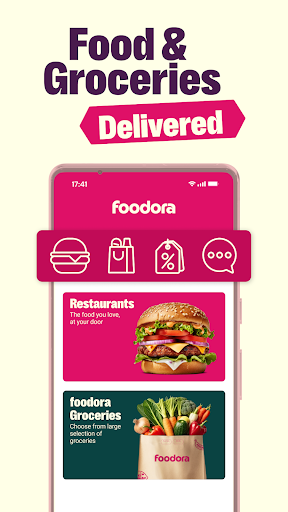
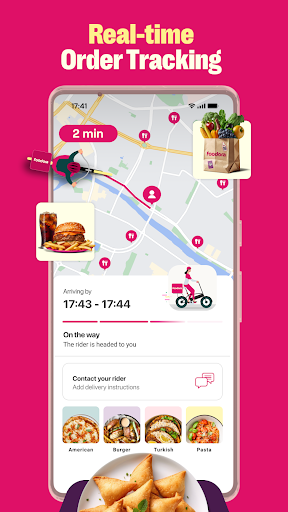

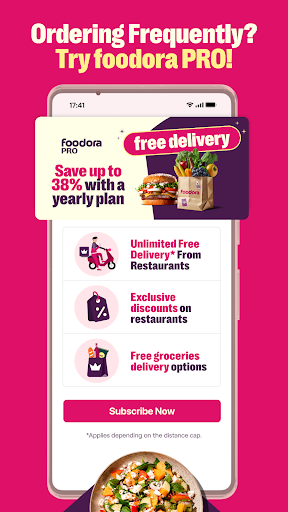
We know where you can find the flavours that fit you. If there's one thing we know it’s food delivery. It’s our mission to bring tasty food from your favourite local restaurant right to your door so you can eat good food everyday. We'll go the extra mile to make your order the greatest food experience in the world. Hungry for wood-fired pizza, a classic burger or the freshest sushi? We know the best food for every cuisine that your city has to offer. foodora is the best food delivery and take away service in your city -- so let's take the first bite!
Check if we're in your city by downloading the app.
SO WHAT’S THE DEAL?
You’re ready and waiting to eat, we’ve all been there, dreaming of thai food, eating burgers in our dreams. Here’s what we do: first choose between delivery and Pick-Up to fit food ordering seamlessly into your schedule. Pick-Up is simple -- you make your order and then collect your food from the restaurant once it’s ready. No more queuing, ever (our app is magic). If you choose delivery, our couriers will bring the food you've been lusting after right to your door. Dreams really do come true.
HOW IT WORKS
First, enter your address (home/ office/ treehouse). Then, choose your favourite restaurant and place an order. They’ll prepare your food and once it’s ready, our courier bring it to you. If you need something to watch, you can track your rider in real-time. Then you eat. Food goals.
WHAT MAKES US SPECIAL
foodora chooses your local favourites; the best food near you. Vietnamese or Italian, healthy salads or food to nurse your hangover -- your dinner will be cooked with love and care. Our riders come to your very doorstep with a smile while you save time to do something else you love. There's a cuisine and a dish to suit every moment, and we'll help you make the first bite last.
ANYTHING ELSE?
Of course your safety is important to us. We guarantee secure, simple mobile payment, so you can eat when you're hungry and pay however you like.
TALK TO US
If you’ve ordered with us before, we’d want to know what you think. Give us your food thoughts/ teenage confessionals. Let us be your notepad.
Email us at support@foodora.se
For further info, visit
www.foodora.com
แสดงเพิ่มเติม

1. ดาวน์โหลดตัวติดตั้ง MEmu และสิ้นสุดการติดตั้ง

2. เริ่ม MEmu จากนั้นเปิด Google Play บนหน้าแรก

3. ค้นหา foodora: Food & Groceries ใน Google Play
Install
4. ดาวน์โหลดและติดตั้ง foodora: Food & Groceries
5. เมื่อติดตั้งเสร็จให้คลิกที่ไอคอนเพื่อเริ่มใช้งาน

6. ใช้ MEmu เพื่อสัมผัสประสบการณ์ foodora: Food & Groceries บนคอมพิวเตอร์ของคุณ
MEmu Play คือโปรแกรมจำลอง Android ที่ดีที่สุด มีผู้ใช้มากกว่า 50 ล้านคน มอบประสบการณ์การใช้งานแอป Android ขั้นสุดยอดให้กับคุณ เทคโนโลยีจำลองเสมือนของ MEmu ช่วยให้คุณรันแอป Android หลายพันแอปบนคอมพิวเตอร์ได้อย่างราบรื่น แม้แอปที่กินทรัพยากรเครื่องสูงที่สุด
จอใหญ่และกราฟฟิกสวยกว่า; เล่นได้นาน, ไม่ต้องใช้แบตเตอรี่โทรศัพท์หรือเน็ตโทรศัพท์.
ระบบปรับแต่งปุ่มคีย์บอร์ดและเม้าส์ตามที่คุณเลือก
เล่นมากกว่าหนึ่งเกมบน PC ในเวลาเดียวกันด้วยระบบหลายจอหรือ Multi-Instance manager.
Use foodora: Food & Groceries on PC by following steps: