Limore Cloud Game
อัปเดตเมื่อ
เวอร์ชันปัจจุบัน
1.2.7
ให้บริการโดย

เมื่อใช้ Limore Cloud Game บนโทรศัพท์ของคุณไม่ต้องกังวลกับการชาร์จไฟมากเกินไปปลดปล่อยตัวคุณเองจากหน้าจอขนาดเล็กและสนุกกับการใช้แอพนี้บนหน้าจอขนาดใหญ่ จากนี้ไปรับประสบการณ์เต็มหน้าจอของแอปพลิเคชันของคุณด้วยคีย์บอร์ดและเมาส์ MEmu มีคุณสมบัติที่น่าแปลกใจที่คุณคาดหวัง: การติดตั้งที่รวดเร็วและการตั้งค่าที่ง่ายควบคุมได้ง่ายไม่ จำกัด แบตเตอรี่ข้อมูลมือถือและการโทรที่รบกวน MEmu 9 ใหม่ล่าสุดเป็นตัวเลือกที่ดีที่สุดสำหรับการใช้ Meitu – โปรแกรมแก้ไขภาพแนวธรรมชาติ บนคอมพิวเตอร์ของคุณ ด้วยรหัสการดูดซึมของเราผู้จัดการหลายอินสแตนซ์ทำให้สามารถเปิดบัญชี 2 บัญชีขึ้นไปในเวลาเดียวกันได้ และที่สำคัญที่สุดเอ็นจิ้นจำลองพิเศษของเราสามารถปลดปล่อยศักยภาพของPCของคุณและทำให้ทุกอย่างราบรื่นและสนุกสนาน
แสดงเพิ่มเติม
ดาวน์โหลด Limore Cloud Game บน PC ด้วย MEmu Android Emulator สนุกกับการเล่นบนหน้าจอขนาดใหญ่ Limore Cloud Game sounds like a great mobile gaming app for PC and console games!
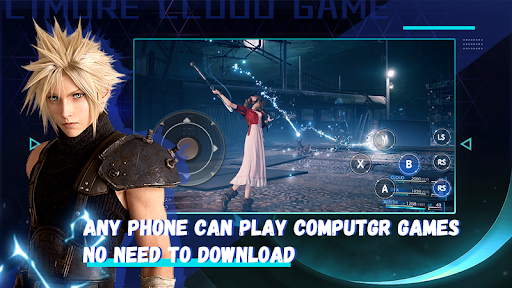
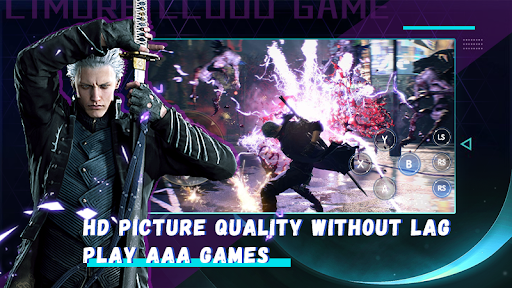
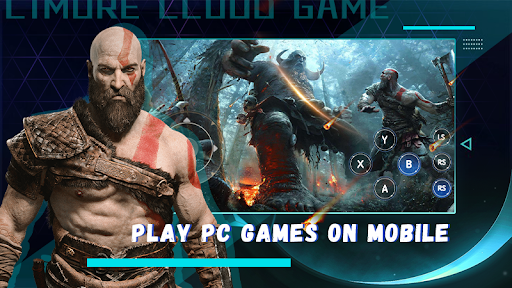
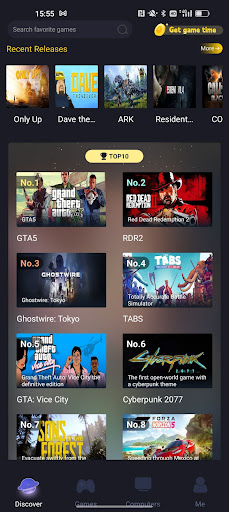
Limore Cloud Game sounds like a great mobile gaming app for PC and console games!
With over 1000+ AAA games available on the platform, you can enjoy your favorite PC games with just your smartphone. Some popular games available include GTA5,FIFA23,Naruto Storm 4,Forza Horizon 5,Demon Slayer,EldenRing,Red Dead Redemption 2,Marvel's Spider-Man Remastered,Resident Evil 4,WWE 2K23,The Sims 4,Choo-Choo Charles,BeamNG.drive,The Last of Us Part I,DRAGON BALL Z:KAKAROT,God of War,Marvel’s Spider-Man: Miles Morales,Mortal Kombat 11
Ghostwire: Tokyo,Attack on Titan,Grand Theft Auto: San Andreas,171,Cuphead,Battlefield 5,Troublemaker
Tekken7,Resident Evil Village,Dragonball Fighter Z,Stray,One Piece:Pirate Warriors 4 etc.
With Limore Cloud Game, you can play games anytime, anywhere, turning your phone into a high-end gaming device.
You can find the hottest computer games on the platform, and no longer have to wait for mobile versions of your favorite games. The best part is that you don’t need to download or install the games, simply log in and click “Play”. This saves your phone’s storage space.
Additionally, there’s no need to purchase a membership as you can play for free.
Limore Cloud Game offers a fantastic gaming experience with high-quality graphics and no lag. You don’t have to spend hundreds or thousands of dollars to buy PC games and consoles when you can have your own gaming world on this platform.
Invite your friends and enjoy playing computer games together, as Limore Cloud Game provides advanced cloud gaming.
If you want to join the Limore official community, you can find them on Discord at https://discord.gg/pQbhE4HmYJ.
แสดงเพิ่มเติม

1. ดาวน์โหลดตัวติดตั้ง MEmu และสิ้นสุดการติดตั้ง

2. เริ่ม MEmu จากนั้นเปิด Google Play บนหน้าแรก

3. ค้นหา Limore Cloud Game ใน Google Play
Install
4. ดาวน์โหลดและติดตั้ง Limore Cloud Game
5. เมื่อติดตั้งเสร็จให้คลิกที่ไอคอนเพื่อเริ่มใช้งาน

6. ใช้ MEmu เพื่อสัมผัสประสบการณ์ Limore Cloud Game บนคอมพิวเตอร์ของคุณ
MEmu Play คือโปรแกรมจำลอง Android ที่ดีที่สุด มีผู้ใช้มากกว่า 50 ล้านคน มอบประสบการณ์การใช้งานแอป Android ขั้นสุดยอดให้กับคุณ เทคโนโลยีจำลองเสมือนของ MEmu ช่วยให้คุณรันแอป Android หลายพันแอปบนคอมพิวเตอร์ได้อย่างราบรื่น แม้แอปที่กินทรัพยากรเครื่องสูงที่สุด
จอใหญ่และกราฟฟิกสวยกว่า; เล่นได้นาน, ไม่ต้องใช้แบตเตอรี่โทรศัพท์หรือเน็ตโทรศัพท์.
ระบบปรับแต่งปุ่มคีย์บอร์ดและเม้าส์ตามที่คุณเลือก
เล่นมากกว่าหนึ่งเกมบน PC ในเวลาเดียวกันด้วยระบบหลายจอหรือ Multi-Instance manager.
Use Limore Cloud Game on PC by following steps: